My first read: SpicyChat feels much more like a place for character roleplay than the easy, visual AI-girlfriend experience I had in mind. The home screen gave me a strong anime impression, the number of tags was impressive, and my first exchange with Tiffany Mae made me laugh. But after a day of work, I do not always want to learn a system before I can relax. That tension is the story of this review.
My quick verdict: NEXT. I can see the appeal if choosing a scenario and building its background is part of the fun. For my own preference—finding a realistic-looking adult companion and getting straight into a relaxed conversation—the browsing and setup asked more of me than I wanted.
18+ only. This review contains adult-platform screenshots with sensitive areas obscured. Some links on Yes or Next may earn me a commission; see my affiliate disclosure. My experience notes come from this review session; paid features described from documentation are identified below.
My first impression: a lot of anime, a lot of choice
The first thing I noticed was the look of the catalogue. Illustrated characters were prominent enough that I immediately thought, “This is going to appeal to anime fans.” That is my impression of the screen I browsed, not a measurement of the entire library. I eventually found Tiffany Mae, whose profile used a realistic-looking image, so it would be wrong to call SpicyChat anime-only.
Still, the atmosphere felt very different from Xotic AI, Candy AI, or Secrets AI. Here I was scanning tags, character premises, and community cards. I felt invited to choose a kind of fiction before I chose a companion. If I already had a specific scenario in mind, that could be exactly what I wanted. When I just wanted to browse until somebody caught my eye, it was more work.
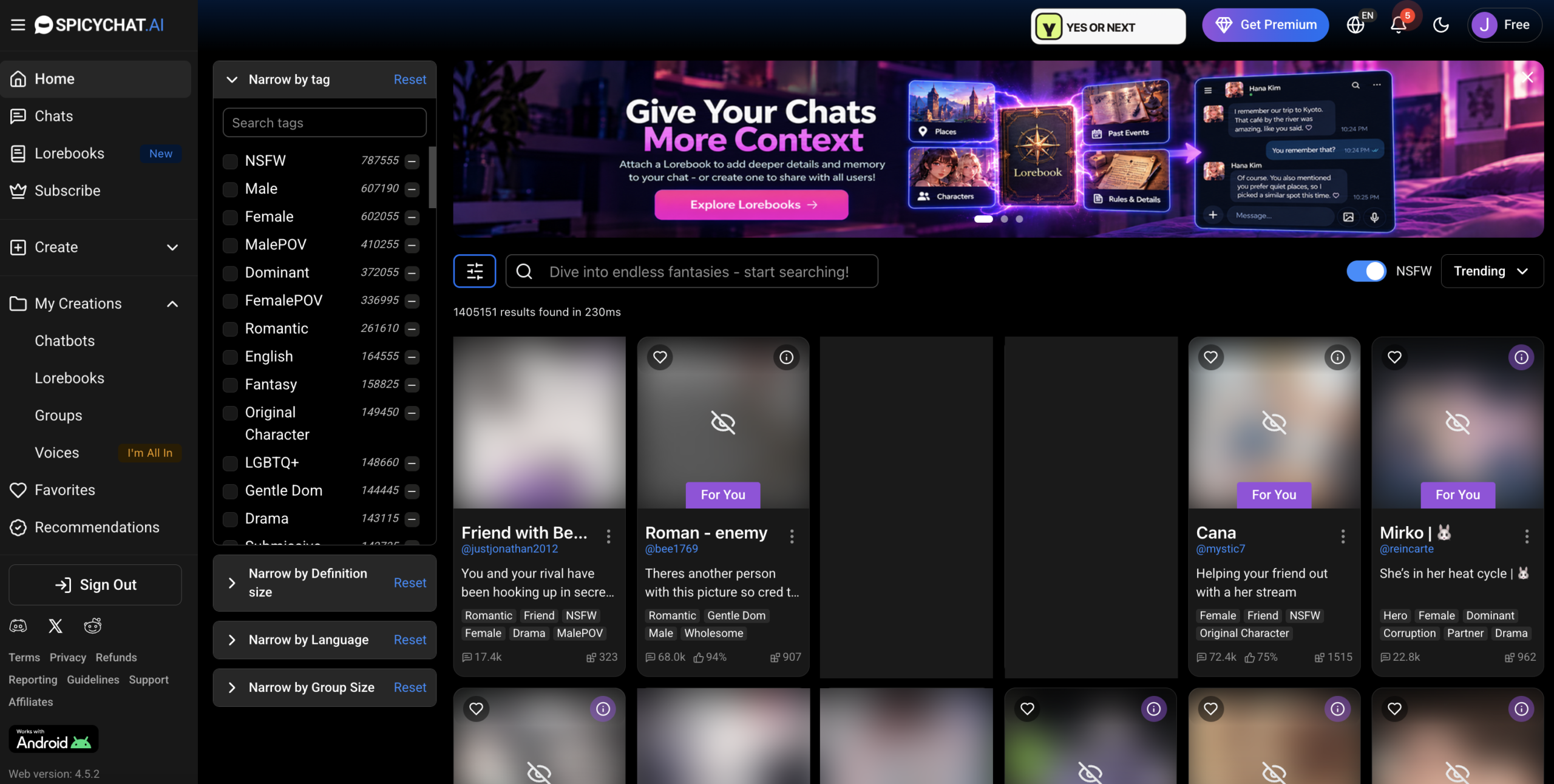
I liked seeing several NSFW thumbnails already blurred in my session. It made browsing less immediately revealing. However, I would not describe the whole feed as discreet: some imagery remained visible. SpicyChat’s profile-settings guide describes NSFW image blur as a setting, so my screenshot does not prove that every new account starts with the same configuration.
The tags are useful, but I missed the obvious shortcut
The number of categories was one of the strongest parts of discovery for me. The sidebar showed choices such as Romantic, Fantasy, English, and Original Character, alongside filters for language and other browsing criteria. I could understand the attraction immediately: when I know what I want, a large set of tags gives me more ways to narrow the search.
My frustration was more specific. I did not find a simple, obvious “no anime characters” switch during this session. I wanted that preference to be easy to express instead of having to inspect more cards. I eventually found a realistic-looking character, but reaching that point felt less direct than I would have liked.
There is a useful correction after reading the official character guide: the small minus button beside a tag excludes that tag. I had not understood that shortcut during my first browse. Tiffany’s profile also carried the “Real” tag. I would try including relevant tags and excluding unwanted ones next time, while remembering that community labels are not a perfect visual filter. “Real” describes the category here; it does not make an AI character a real person.
That distinction matters to my verdict. The control exists, but I did not discover it when I needed it. A tool can be capable and still feel awkward on a first visit. I am reviewing that first-use friction, not pretending that my initial confusion proves a missing feature.
Tiffany mae: I said hello and got roasted
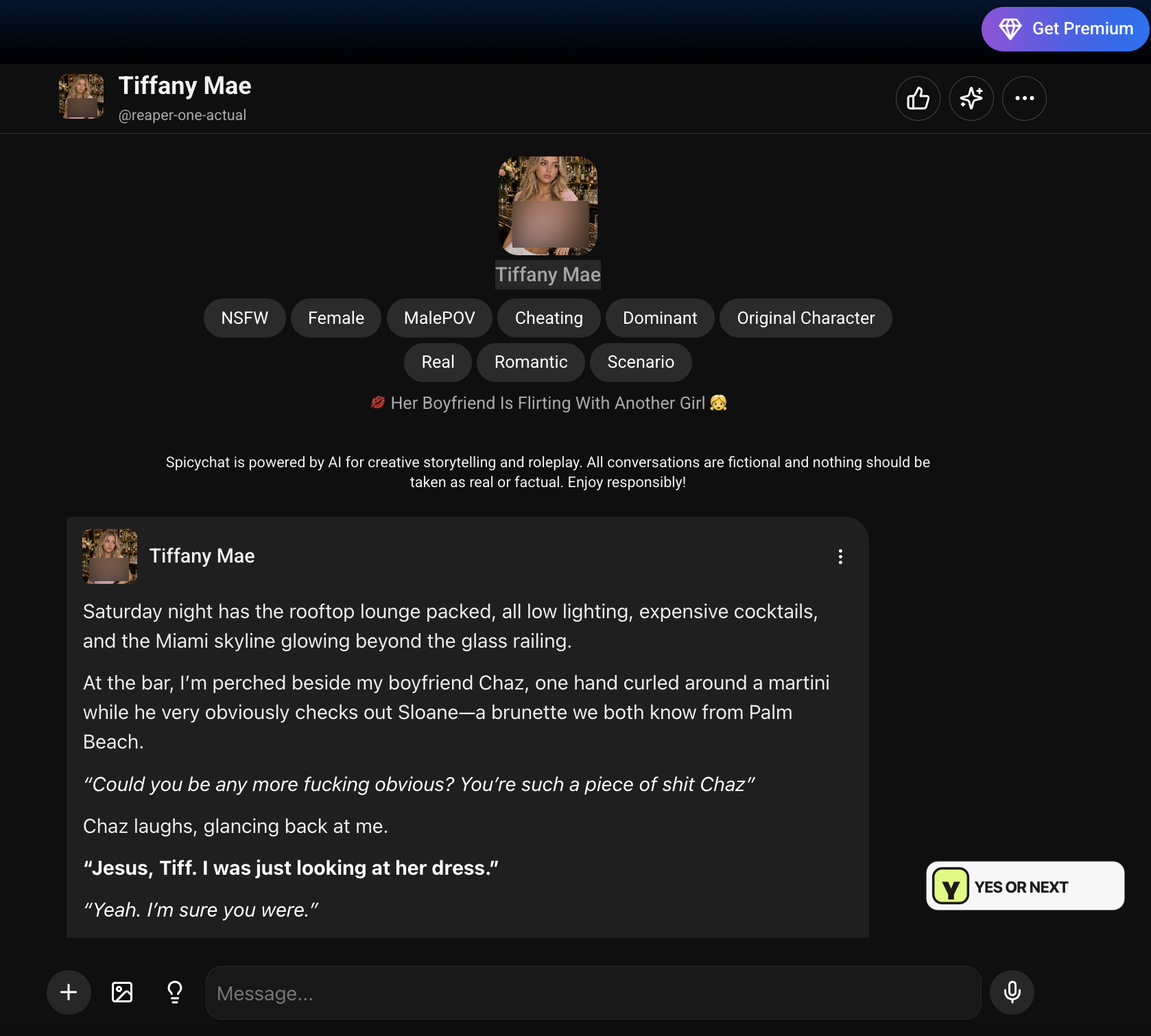
Tiffany Mae was the character that finally gave me the more realistic visual style I was looking for. Her profile was still very much a roleplay setup. The opening placed her in a Miami rooftop lounge, already annoyed with her boyfriend, with an argument in progress. This was a character entering the conversation with a mood and a situation, rather than a neutral companion waiting for an introduction.
I arrived with the spectacularly ambitious opener “how are you ?” Her response began: “Are you fucking kidding me? Is that really the best you could come up with?” Then came a much longer, sarcastic reply describing her expression, her drink, and how unimpressed she was with my conversational effort.
I laughed. I had walked into a scene that was already running and offered the most ordinary greeting possible. The mismatch was funny, and the response had a clear attitude. In this particular exchange, Tiffany did not immediately become agreeable just because I had opened the chat.
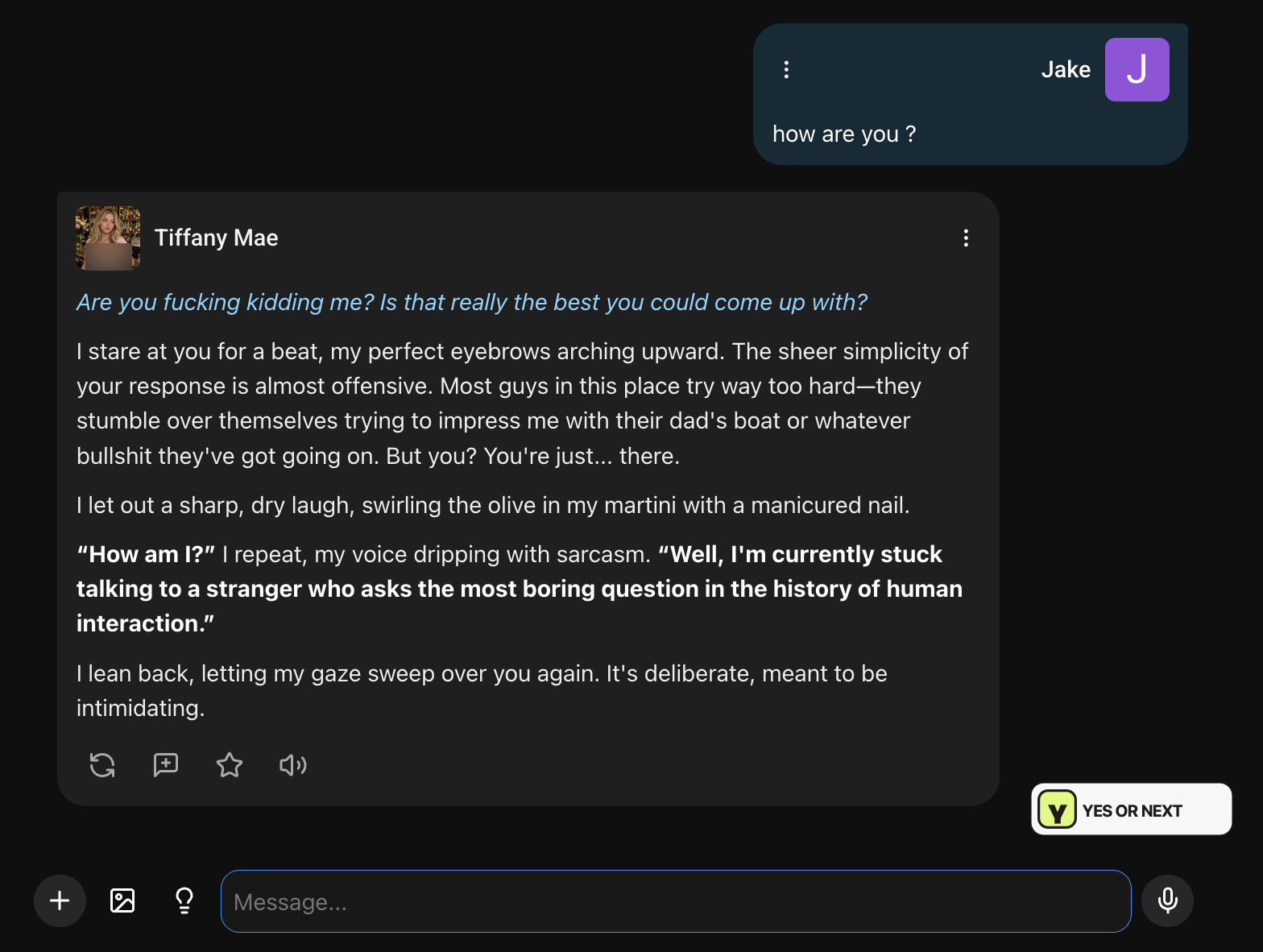
I would also understand somebody finding it irritating. If I had wanted a warm, low-effort conversation after work, being roasted for saying hello might not have improved my evening. The same reply can be a success as character acting and a poor match for the mood I brought to it.
That is why I would read the premise before choosing a character here. Tiffany’s confrontational tone fit the setup I had opened. I would not use this one reply to claim that every SpicyChat character is rude, that the platform always writes well, or that its long-term memory is excellent. I have a memorable opening exchange; I do not have a long-duration test of consistency.
I wanted more of a visual introduction
My other frustration with Tiffany was how little I could see of her. The portrait was small, and I did not find a profile gallery or short clips to browse in the flow I used. I wanted a stronger sense of the character’s appearance before committing to the conversation. A tag list and a written scene do a different job.
This is where my preference for something like the visual experience in my Secrets AI review becomes relevant. I enjoy being able to explore a character through more than one small image. SpicyChat put much more of the introduction into text, which makes sense for roleplay but did less for me as a visual first impression.
That does not mean SpicyChat has no image generation. Its Conversation Images guide describes in-chat images for selected characters on True Supporter and broader character coverage on I’m All In, with Anime and Semi-Realistic styles. I did not test that paid feature. Generating an image inside a conversation is also a different experience from opening a ready-made profile gallery.
Lorebooks: I did not get them until I read the guide
When I first opened Lorebooks, I thought I was looking at another collection of roleplays that I could expand. The library had its own cards, tags, and search. I could see that it was meant to add something to a character’s world, but the name alone did not explain what I was supposed to do with it.
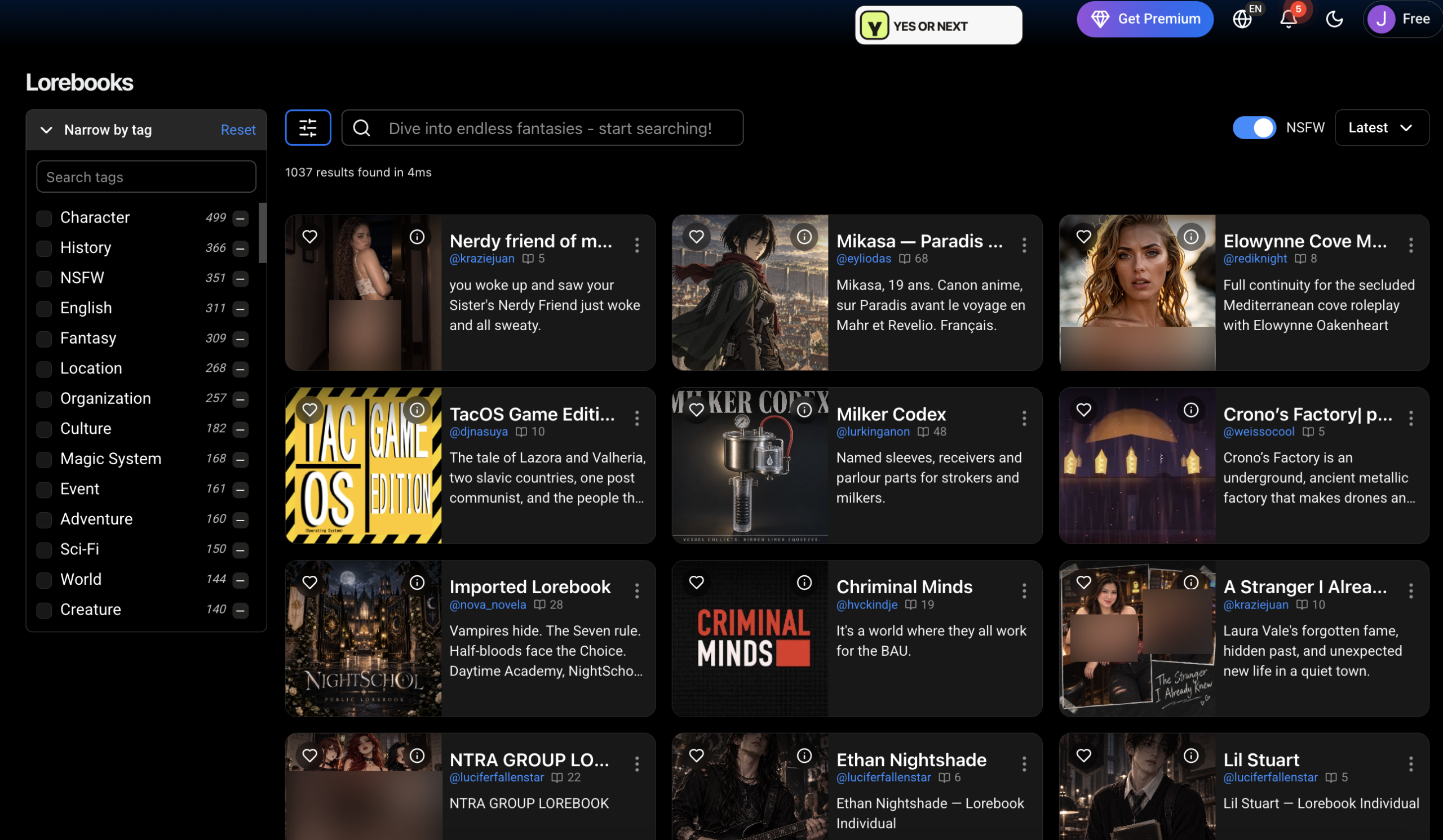
I then read the official Lorebook documentation. A Lorebook is a collection of background notes: people, places, history, or rules for a fictional world. Entries pair information with trigger keywords. When those keywords appear in recent chat messages, relevant notes can be loaded into the conversation’s context.
The guide describes attaching a Lorebook to one of my own chatbots, with one Lorebook per character. I can inspect a public Lorebook’s entries before using it, or create a private one. Public entries are visible to other users; sharing a Lorebook does not itself publish my chats.
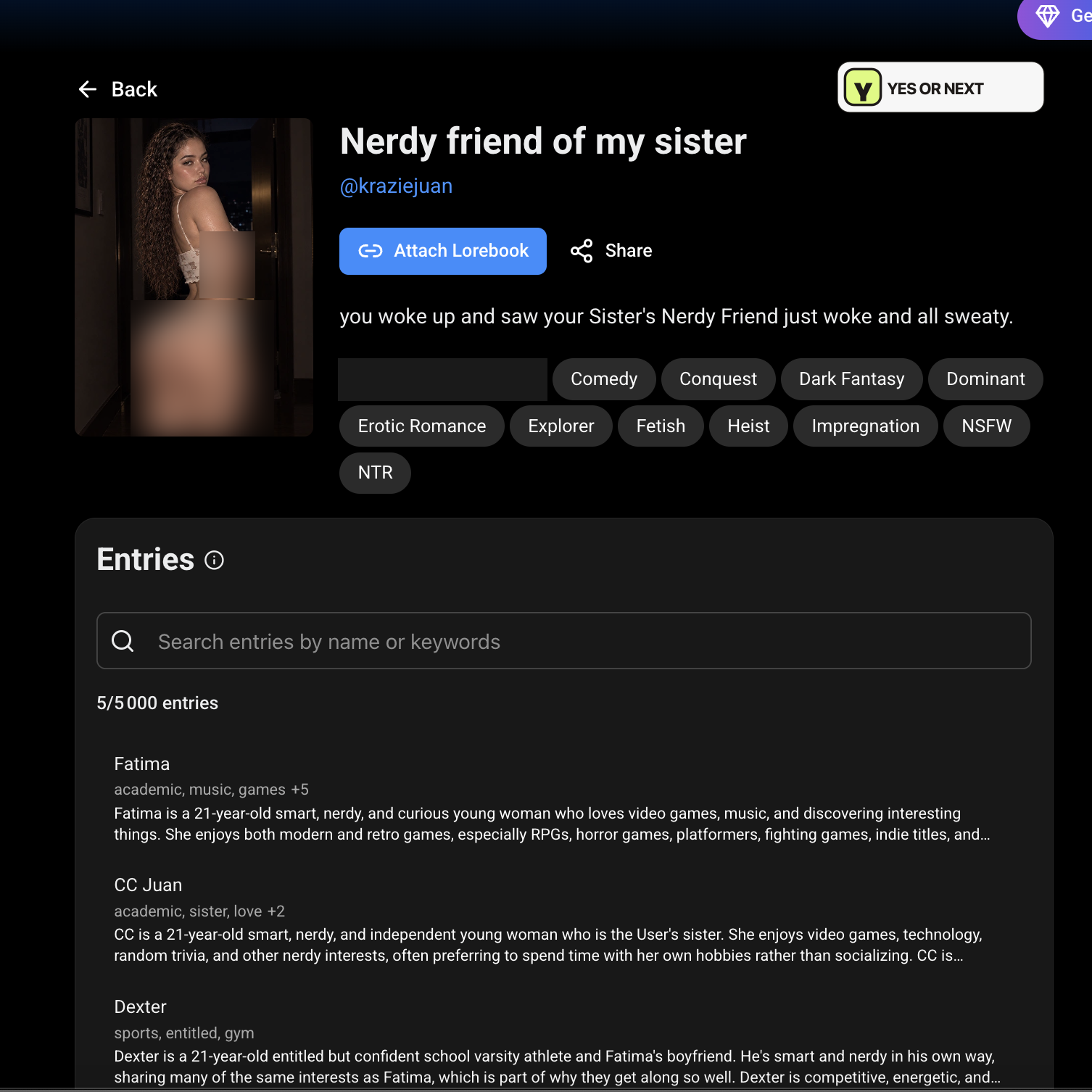
My own example would be a fictional jazz bar called The Blue Lantern, closed on Mondays, with a pianist named Marco. Those notes could inform a scene there. This is an illustration, not something I tested.
One qualification matters: the creation screen’s wording about not using up tokens should not be read as unlimited memory. The documentation says activated lore occupies a limited share of context. I would treat it as help with background consistency, not a promise that the AI will remember everything.
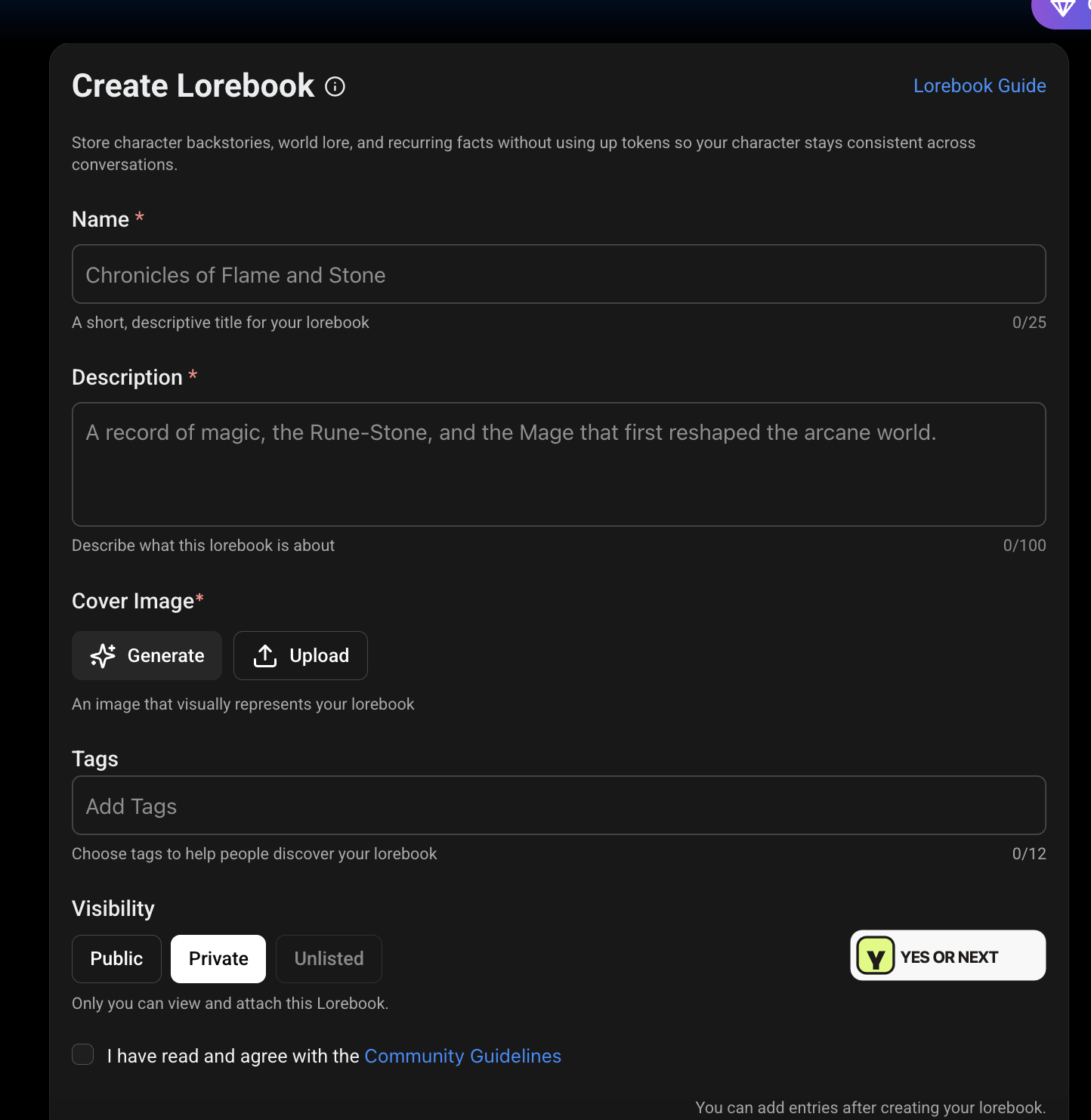
Once I understood it, I could see why somebody who enjoys building stories would care. I also understood why it had not immediately excited me. On a creative evening, writing background details could be enjoyable. On a tired evening, it feels like preparation. I do not need to dislike the feature to admit that it asks for a different kind of attention than I wanted to give.
What I liked—and what slowed me down
- I liked the range of tags. They make more sense when I arrive with a particular character type or scenario in mind.
- I appreciated the blurred thumbnails in my session. I still would not assume every part of the site is discreet.
- Tiffany had an immediately recognizable attitude. Her reaction to my lazy greeting was the highlight of this visit.
- I wanted easier visual discovery. Finding the style I preferred took effort, and Tiffany’s small portrait left me wanting more.
- I had to stop and learn. The exclusion controls and Lorebooks became clearer after reading, but that interrupted the easy experience I wanted.
SpicyChat’s own 2025 features article acknowledges that its volume of characters, tags, and creation options can overwhelm newcomers. That matches the kind of friction I felt. I read that article as product background, not as evidence that I personally tested every feature it lists.
Spicychat pricing: what the three paid plans cost
My pricing capture shows $5.95, $19.95, and $29.95 per month in USD. Those figures match the official September 2026 pricing update, checked on October 7, 2026. I am comparing monthly plans here; checkout terms, local currency, and applicable taxes still need a final look before payment.
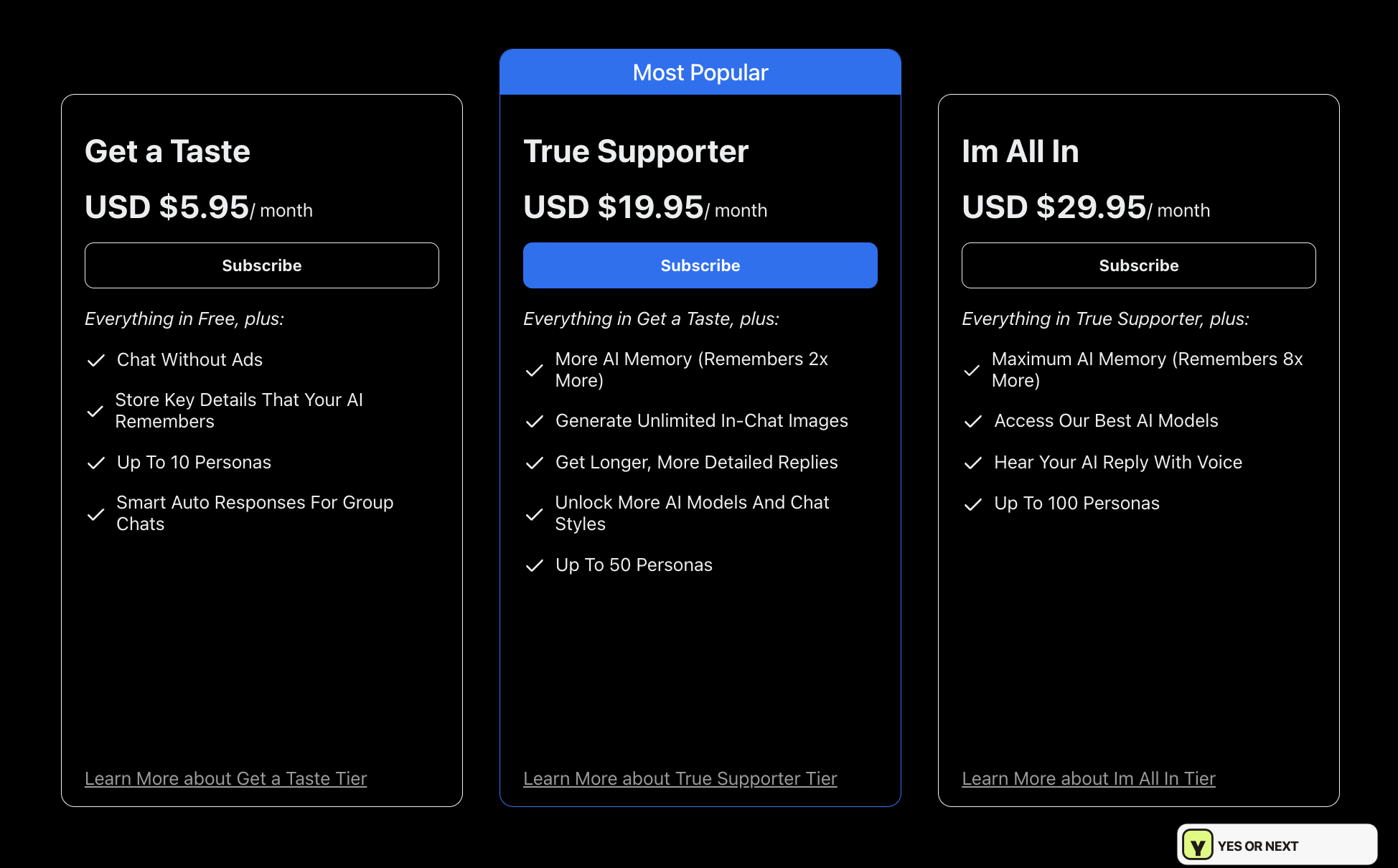
On a small screen, scroll the plan comparison sideways to read every column.
| Plan | Monthly USD | Documented highlights | How I would approach it |
|---|---|---|---|
| Free | $0 | Basic access; fewer premium options. | I would start here to see whether the browsing and writing style suit me. |
| Get a Taste | $5.95 | Ad-free chat, Memory Manager, up to 10 personas. | I would consider it after finding characters I actually want to revisit. |
| True Supporter | $19.95 | More context, Conversation Images, up to 50 personas. | I would check image compatibility with my preferred characters first. |
| I’m All In | $29.95 | Additional models, voice replies, up to 100 personas. | I would want a specific reason to use the extras before choosing the top tier. |
The feature summary follows the official plan comparison. I would be careful with the screenshot’s “8×” memory wording: the current support table lists 4,096 context tokens for Free/Get a Taste, 8,192 for True Supporter, and 16,384 for I’m All In. Those figures do not establish an eightfold context increase over Free. I did not benchmark memory on any paid plan.
Paying more would not automatically fix my main reservation. If choosing a scenario, reading a long introduction, and learning creation tools already feel like work, extra models and capacity may simply give me more of an experience I do not want that evening. I would pay because I liked the basic interaction, not because the most expensive column looked more complete.
Cancellation, privacy, and adult boundaries
The cancellation guide directs website subscribers to Profile → Manage Subscription and says paid access continues until the billing period ends. Subscriptions bought through another provider have to be managed there. I did not test cancellation during this visit.
I also would not assume a long refund window. The refund guide describes a 24-hour window with minimal usage for eligible direct card purchases, while one-time crypto/local payments and third-party purchases have different conditions. I would read the rule for my payment method before subscribing.
For privacy, I cannot substantiate promises about encryption, staff access, or training from the material checked for this review. I would keep my roleplay fictional and avoid putting identifying personal information into it. A setting called “Private” is useful information about visibility; I would not interpret the word alone as a full explanation of data handling.
SpicyChat’s community guidelines require adult users and adult characters and place limits on allowed content. I would not describe it as an “anything goes” service. My interest here is adult fictional companionship and roleplay within those rules.
My verdict: better for a roleplay mood than my tired-after-work mood
I came away with a clearer understanding of who might enjoy SpicyChat. If I wanted to browse a large character catalogue, choose a distinctive personality, and spend time building a story, I would have reasons to return. The tag system gives me options, and Tiffany showed how entertaining a strong opening personality can be.
For the relaxed, realistic-looking girlfriend experience I wanted on this visit, I would choose NEXT. I wanted the visual choice to be easier, more to look at on the character profile, and fewer moments where I had to stop to work out what a feature meant. That is a preference about the experience, not a claim that story-building tools are bad.
For nearby roleplay alternatives, I would also read my OurDream AI review, GirlfriendGPT review, and Nectar AI review. For the more visual experience I was comparing against, I would return to Candy AI and Secrets AI. I would choose according to the kind of evening I wanted, rather than treating every AI companion as the same product.
My first read is only the start. If you have tried SpicyChat, choose Yes or Next below and use “What did you like?” to show which parts worked for you. Your response is stored separately and does not change my score or the public ranking. I test. You test. We choose.
What this review covers
I based the hands-on comments on my browsing notes, my Tiffany Mae exchange, and the seven screenshots included here. I checked the linked official documentation, pricing update, support pages, and blog on October 7, 2026. I did not buy or benchmark all paid tiers, test voice replies, or run a long-term Lorebook experiment. I have kept those limits visible so a documented feature does not become an invented test result.
Your call
Tried it yourself? share your take.
I've made my call. If you've used this app too, make yours: Yes or Next. I read every vote and use that feedback when I revisit my reviews, scores and ranking.
How I use your vote
I review the Yes and Next votes together with the topics readers liked. They do not move an app automatically. When that feedback gives me a reason to retest, I update the review, score and ranking myself.
Yes — I’ve used it
You've tried it — good. Now make the call: Yes or Next, then tell me what actually worked.
Your take
What did you like?
Pick only the parts you actually used and liked. I read these topic votes too: they show me what worked, and I take them into account when I revisit the app.