I sent “Hi it’s Jake!” to After Station and got a scene about Naomi waking up, taking in the room and trying to shake off a headache. There was dialogue in there too. I laughed at how much story I’d got back for so little effort. By the time I finished reading, I already wanted the next reply to be shorter.
That exchange was a pretty good introduction to CrushOn.AI. I spent my November 16, 2026 visit on the free plan, browsing the community catalogue, trying After Station and building a character called Hasley. I can see why someone who loves anime and written roleplay would settle in here. For the kind of AI chat I want, it’s a NEXT, 5/10.
This page contains affiliate links. I may earn a commission if you sign up, at no extra cost to you. This review is for adults aged 18 and over.
The anime influence is obvious on the homepage
The home feed felt more like a manga catalogue than a dating app. The illustrated character cards, the Midnight Masquerade banner and the amount of story packed into the thumbnails set the tone before I opened anything. There were more realistic-looking portraits too, including After Station’s. I’m picky about the overall look of these sites, and my eye still went straight to the stylised illustrations.
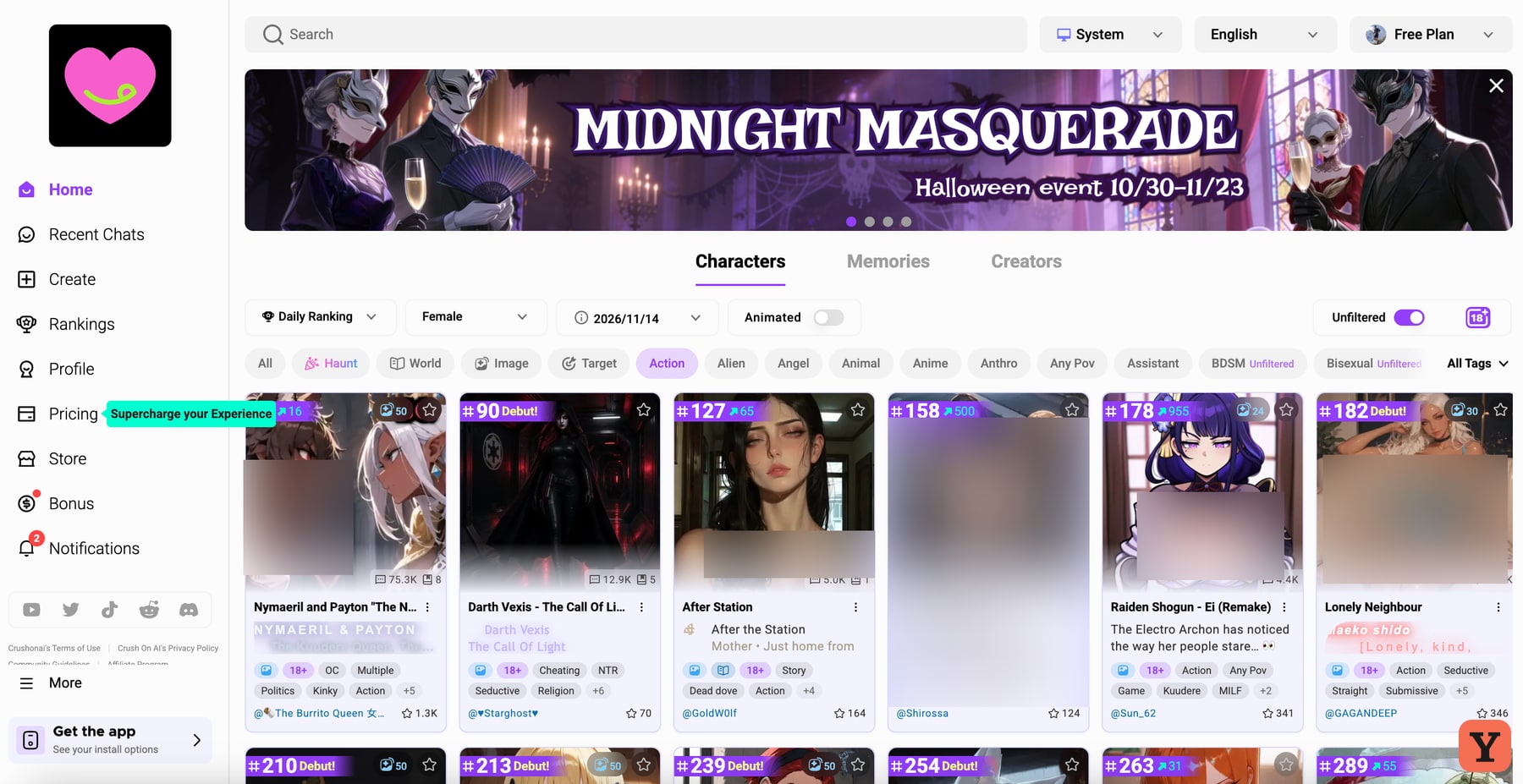
The categories were one of the best things I found. I could switch between Characters, Memories and Creators, and narrow the character feed with tags such as Action, Anime and Anthro. There was also an Animated control and a ranking sort. With a catalogue that busy, a few useful filters make more difference to me than another page of popular characters. I could get from browsing to a specific profile without spending the whole visit scrolling.
Creating my account took an extra step. I tried signing up with my Yes or Next work address and couldn’t get through, so I used Google to finish. Once I was in, I could open character profiles and start a free chat. If you already know what kind of scenario you want, the tags and the opening profile give you a better idea of what you’re about to play than the portrait alone.
After station made me laugh, then made me read
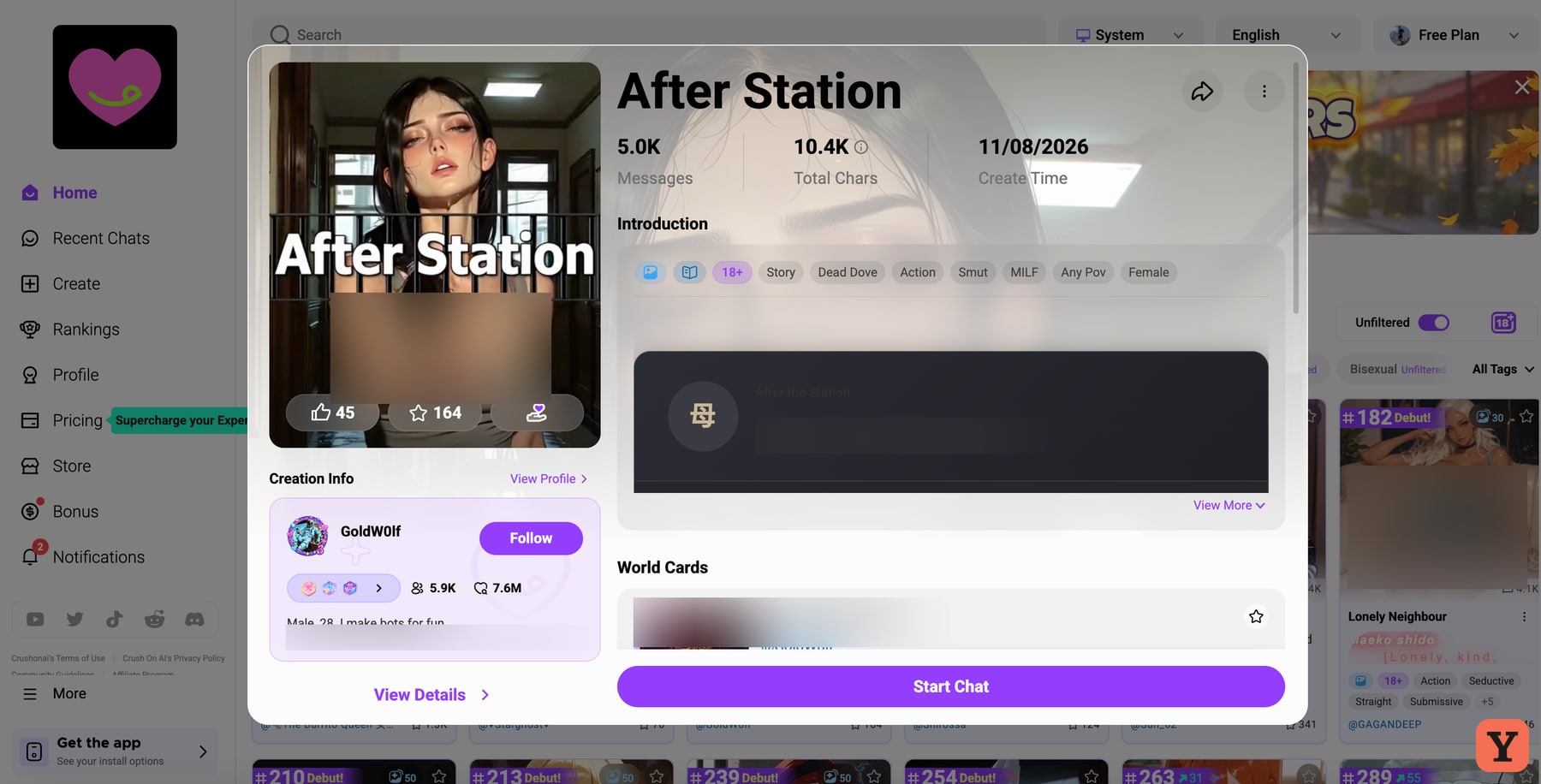
After Station is the listing name. The character in my conversation was Naomi. I liked that her reply gave me a scene I could actually respond to. She had something to say about how early it was, and the narration gave the moment a mood. A writer could pick up several threads from that one response. I was in the mood for a quick back-and-forth, and found myself skimming the action to get to her next line.
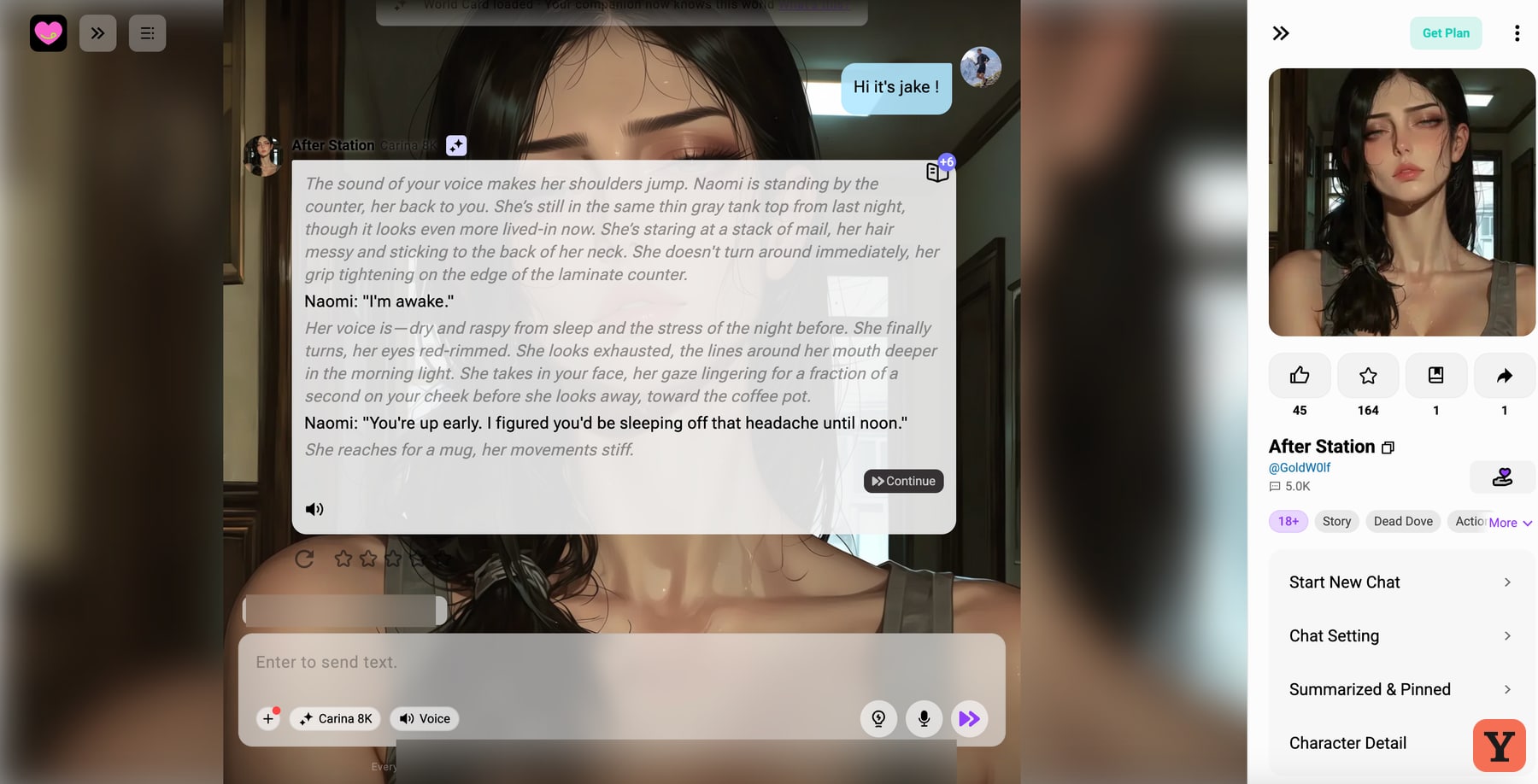
I also noticed how much the chat put on screen. The character art sat behind the exchange, the profile and settings were alongside it, and the reply itself alternated between dialogue and descriptions of what Naomi was doing. Separating dialogue and action helps if you’re following a scene. In this exchange, I had to do more work to find the conversational beat than I wanted to do. That’s the part of my test that did the most to land CrushOn on NEXT.
CrushOn’s creator guide explains how a greeting sets the scene, while its chat guide describes how context and memory tools vary by model and plan. A different character or model can give you a different rhythm. My impression comes from the After Station chat on my free account. Character setup guide · CrushOn’s guide to chat limits and memory
Making hasley started with an image upload
The editor gives you several ways to shape a character. I could enter her name, age and introduction, with the greeting further along in the flow. The official guide makes a helpful distinction between the public introduction and the greeting that actually opens the chat. That gives a creator room to write a short pitch for the listing, then put the longer setup in the conversation itself. CrushOn’s character creation guide
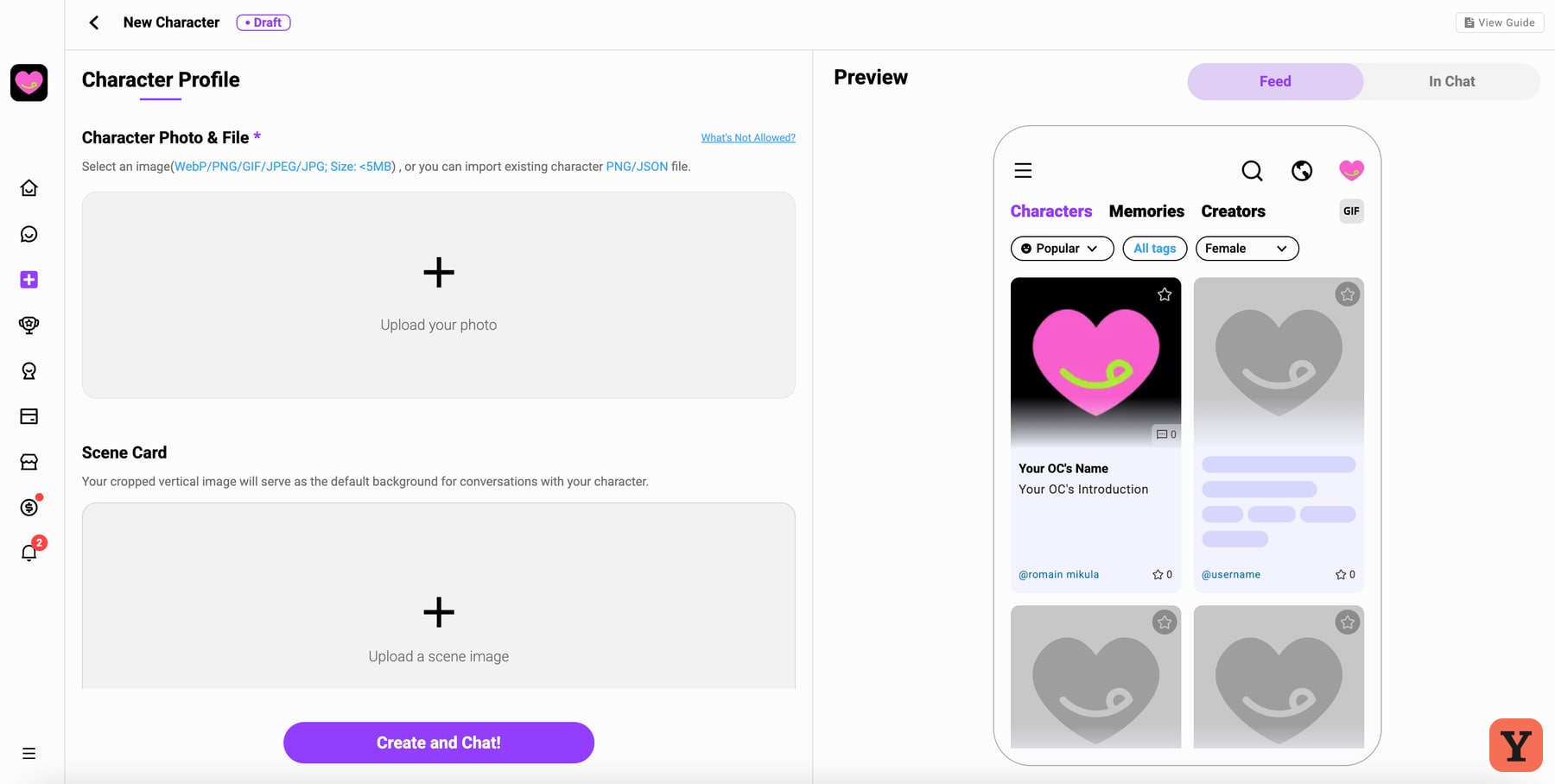
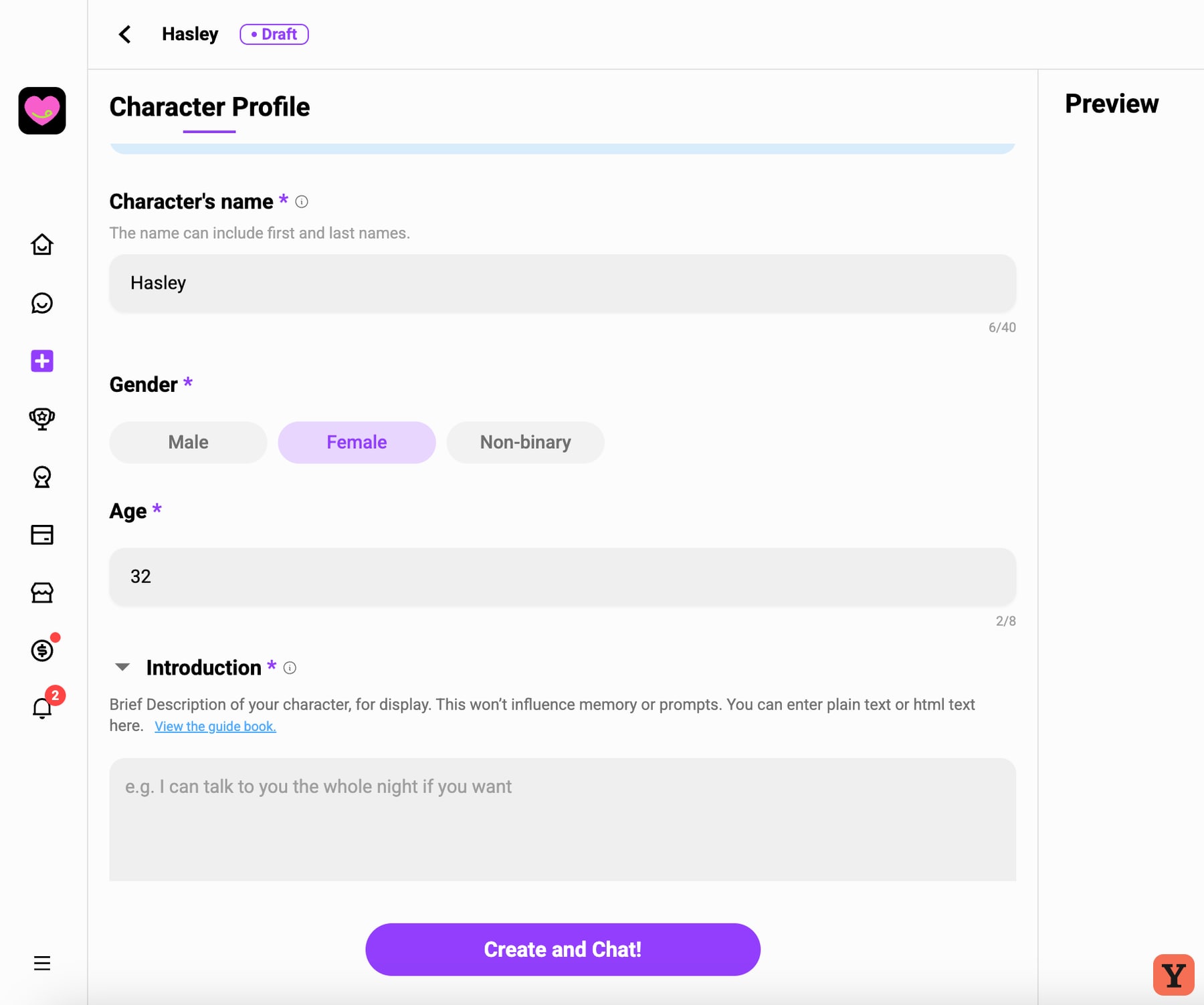
I wanted a few portraits to choose from inside the builder. The route I used asked me to bring an image, so I picked one from my Candy AI test. CrushOn flagged it as potentially showing a real person, even though it was AI-generated. The warning was frustrating in the moment. CrushOn’s own FAQ acknowledges that its image checks can produce false positives and says real-life images are outside its content rules. CrushOn’s content and moderation FAQ
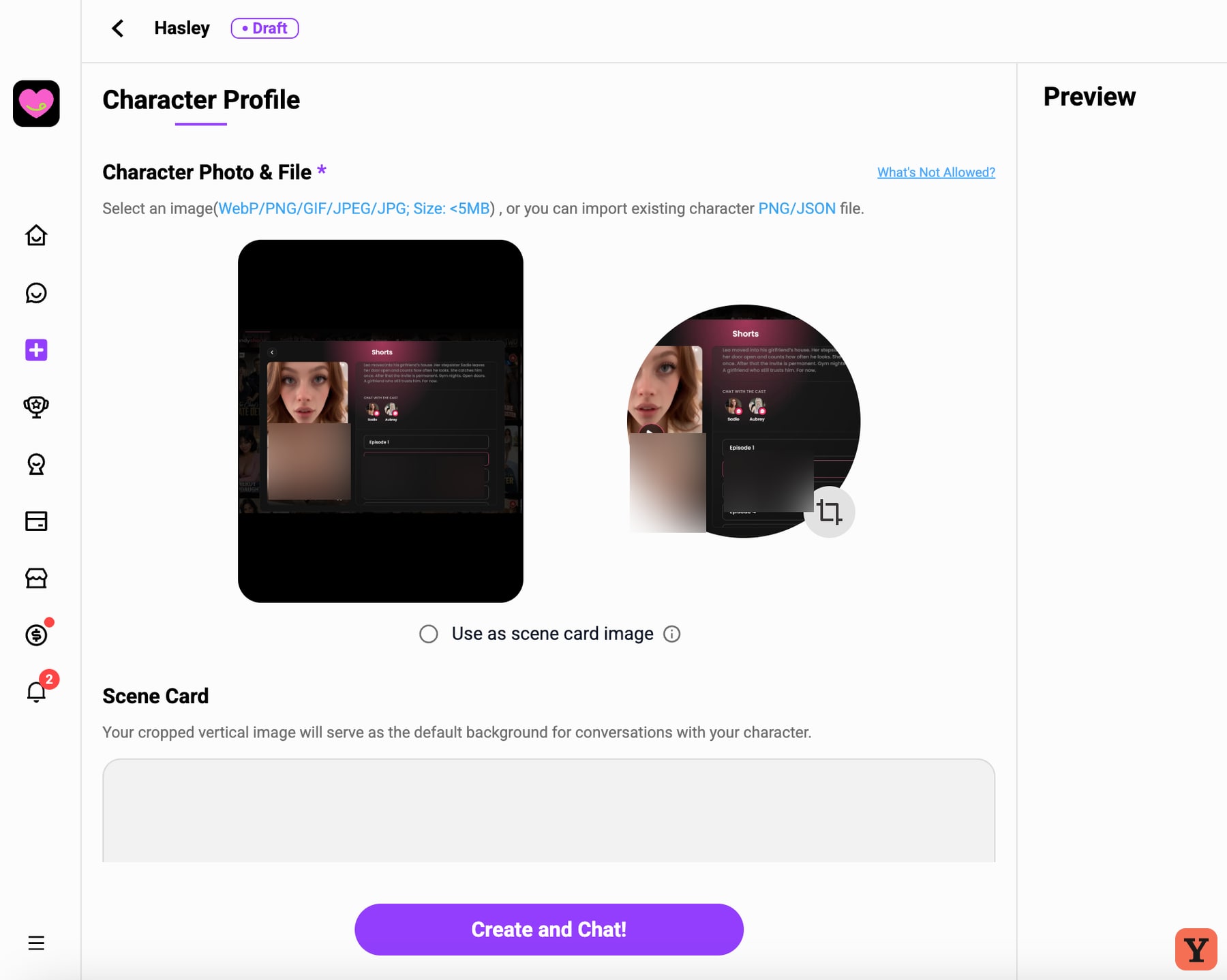
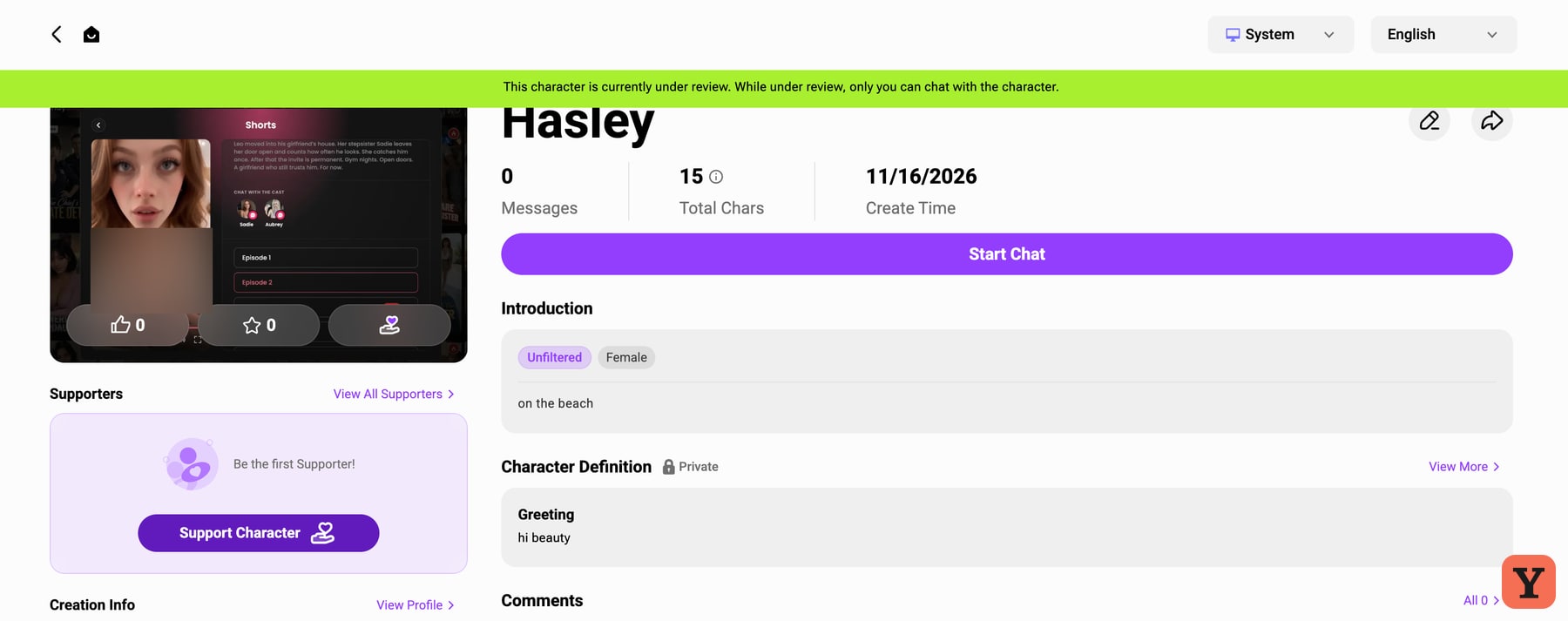
My surprise came when I opened Hasley’s profile. The picture I’d supplied was the picture on her card, crop and all. I’d expected to use that upload as a reference for a new portrait. The editor I used treats it as the avatar, which makes sense if you’ve already drawn or generated the exact character you want. I came in expecting the visual part of creation to happen here. Hasley’s profile reached an under-review state on my free account, with the on-screen banner saying only I could chat with her during review.
Scene cards, world cards and target play do different jobs
These tools made more sense to me once I looked up what each one controls. After Station’s profile actually showed a World Card, and Hasley’s editor showed a separate Scene Card upload. The other creation tools below come from CrushOn’s documentation.
- Scene Cards set the image behind the conversation. A creator can attach a default background to the character, or users can set one in chat. It’s the visual setting for the exchange. Scene Cards guide
- World Cards give the AI reference material about the fictional setting, such as locations, recurring characters or rules. Entries can load when triggered by a keyword or stay active throughout the chat. CrushOn’s guide says adding a World Card from inside a chat requires an Ultra model. World Cards guide
- Target Play gives a roleplay an objective with a score that changes according to rules the creator sets. The creator chooses a starting value and round limit, and the chat displays a progress bar. An affection score is one example from the guide. Target Play guide
- Custom voices use an uploaded audio sample you have permission to use. CrushOn offers preset voices too, with custom voice slots varying by paid plan. Custom Voice guide · CrushOn plan overview
Target Play is the one I’d be most curious to revisit. An explicit goal gives me a reason to read the scene carefully and think about my move. It also gives a creator a way to make two encounters with similar-looking characters feel quite different. If you write roleplay, the combination of a background, a set of world rules and a challenge gives you several ways to make a scenario your own.
Top creators was my favourite way to browse
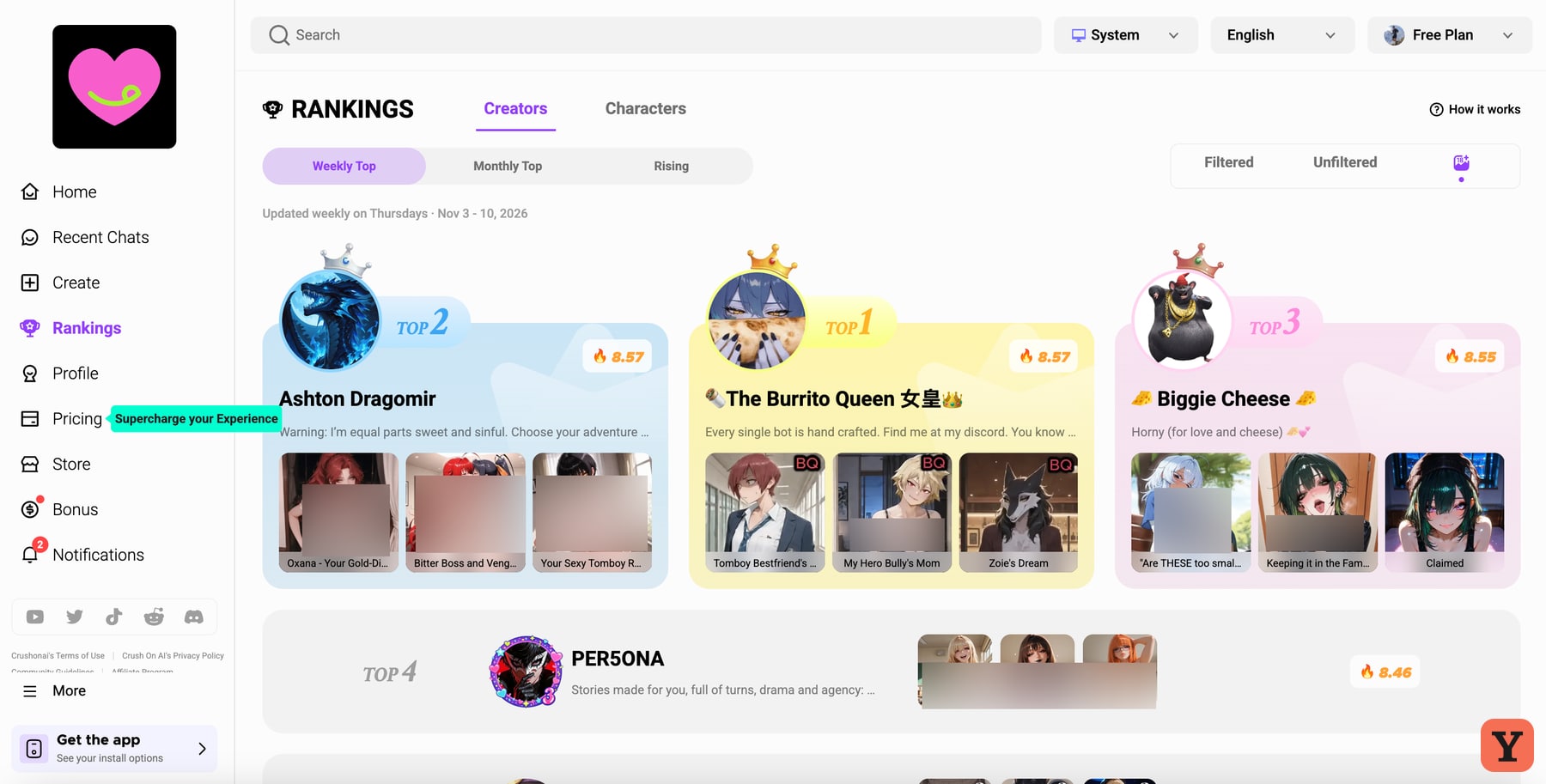
I opened the Rankings page, found Ashton Dragomir in the weekly creator list and clicked through to the profile. It felt like finding a director you enjoy and looking up what else they’ve made. A single character card tells me who I can chat with next. A creator’s profile gives me a whole catalogue with a recognisable taste in art and scenarios.
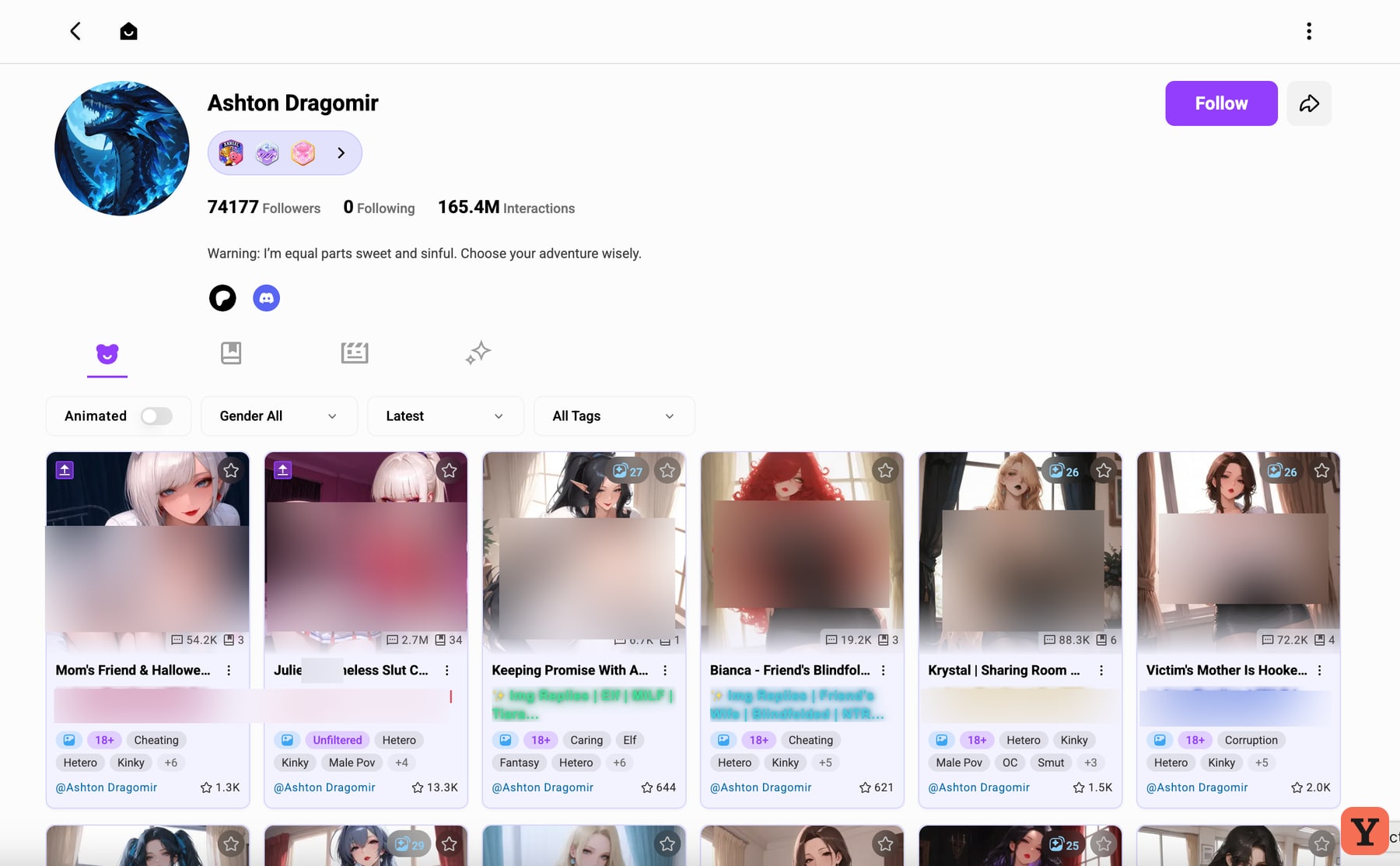
I could browse Ashton’s characters from there and see a Follow button on the profile. That’s a genuinely good discovery feature. If I’d found an opening I loved, I’d check who wrote it before going back to the home feed. The Rankings page also has a Characters tab, which gives you another way to find one scenario that’s popular right now.
Crushon.AI pricing and what the credits buy
The Free plan is where I stayed. CrushOn advertises unlimited chats on its Free Models and gives free accounts 100 message credits a month for Pro Models. Read the credit balance as a budget for eligible models. What you can send with it depends on the model you use. CrushOn’s explanation of free chat and credits
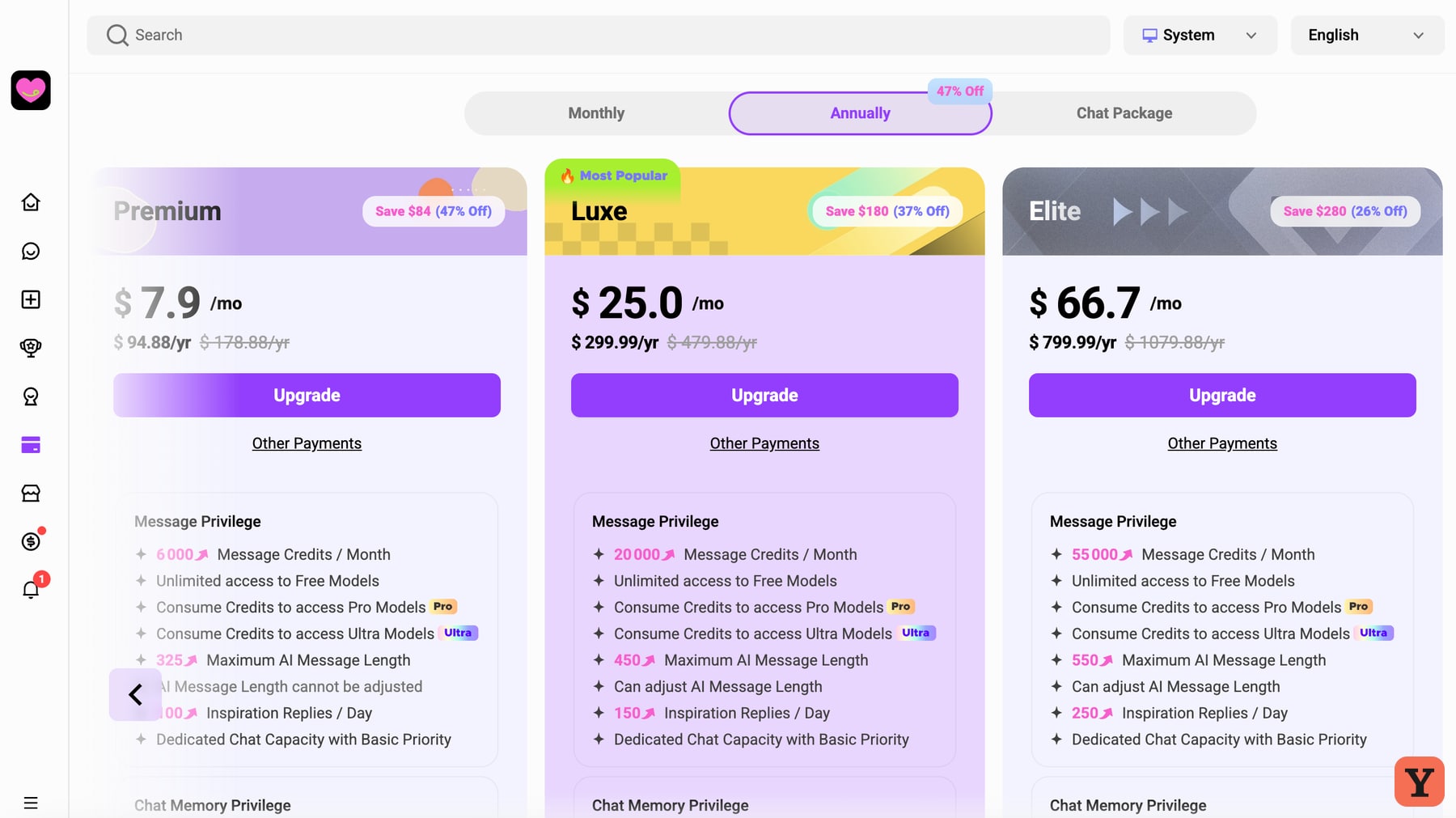
The table uses US dollars. My November 16 capture shows the annual Premium, Luxe and Elite prices. The rest of the table draws on CrushOn’s published monthly overview and an October 20, 2026 record of its web pricing. Live pricing · Official plan overview · October pricing record
| Plan | Monthly billing | Annual total | Credits per month |
|---|---|---|---|
| Free | $0 | — | 100 |
| Standard | $5.99 | $58.88 | 2,000 |
| Premium | $14.99 | $94.88 | 6,000 |
| Luxe | $39.99 | $299.99 | 20,000 |
| Elite | $89.99 | $799.99 | 55,000 |
| Imperial | $199.99 | $1,799.99 | 125,000 |
I found the pricing busy. Premium’s $7.90 figure on the annual tab represents $94.88 due for the year. Then there’s the separate Pro Models Chat Package. CrushOn documents a $39.99 option for a month of credit-free Pro chat and describes it as a one-time add-on to an active membership. Ultra models still use credits. Coins can also be redeemed for bonus messages separately from the monthly allowance. That’s a lot to work through when all I want to know is how much it costs to keep using the model I like. CrushOn’s credits and Chat Package FAQ · Official model and package breakdown
For a paid plan, CrushOn’s help centre says to manage renewal through the provider you subscribed with. It says scheduled cancellation keeps access until the end of the current billing cycle and that most started periods are non-refundable. Refund eligibility depends on the payment route. CrushOn publishes separate terms and a privacy policy for the adult service. Cancellation and refunds · Terms of Service · Privacy Policy · Adult content rules
My 5/10 verdict
NEXT. I liked opening a creator’s catalogue and seeing the range of characters they’d made. I also liked having enough categories to find my way around a busy homepage. After Station made me laugh, but the amount of narration got between me and the conversation. When I built Hasley, I wanted to see a fresh portrait take shape. I got an avatar crop. Those are the two moments I came away thinking about.
If you love manga art and want to write your way through a scene, the exact things that put me off could keep you there. For more community roleplay and a different take on worldbuilding, see my SpicyChat review. If Hasley’s upload step sounds like the part you’d want to skip, I’d start with my Candy AI review for its visual tools. For another story-led adult chat, see my OurDream AI review.
Tried CrushOn? Cast your Yes or Next vote and use What did you like? to tell me which features worked for you. I read the community feedback each month. Trends in those responses can inform an editorial score update, and the ranking follows my published score. I test. You test. We choose.
Based on my free-plan notes and screenshots from November 16, 2026. How I test · Affiliate disclosure
Your call
Tried it yourself? share your take.
I've made my call. If you've used this app too, make yours: Yes or Next. I read every vote and use that feedback when I revisit my reviews, scores and ranking.
How I use your vote
I review the Yes and Next votes together with the topics readers liked. They do not move an app automatically. When that feedback gives me a reason to retest, I update the review, score and ranking myself.
Yes — I’ve used it
You've tried it — good. Now make the call: Yes or Next, then tell me what actually worked.
Your take
What did you like?
Pick only the parts you actually used and liked. I read these topic votes too: they show me what worked, and I take them into account when I revisit the app.