
I returned to this text on November 2, 2026, to focus on Hasley’s café portrait and what the scene costs actually mean. My hands-on test remains October 14. Cherrypop’s visuals made a strong impression, and the creator gave me a result I loved. My verdict stays YES, 8.8/10. Game and longer interactive scenes still need more testing.
18+ only. This page contains affiliate links. I may earn a commission if you sign up, at no extra cost to you. Read my affiliate disclosure. This revision adds no new generation, purchase or product test. The fourteen screenshots retain their blur and Yes or Next marks.
A catalogue I enjoyed browsing
The cherry-red controls against dark panels immediately appealed to me. The navigation made creation, chat, Reels and Game easy to find. I could browse realistic and anime characters together, then filter rather than committing to one style before I had seen the selection.
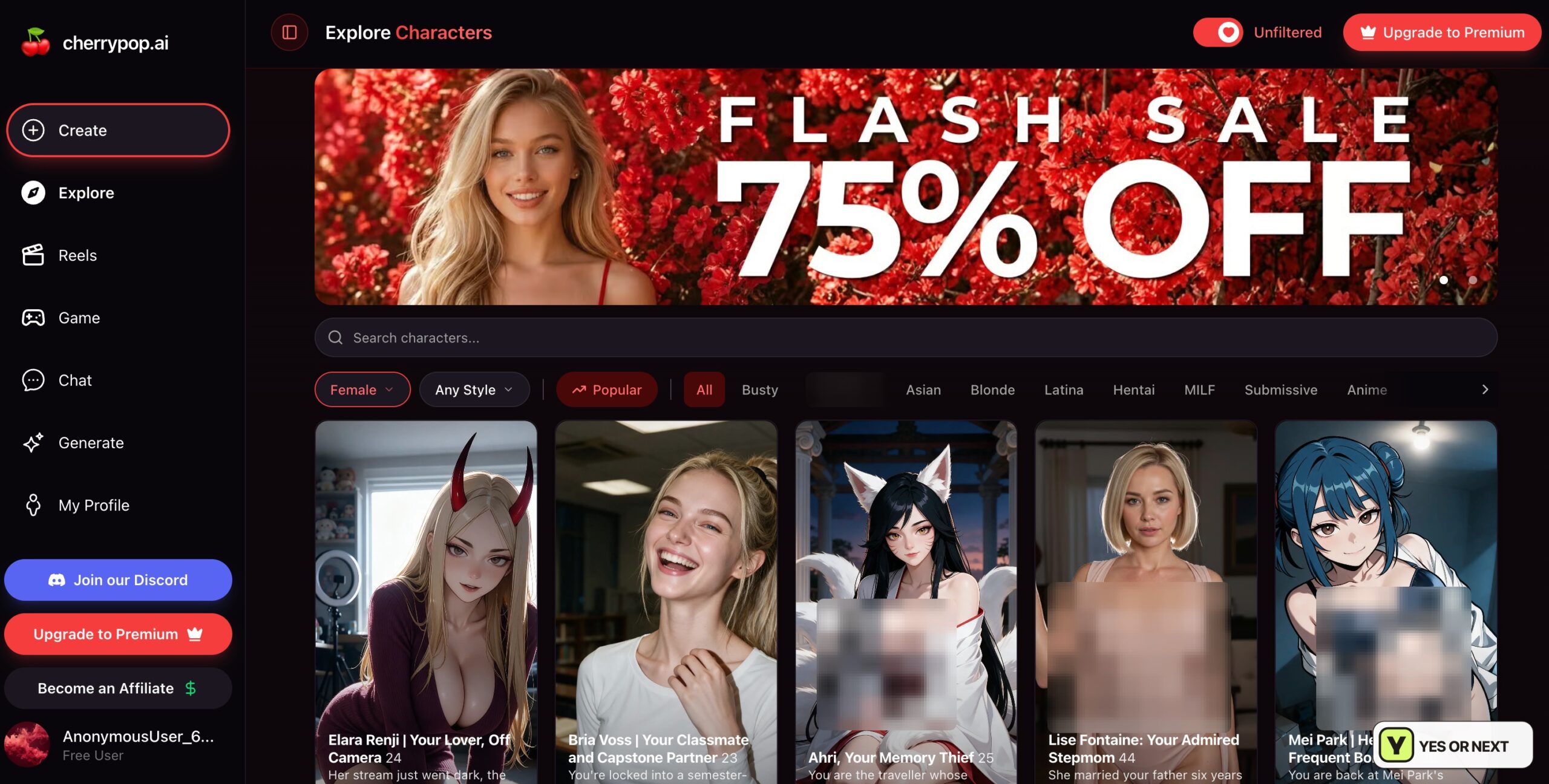
The desktop hover preview was the detail I liked most: a less explicit initial image changed to an NSFW version when I moved over it. Choosing when to reveal more made browsing fun. This is a personal reaction to the interface, not a reason on its own to buy a subscription.
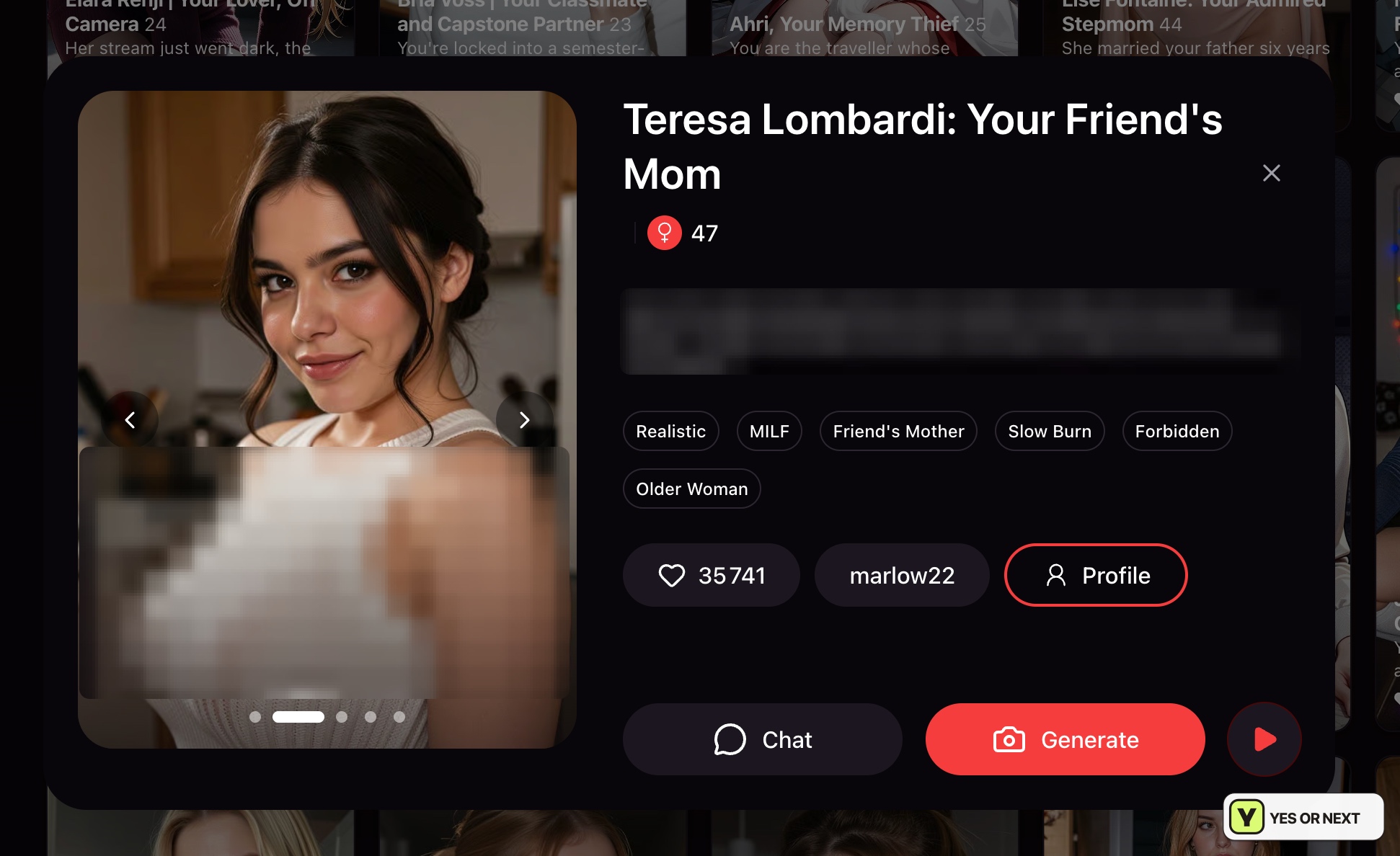
Teresa Lombardi’s profile, presented as 47, brought her gallery, tags and Chat, Generate and scene controls together. I liked being able to choose an activity from the same profile. The relevant advantage was having several ways to approach the character, rather than the number of buttons or gallery dots.
Teresa’s scene controls—and a per-turn budget
Play a scene supplied starting premises such as a first date, a night in or a reunion. My capture had She came over selected. I like having a starting situation rather than an empty prompt. Steering a scene with an action or a question is the direction I wanted to explore.
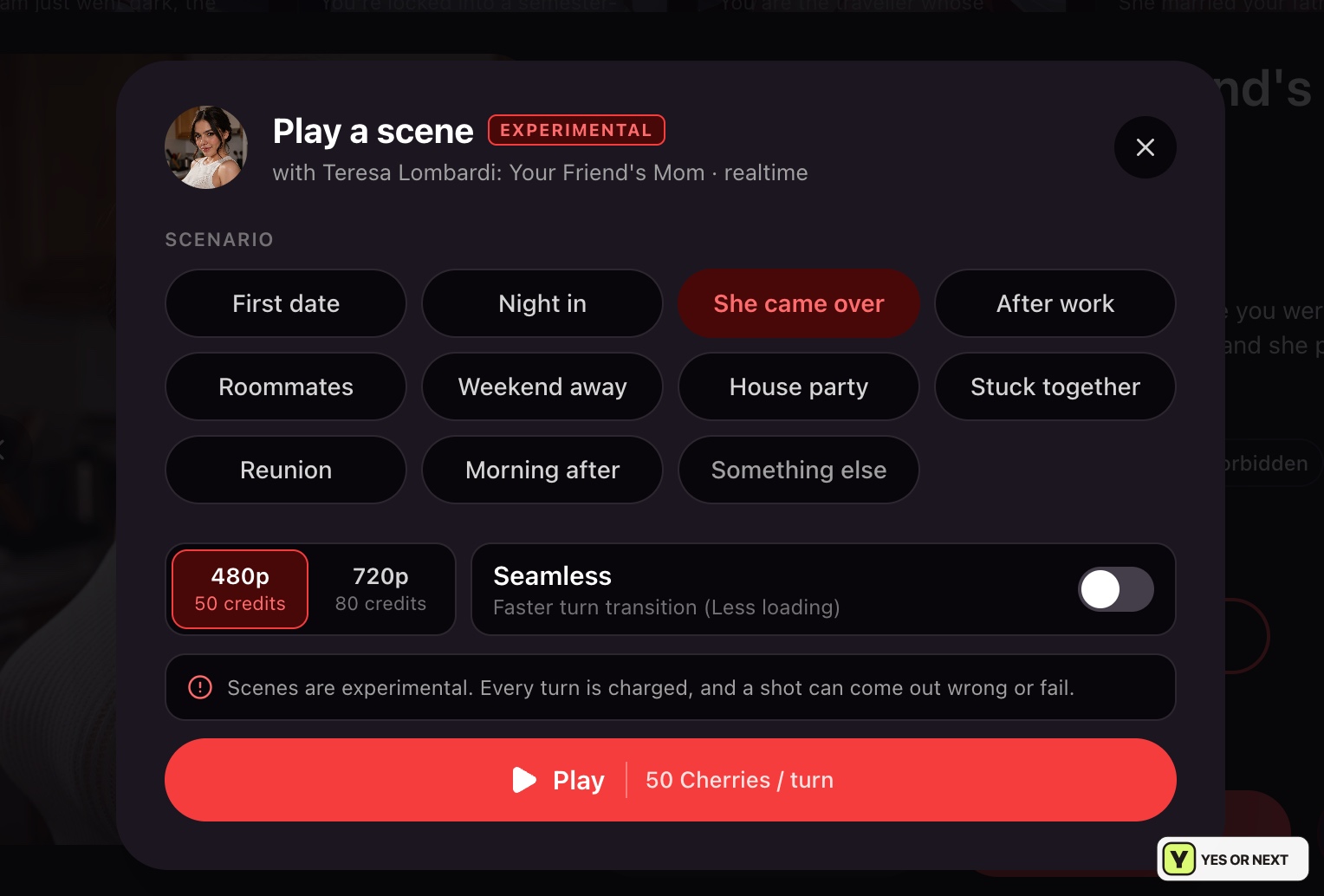
The panel was labelled Experimental and realtime. At 480p it showed 50 Cherries per turn; 720p showed 80. A Seamless switch, off in my setup, was described as reducing loading between turns. The screen also warned that each turn was charged and a shot could fail or come out wrong.
Those figures make the budget concrete: 1,000 Cherries would fund 20 turns at 50 each, or 12 whole turns at 80 with 40 left, assuming I spent nothing elsewhere. These are calculations from the displayed costs, not a scene I completed. I did not establish whether particular choices produced lasting story consequences or whether failed shots were refunded.
Cherry shots showed the ingredients before generation
The Generate Cherry Shots setup combined Bria Voss, Portrait, High Heels and Autumn, with Crisp as the style. The image button showed 10 Cherries. I liked understanding the combination at a glance instead of translating every choice into a long prompt.
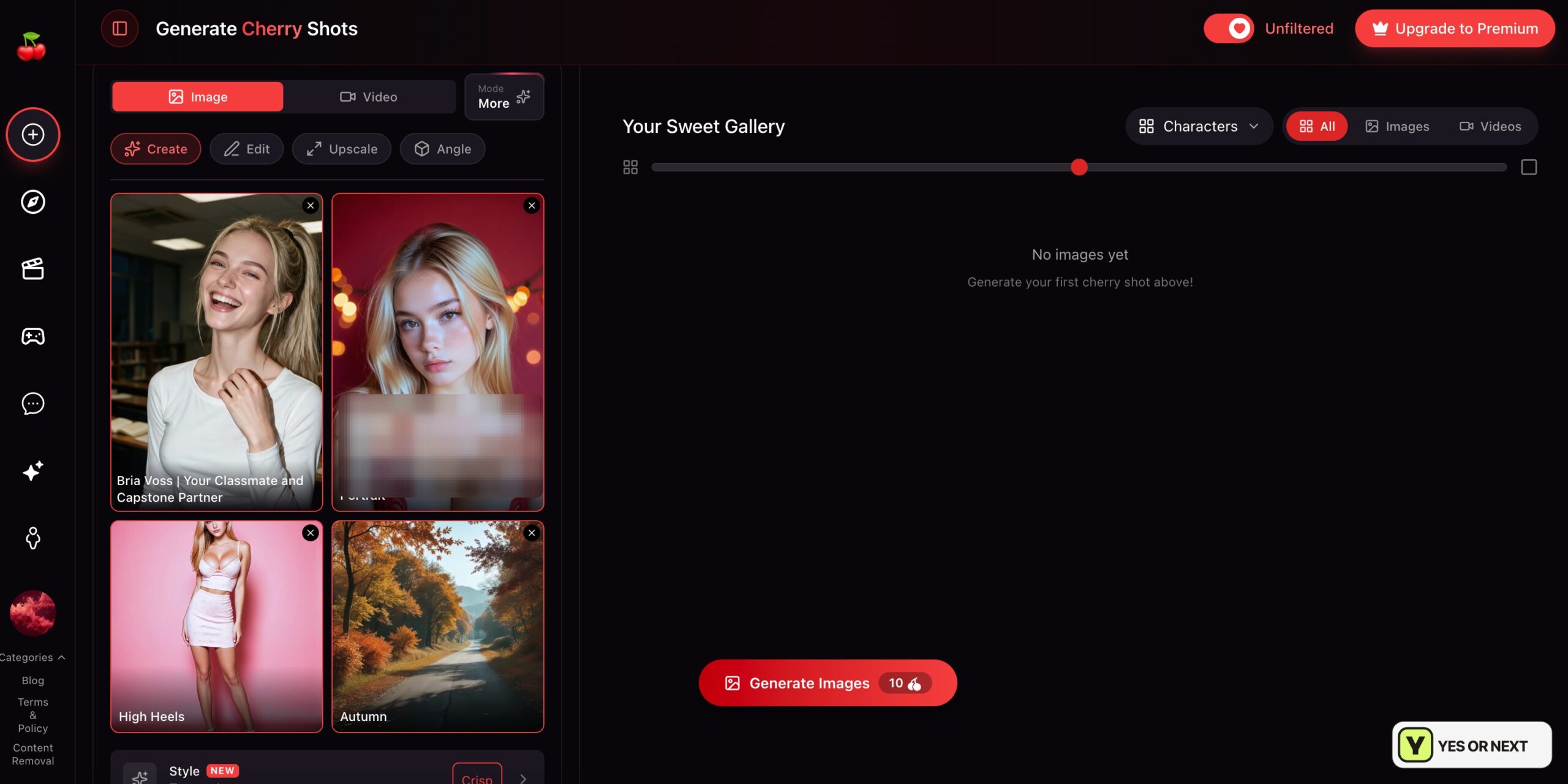
The gallery was empty in that capture: it records setup, not an output from that request. During the wider visit, the images and videos I saw impressed me with their faces, lighting and settings. That visual reaction is documented, but I have not tested every editor, angle tool or video mode. The scene below that most clearly supports my enthusiasm is Hasley’s preview.
Reels gave me a sample, then asked me to subscribe
I could browse a vertical video feed without deciding on a generation first. Eden Arden appeared in my capture, with suggested characters beside the player. The quality appealed to me, and a clip gave me another route into a character’s profile.
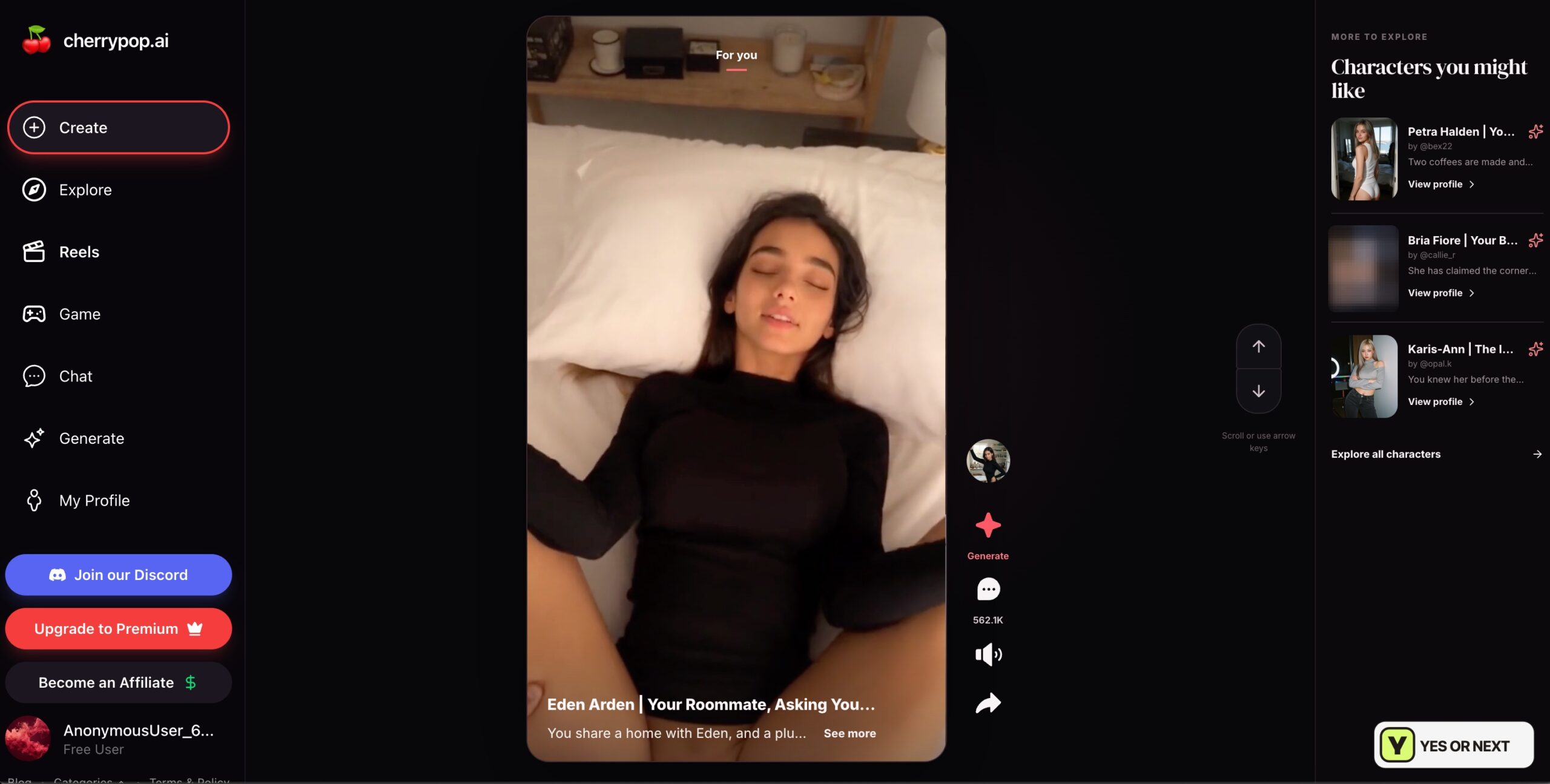
After a few views, a subscription prompt stopped my free browsing. My notes do not establish a fixed number every visitor gets. I liked the sample, but enjoying a handful of clips and wanting a regular feed subscription are different decisions. I would use that initial access to decide how often I would return.
Game is a separate reason to revisit
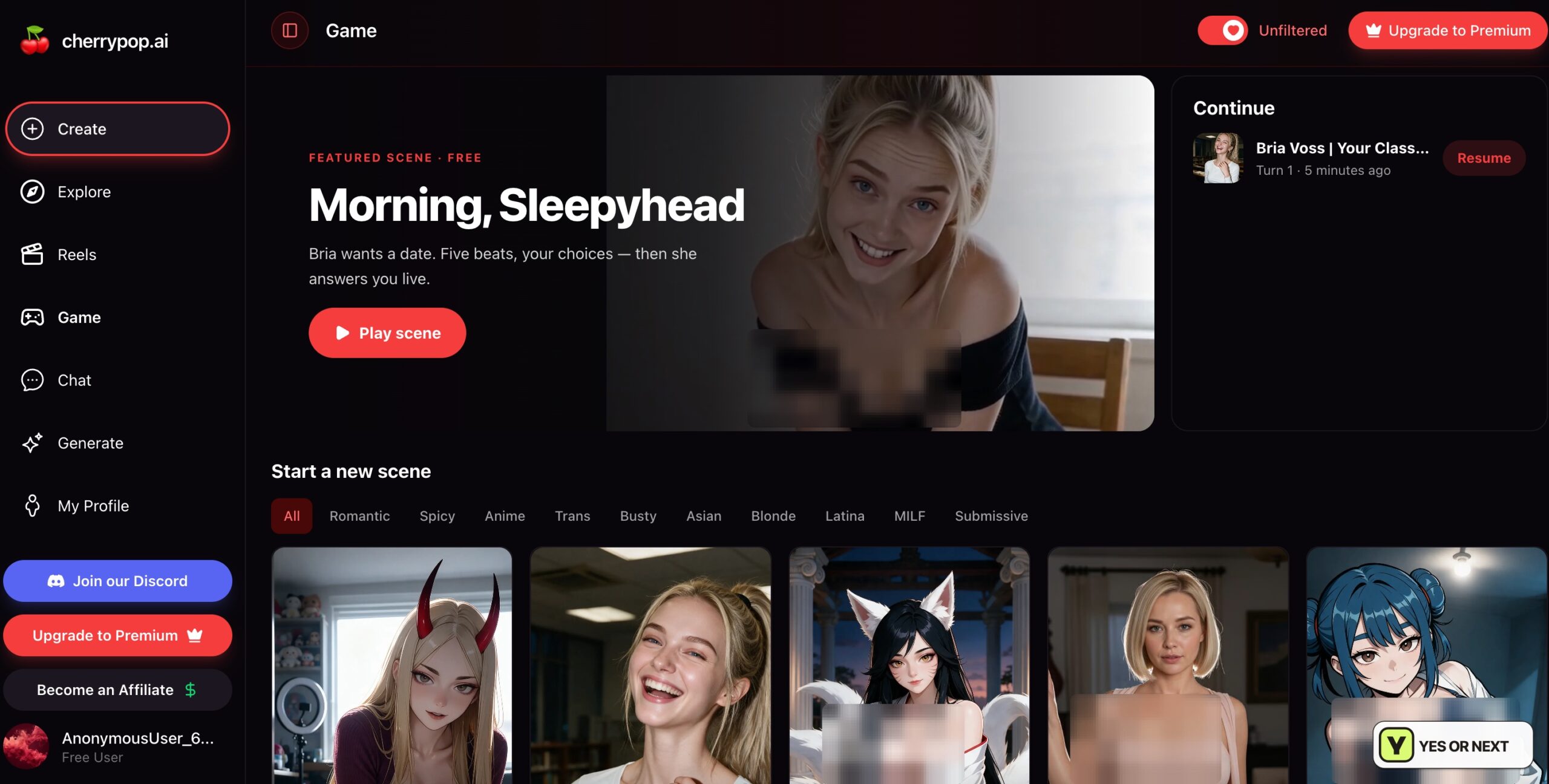
Game featured Morning, Sleepyhead with Bria Voss, marked Free and described as five beats with choices and a live response. My Continue panel showed Bria at Turn 1. It establishes an early scene state, not a completed interactive story.
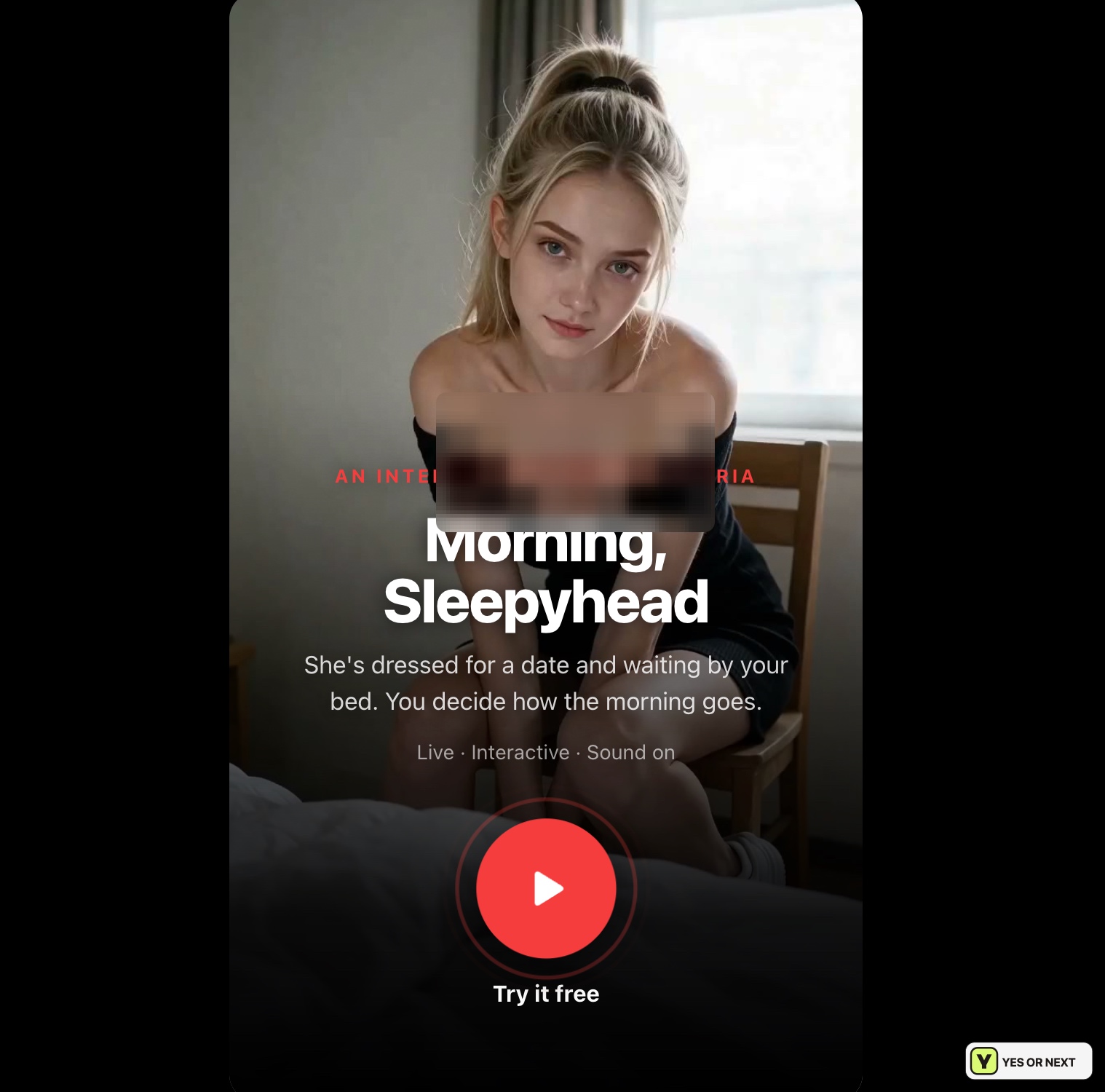
The introduction invited me to decide how the morning went, with Live, Interactive and Sound on labels. It reminded me of the scene option on Teresa’s profile, but I would not assume their rules, access or costs are identical. I need several turns and observable consequences before judging how satisfying Game is. Its presentation caught my interest; it is not independently enough for my subscription recommendation.
Hasley’s preview was the highlight
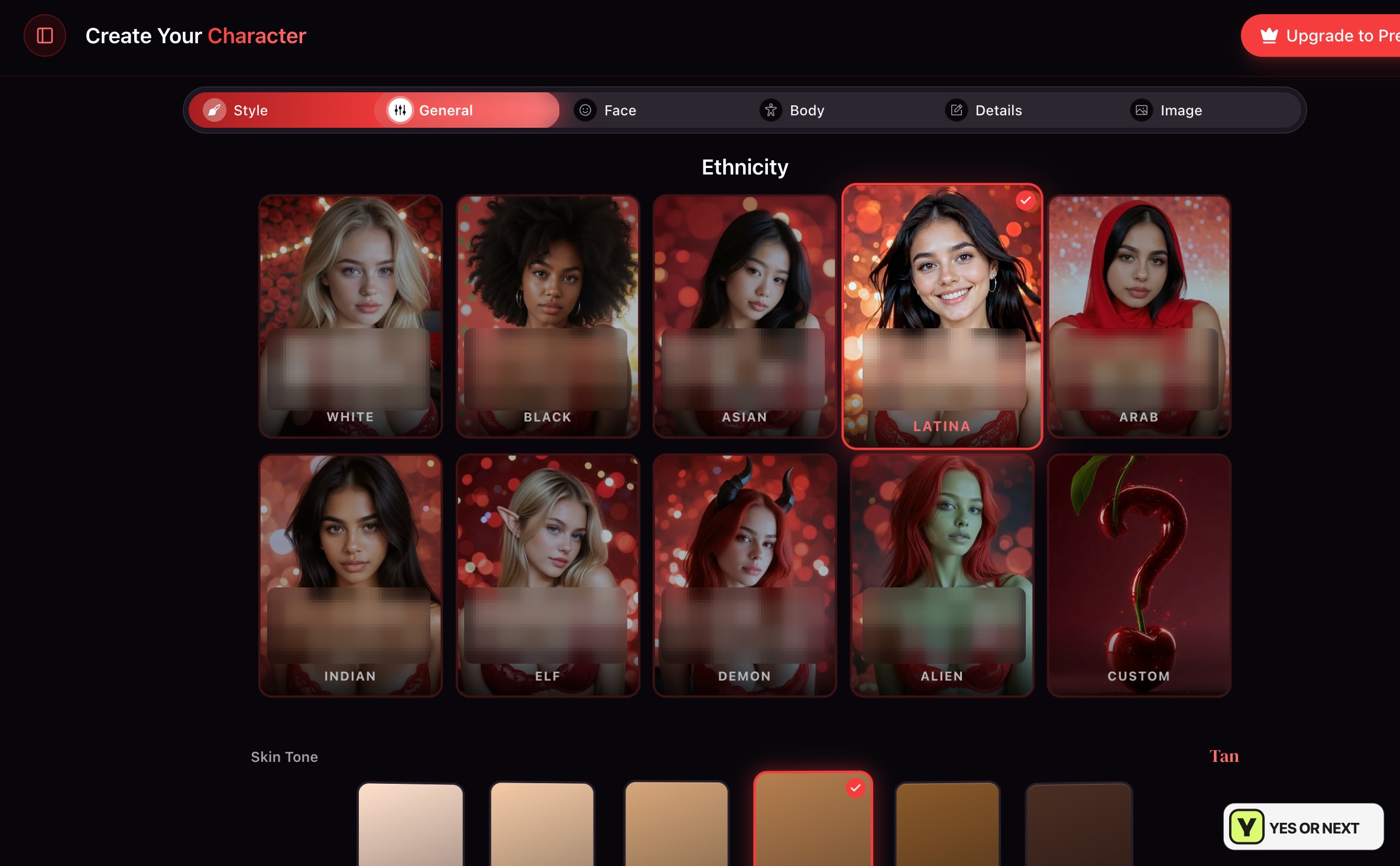
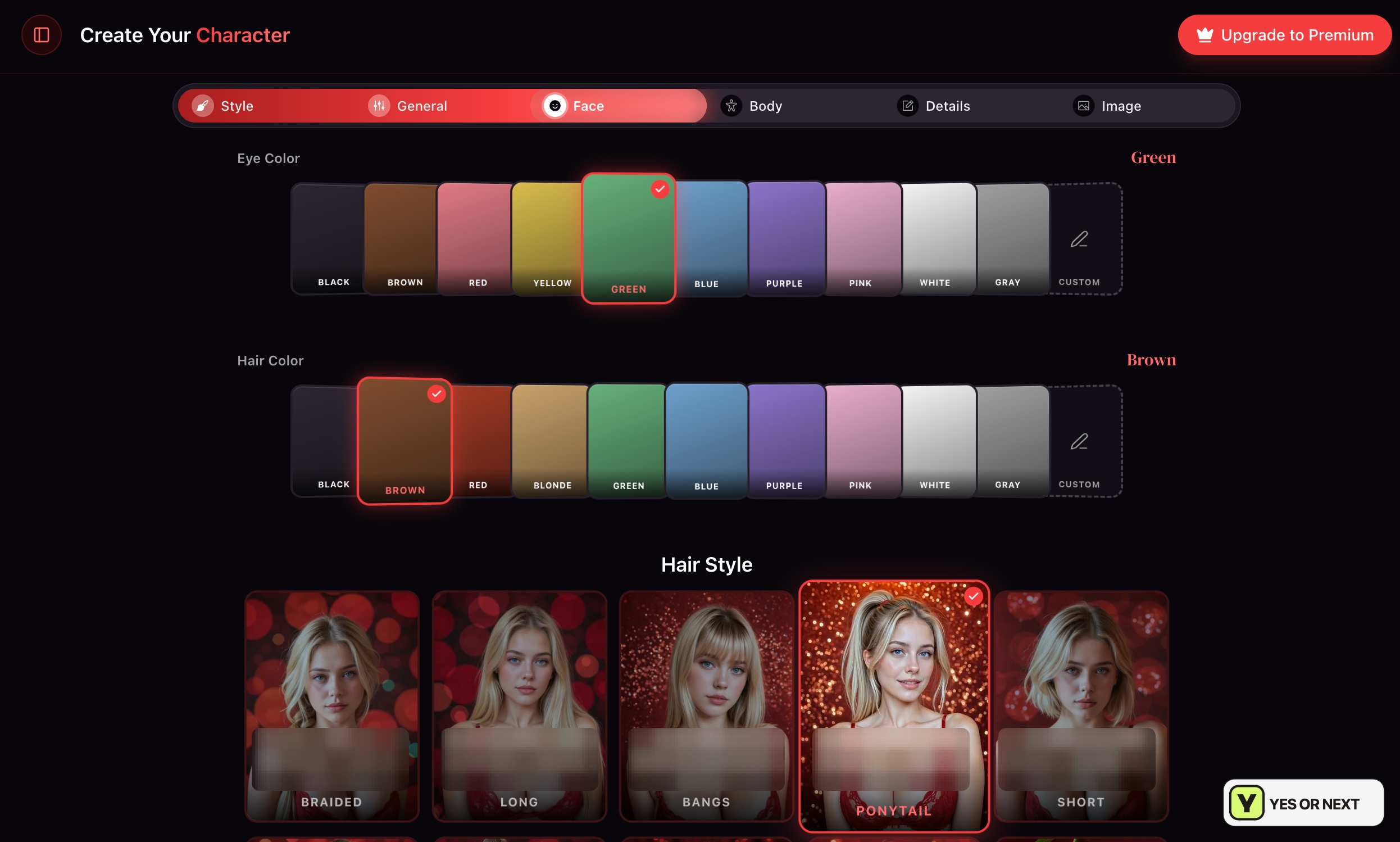
I wanted a realistic Latina character. The guided creator separated Style, General, Face, Body, Details and Image, while Describe her instead offered a text-led route. I used the visual flow and selected Latina with Tan skin, green eyes, brown hair and a ponytail.
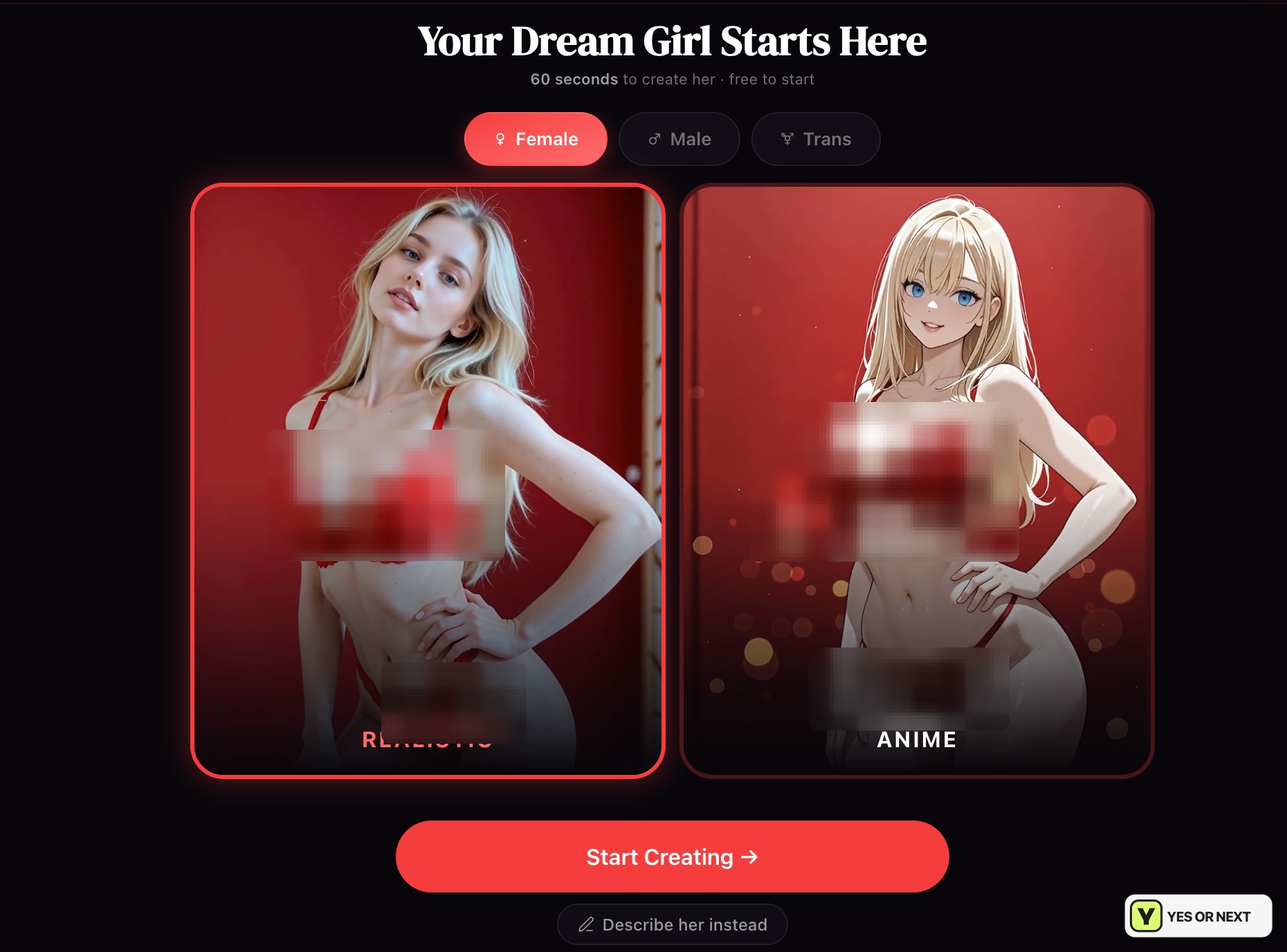
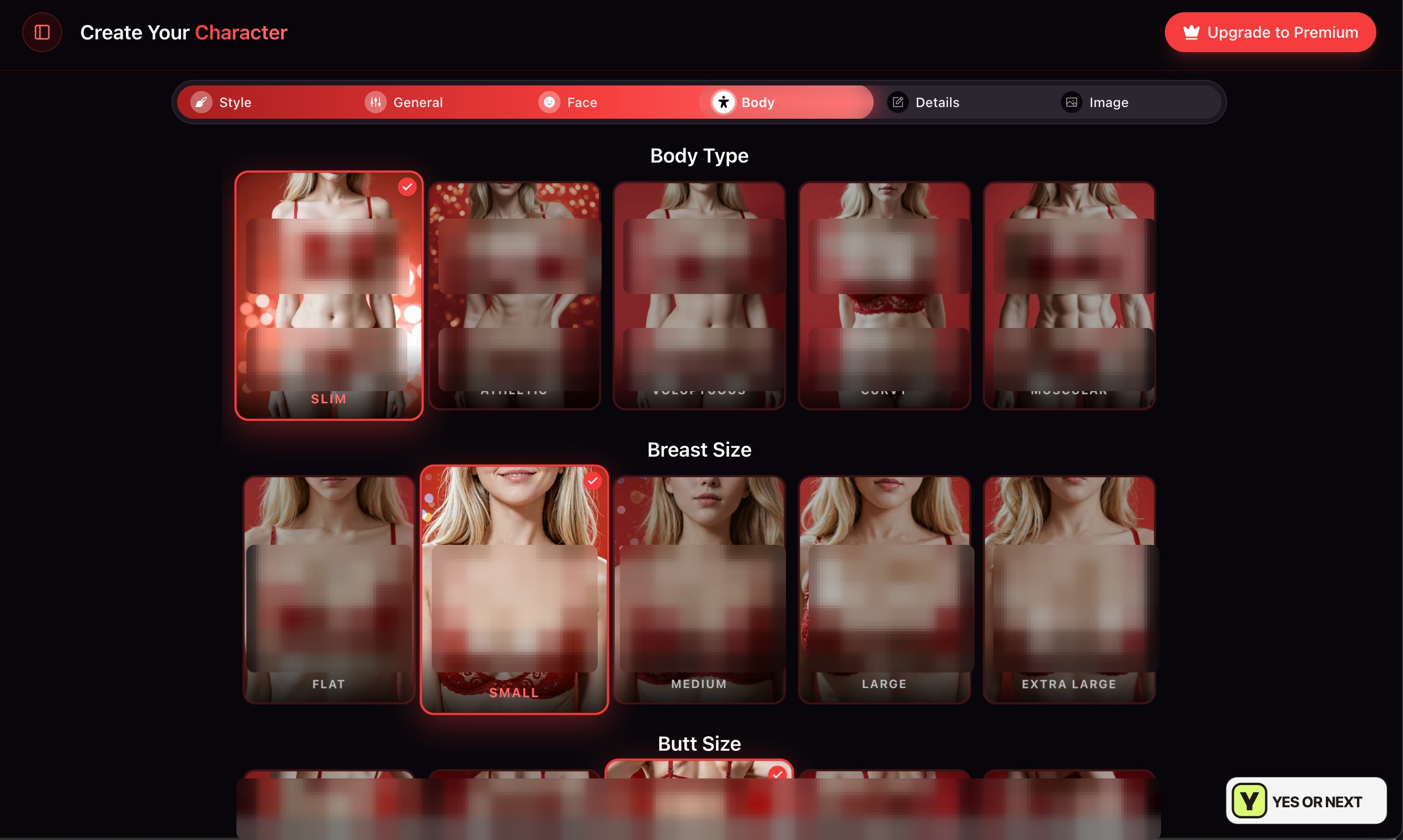
I could set proportions independently rather than accepting a whole body preset. My selection was Slim with Small chest size; the final summary showed Athletic for the butt setting. Those separate decisions were useful because I had a particular look in mind, not because a longer menu is inherently better.
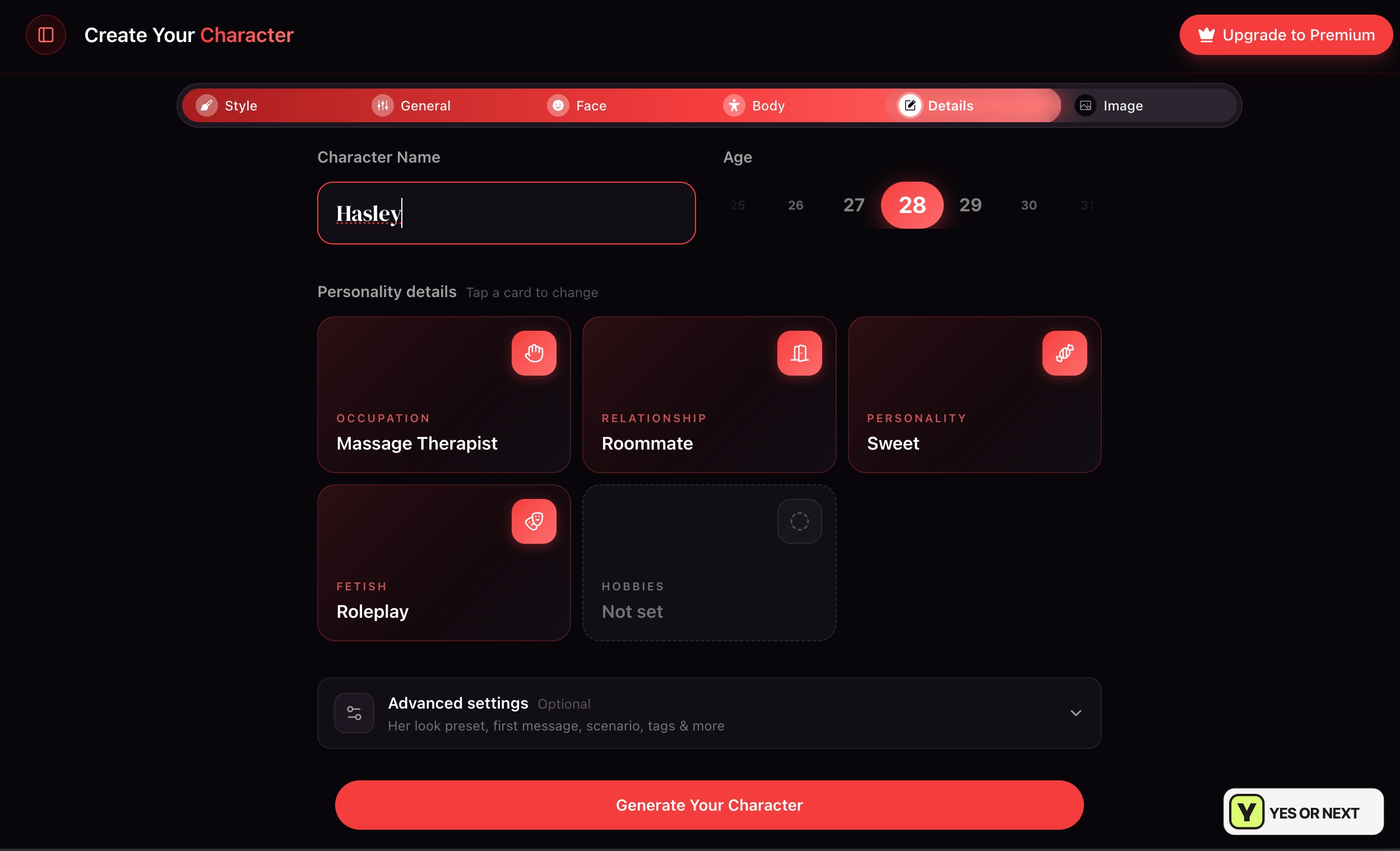
I named her Hasley, age 28, with Massage Therapist, Roommate, Sweet and Roleplay selected in the details. Hobbies stayed unset. Optional advanced settings offered room for a first message, scenario and tags. That gave me a premise beyond the portrait, though I did not establish how consistently a long chat would follow it.
The result put Hasley beside a café window with a rainy street behind her. Brown hair tied up, a cream cardigan, a dark skirt and the lighting made it feel like a scene rather than a generic portrait. It was even more attractive than I expected. That was the moment Cherrypop won me over.
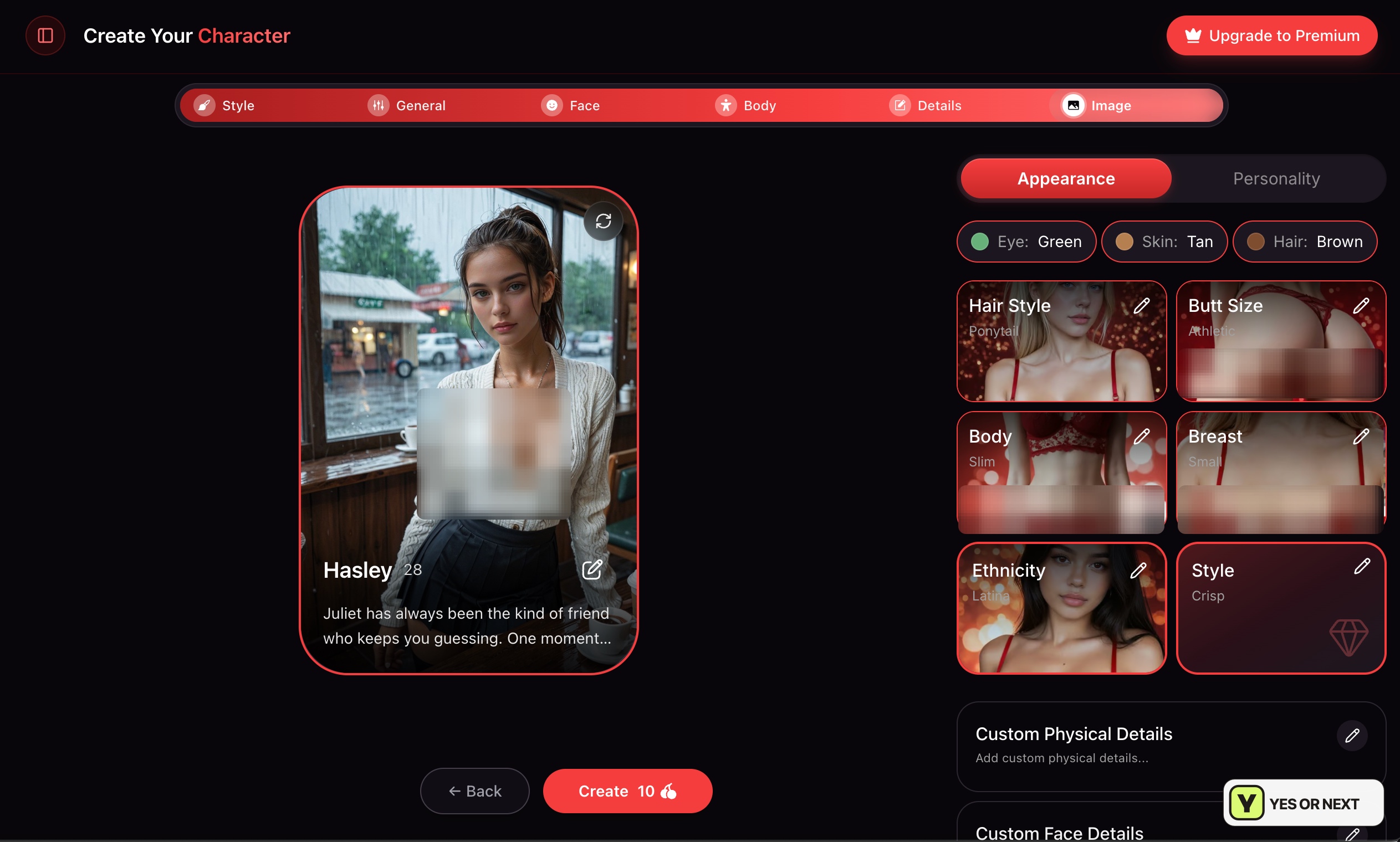
I had reached a generated preview, with a Create button showing 10 Cherries. I am not claiming I paid that final charge or completed an extended chat with her. The portrait was the result I could assess. The description also began with Juliet despite the Hasley name above it—a leftover I would correct before finalizing, not quietly treat as proof of a perfectly coherent character.
Annual billing and cherries are different commitments
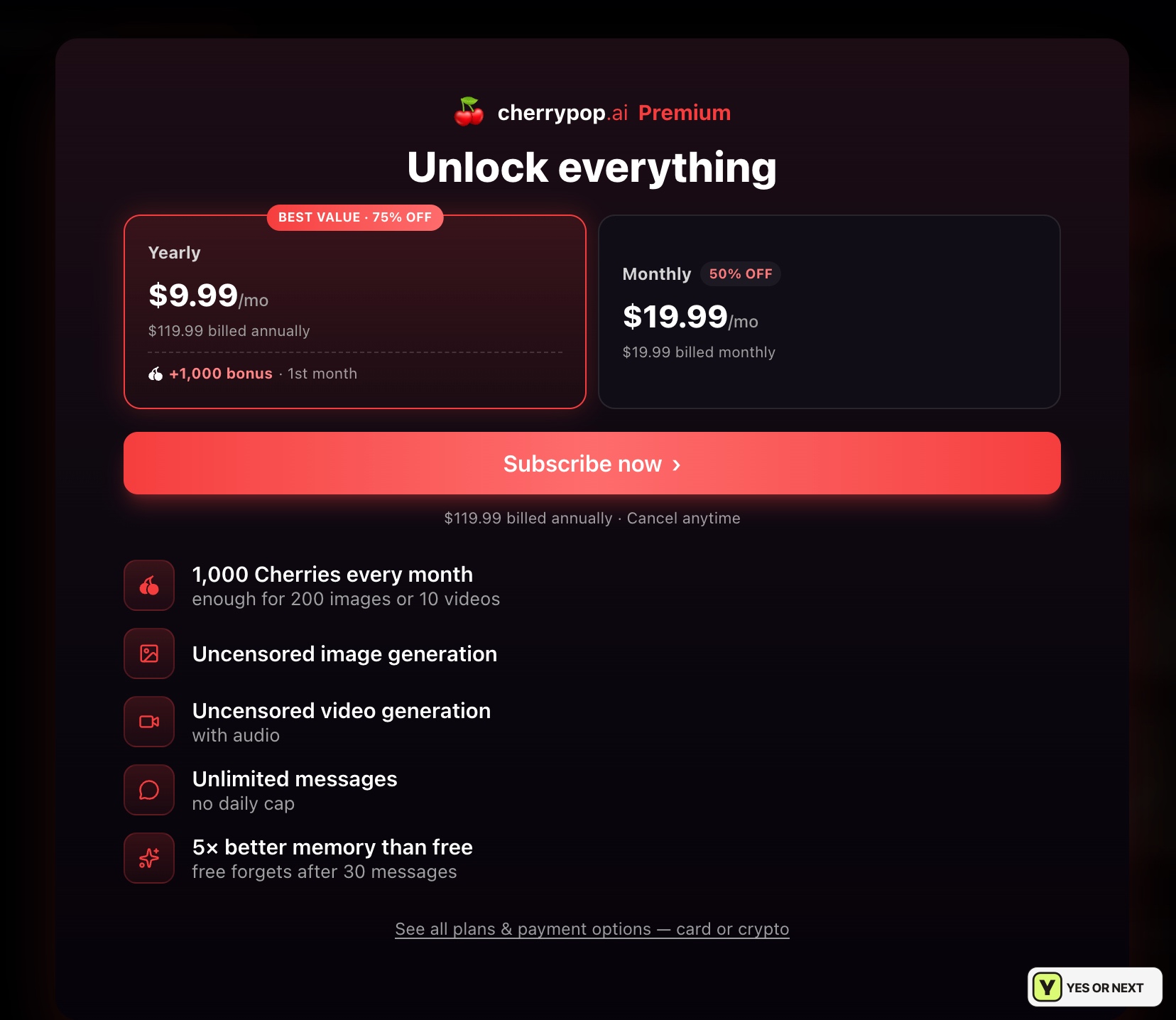
The October 14 offer displayed $9.99/month as the equivalent of $119.99 billed annually. The separate monthly option was $19.99. I would choose between those actual commitments, rather than read the annual equivalent as a cheap way to try one month.
| Item | Displayed offer or cost | How I read it |
|---|---|---|
| Premium yearly | $9.99/mo equivalent; $119.99 billed annually | An annual commitment, with a displayed first-month 1,000-Cherry bonus |
| Premium monthly | $19.99 billed monthly | The month-to-month option shown |
| Included currency | 1,000 Cherries every month | A monthly allowance, not unlimited generation |
| Cherry Shots setup | Generate Images: 10 Cherries | The cost on this particular generation button |
| Play a scene | 480p: 50 per turn; 720p: 80 | Repeated turns can use the allowance quickly |
| Hasley preview | Create: 10 Cherries | The final button shown after setup |
The offer advertised 1,000 Cherries each month, unlimited messages without a daily cap, uncensored images, video with audio and five-times-better memory than free chat. Those are offer claims. I did not run a memory comparison or purchase tiers to establish their performance.
It also said 1,000 Cherries could cover 200 images or ten videos, while my Cherry Shots button showed ten Cherries for its setup. I would read the cost on the actual action. At ten each, that allowance covers 100 such image actions if used only there; it does not validate a universal image price. Scene turns would use the same finite budget much faster.
The annual screen added a first-month 1,000-Cherry bonus and discount wording. These were dated promotions. Cancel anytime was displayed, but I did not test cancellation or refunds. I would check the current checkout total, renewal and action costs before committing for the year.
A privacy condition behind the fantasy
The privacy policy checked for the October 14 review described storing chats, generated content and preferences, with three years’ retention for NSFW chat logs and possible longer legal retention. The terms restricted access to adults and set content rules. I would keep identifying real-life details out of prompts. This editorial update is not a fresh policy audit.
My 8.8/10 call: YES for the visuals and creator
- My strongest result: Hasley’s café preview matched the direction I wanted.
- My buying question: how much of the monthly allowance I would spend on scene turns.
- Still to establish: deeper Game consequences, sustained memory and final character access after payment.
I would put my Candy AI, Secrets AI and Lovescape AI reviews alongside this one for visual companions. GirlfriendGPT is another comparison for character roleplay. My YES reflects what I enjoyed here; it does not claim that Cherrypop’s untested interactive systems beat those alternatives.
I analyze community votes monthly. Your feedback can influence my personal score when I assess the trends with editorial judgment; a revised score can then move the ranking. No vote automatically changes either. Share your own Cherrypop experience below. I test. You test. We choose.
Your call
Tried it yourself? share your take.
I've made my call. If you've used this app too, make yours: Yes or Next. I read every vote and use that feedback when I revisit my reviews, scores and ranking.
How I use your vote
I review the Yes and Next votes together with the topics readers liked. They do not move an app automatically. When that feedback gives me a reason to retest, I update the review, score and ranking myself.
Yes — I’ve used it
You've tried it — good. Now make the call: Yes or Next, then tell me what actually worked.
Your take
What did you like?
Pick only the parts you actually used and liked. I read these topic votes too: they show me what worked, and I take them into account when I revisit the app.