
My first read: My October 30, 2026 update focuses on the chat I enjoyed and what the creative tools could cost me. Lovescape’s chat was fast, and the character left room for teasing instead of rushing straight into explicit replies. That is what I remember most. The creative hub and Shorts give me other ways to spend time with the platform, but I would judge a paid plan by the tools I expect to use and the Chips they consume.
My access for this review
Lovescape gave me complimentary unlimited access. I could explore without rationing a normal Chip balance; that access did not buy a positive review. It does affect my ability to judge everyday spending, so the price discussion below separates the captured offer from the cost pressure a regular subscriber would feel.
This is an 18+ platform for fictional AI characters, roleplay and generated media. My comments about chat speed and the response to my message come from the test. Other observations concern the screens and controls I explored, with published conditions identified separately.
Discovery and creation connect around the character
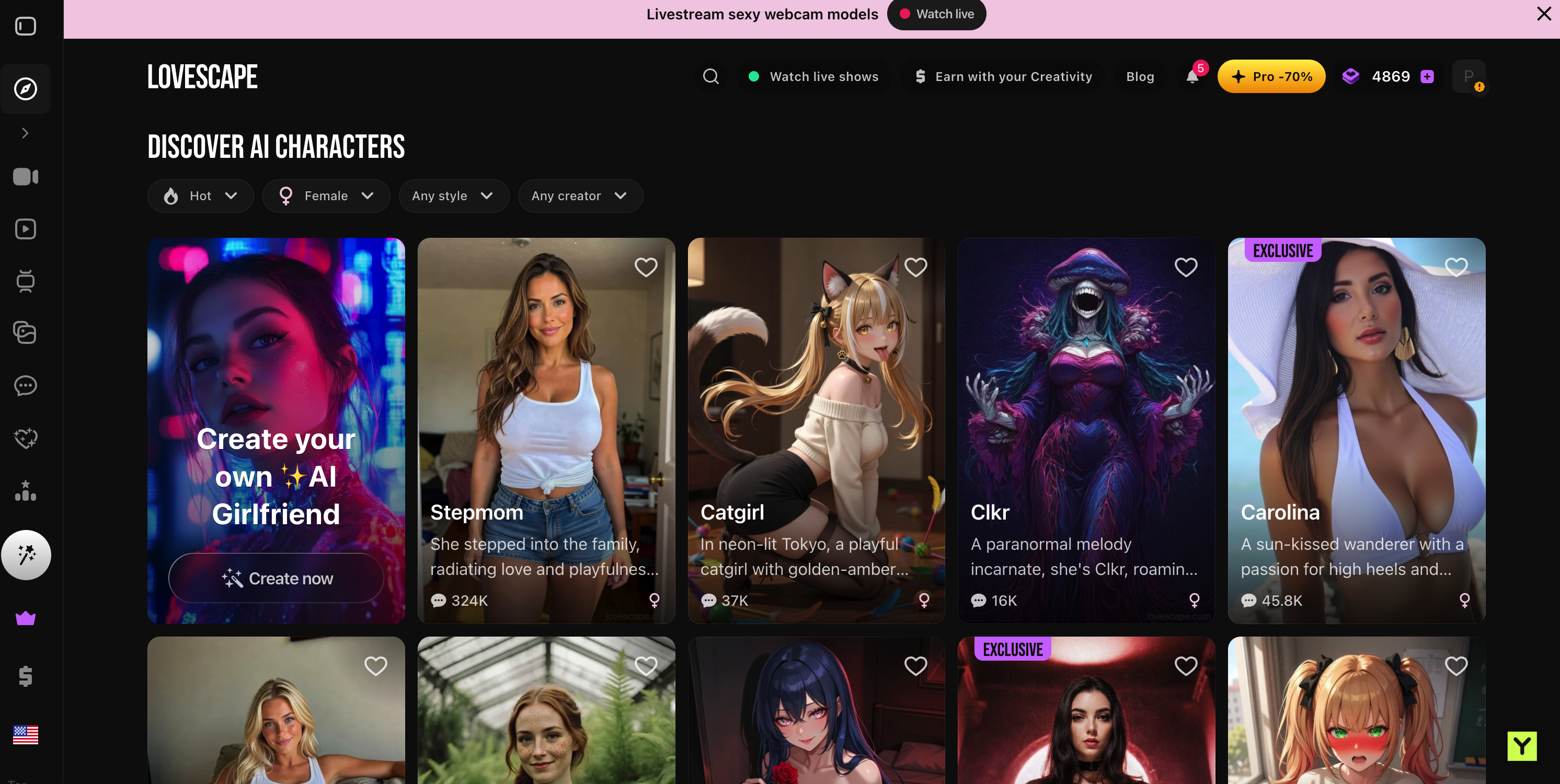
The discovery page puts popularity, gender, style and creator filters within reach. I could narrow the selection without searching through menus, with realistic-looking, anime and fantasy characters available. I liked that range, then looked at the premise to decide whom I wanted to open.
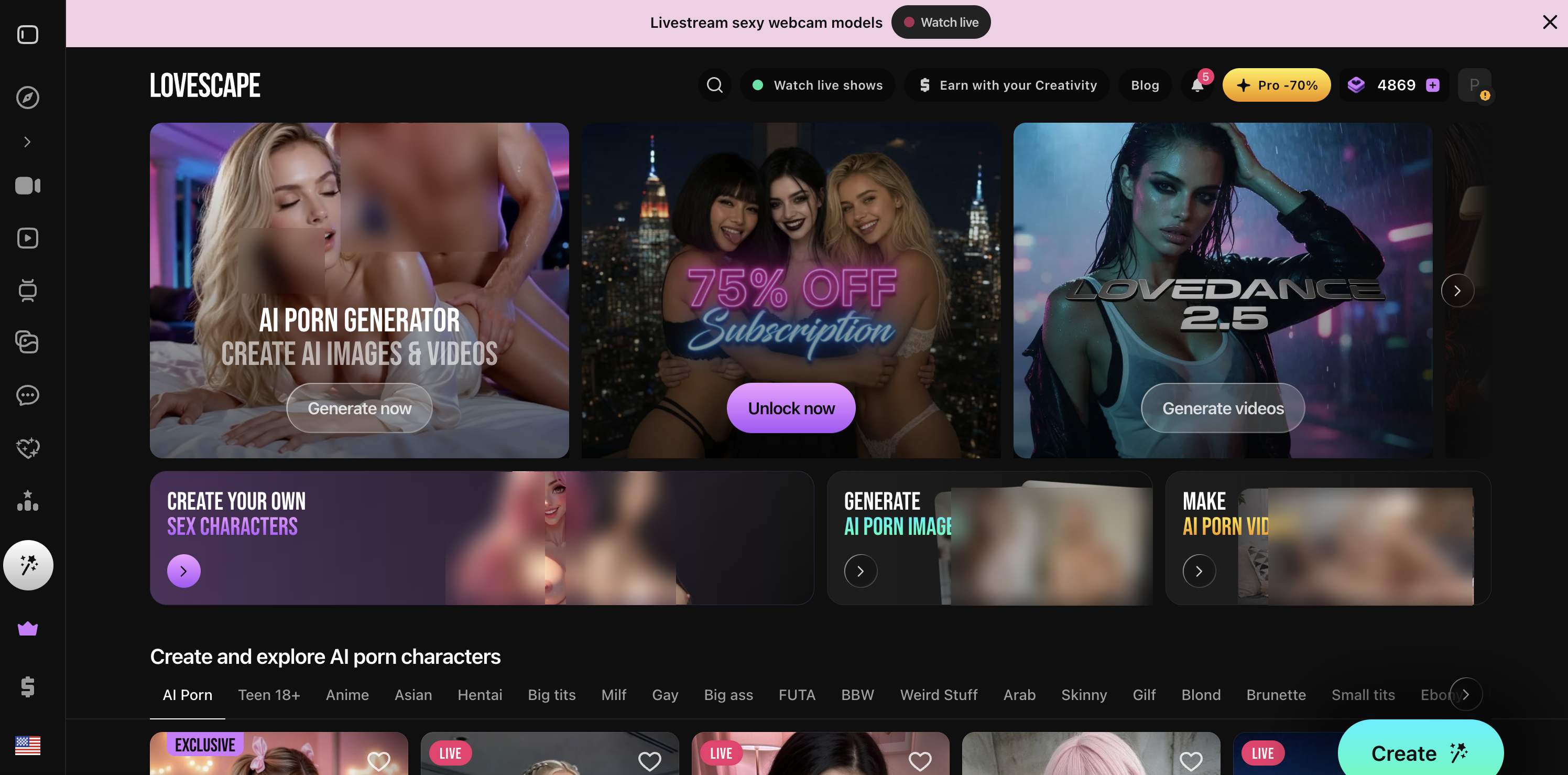
The creative hub brings character creation, images and video together. It is busy, but the main routes were easy to understand. Lovedance 2.5 and subscription promotions are also prominent; they describe what Lovescape is selling, rather than establish the quality of a particular generated result.
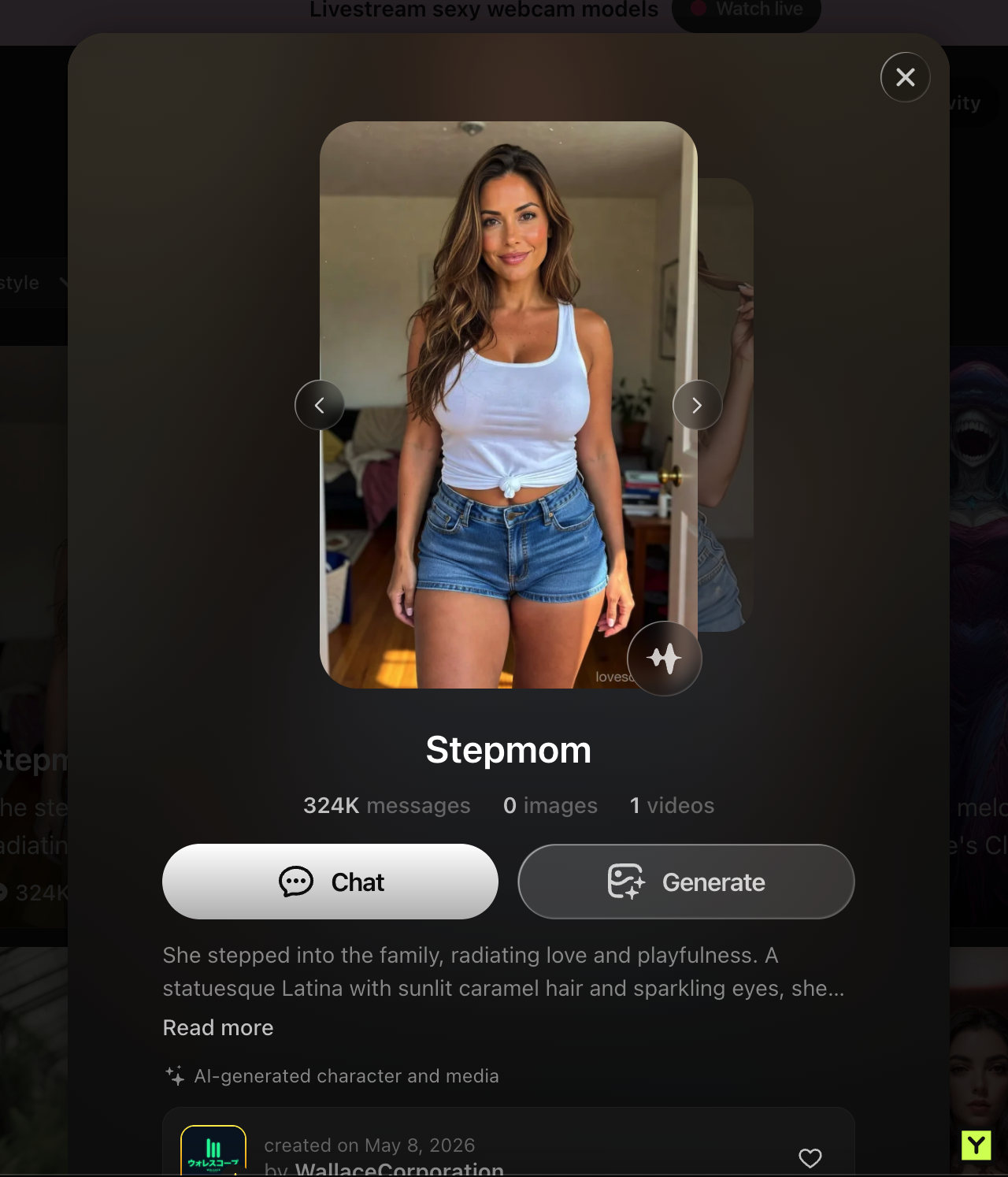
Opening a character gives me a short premise and two clear choices: Chat or Generate. Keeping the chosen character as the reference for media creation is the useful connection. I can move from discovering a face to building a scene without starting again with a completely separate character description.
The chat was quick and let the tone build
Replies arrived with very little noticeable delay in my test. I was not repeatedly pulled out of the exchange by loading pauses. That made it easier to respond naturally and keep the conversation moving. It is a subjective speed observation, not a timed benchmark, but it was one of Lovescape’s clearest strengths for me.
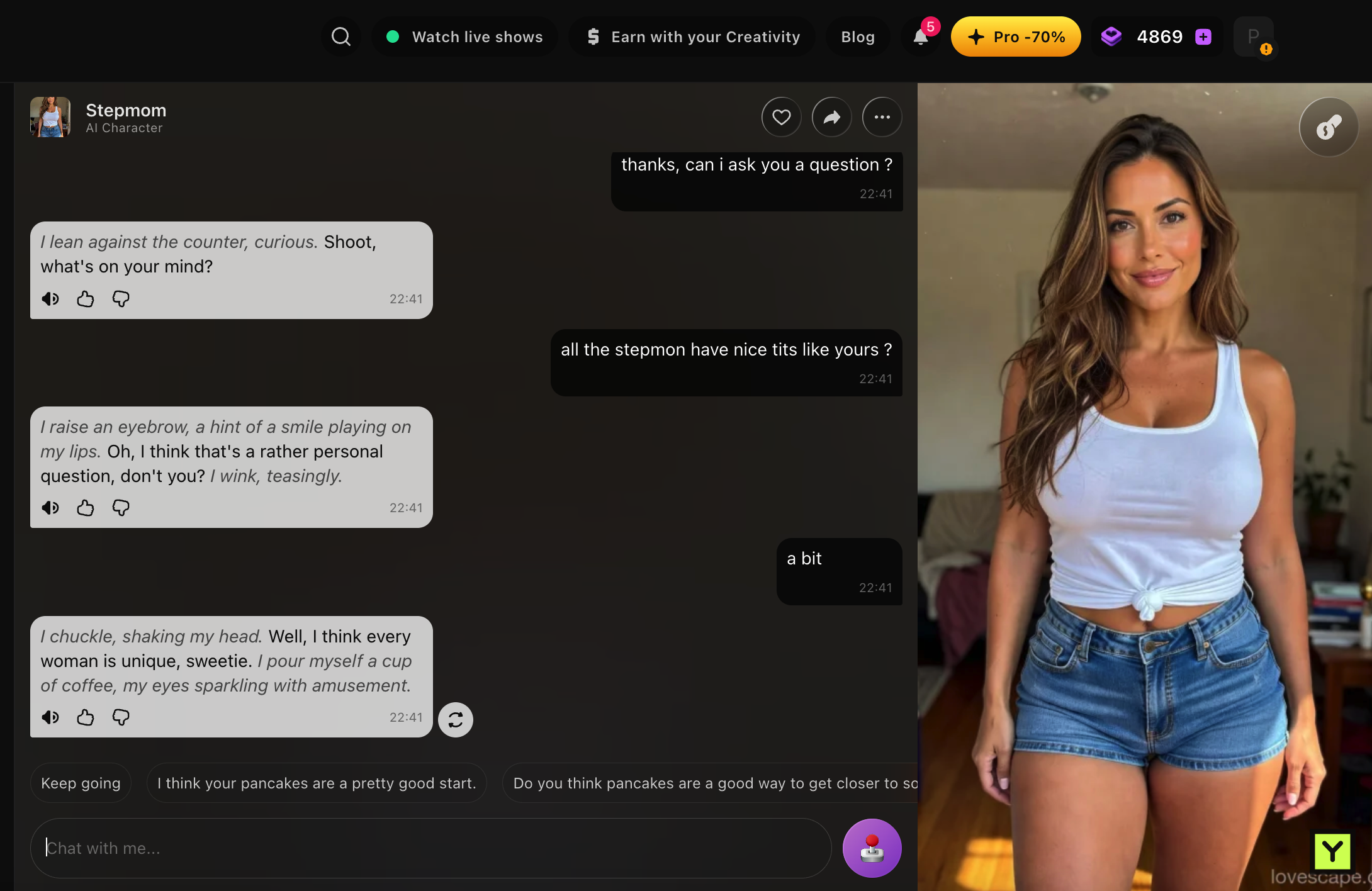
I deliberately sent a provocative message to see how the character handled it. The response stayed playful and teasing, with boundaries, rather than immediately turning explicit. I prefer that pacing: a suggestive line can develop the interaction without skipping the context that makes it interesting.
The character in the screenshot is labelled “Stepmom.” Lovescape’s published moderation policy prohibits sexualized family roleplay, so I would not interpret the label as permission for that content. The observation I can report is the non-explicit response in this particular exchange, not a rule about every character or prompt.
The Actions menu also stayed close to the messages. I could reach other options while keeping the conversation in view. That matters once a chat has a rhythm: I would rather keep the same character and context nearby than return to discovery whenever I want another activity.
Image generation: a reference and a visible chip price
The generator keeps my selected character beside controls for the prompt, pose, background and outfit. That gives me a recognisable subject while I decide what to change around them. I like having structured choices alongside the prompt instead of having to describe the entire scene from nothing.
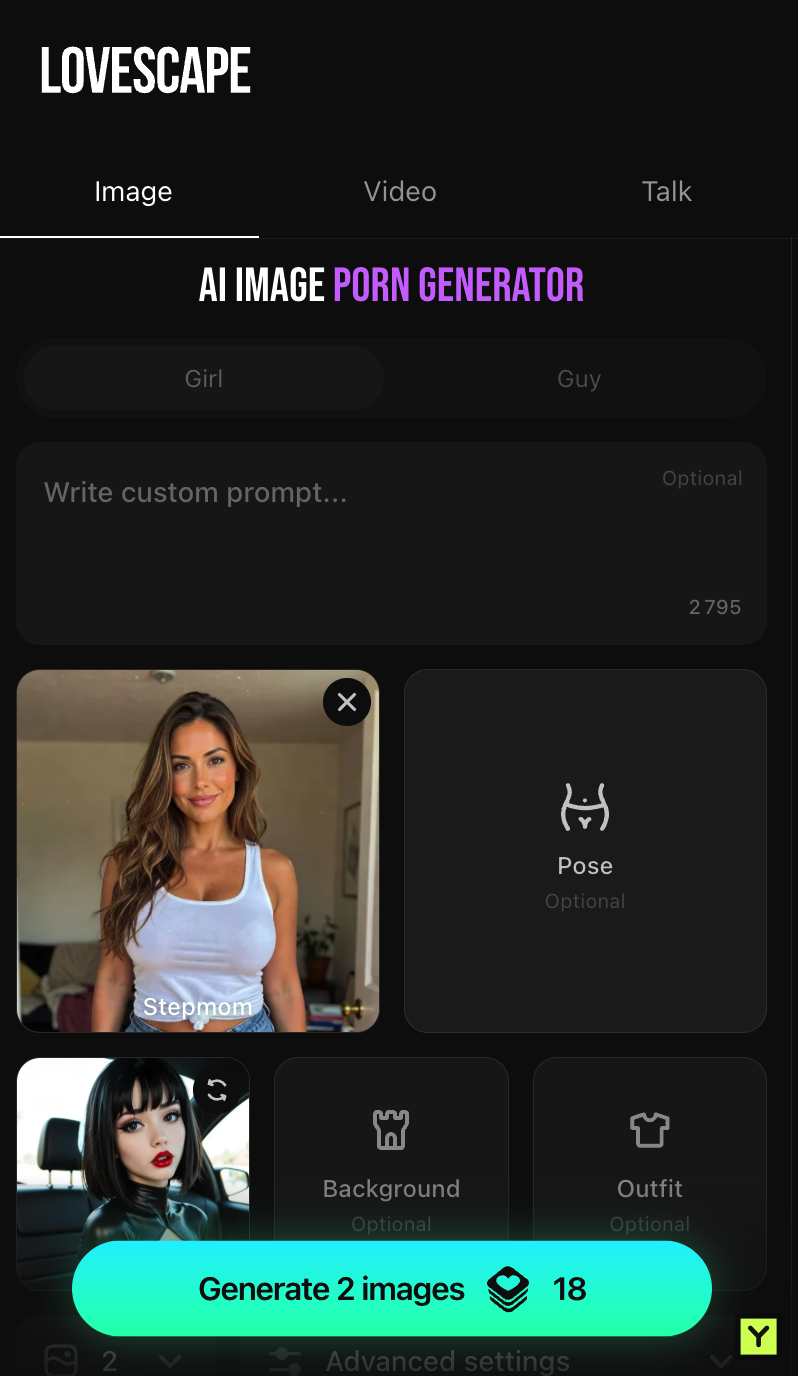
My captured setup shows two images for 18 Chips. That prices this configuration, not every image or video. As a budget illustration, ten batches at that same rate would use 180 Chips for 20 images. It is a calculation from the button, not a record of generations or proof that all those results would be worth keeping.
The character reference is an appealing part of the workflow, but I did not compare enough outputs to establish consistency across a large gallery. Lovescape’s own limitations guide acknowledges that visuals can vary. I would judge the result as well as the convenience of carrying the character into the generator.
Shorts: series browsing with visible episode locks
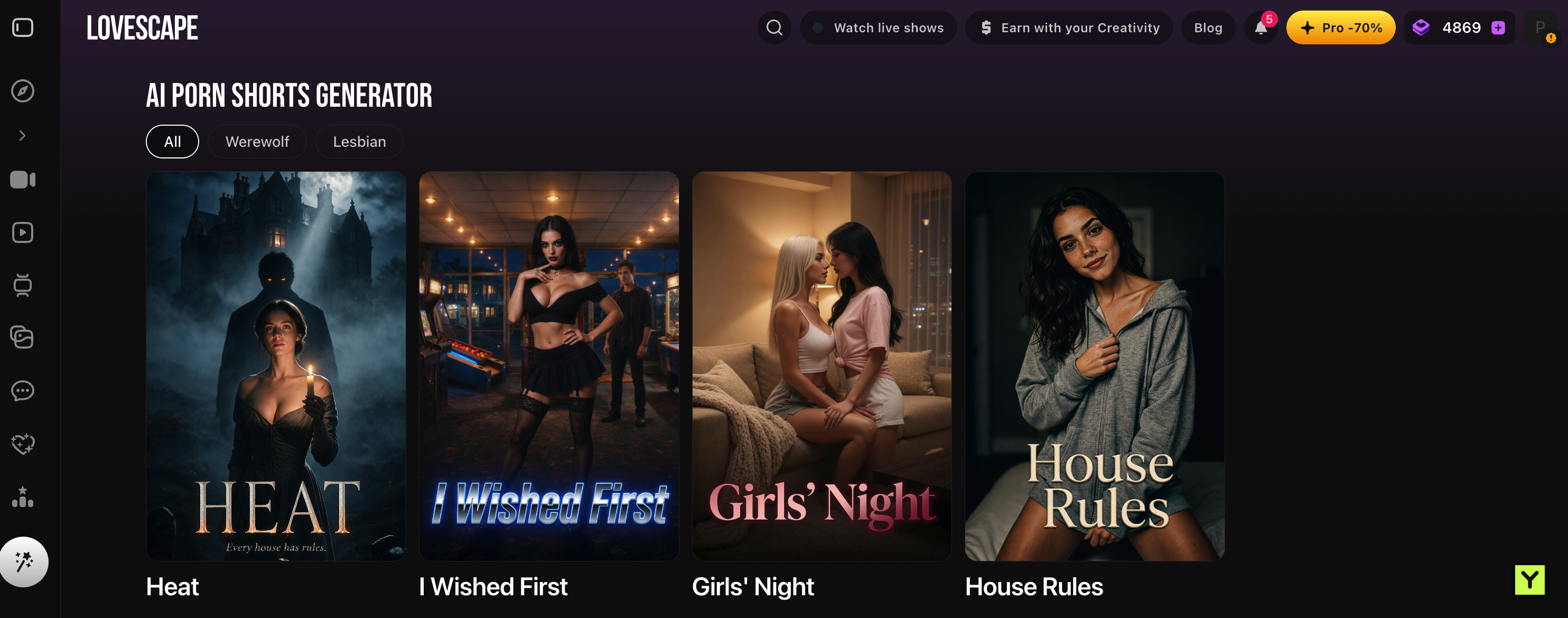
Shorts presents themed vertical series with filters and cover art. Heat, I Wished First, Girls’ Night and House Rules were among the visible titles. I like having a story-led option when I want to browse or watch rather than carry a conversation.
Heat’s gothic, suspense-led description caught my attention. Its detail page has a one-minute player and an episode list with later entries locked. That makes the continuation boundary visible before I commit to the whole run. It does not, by itself, settle what unlocking the remaining episodes costs.
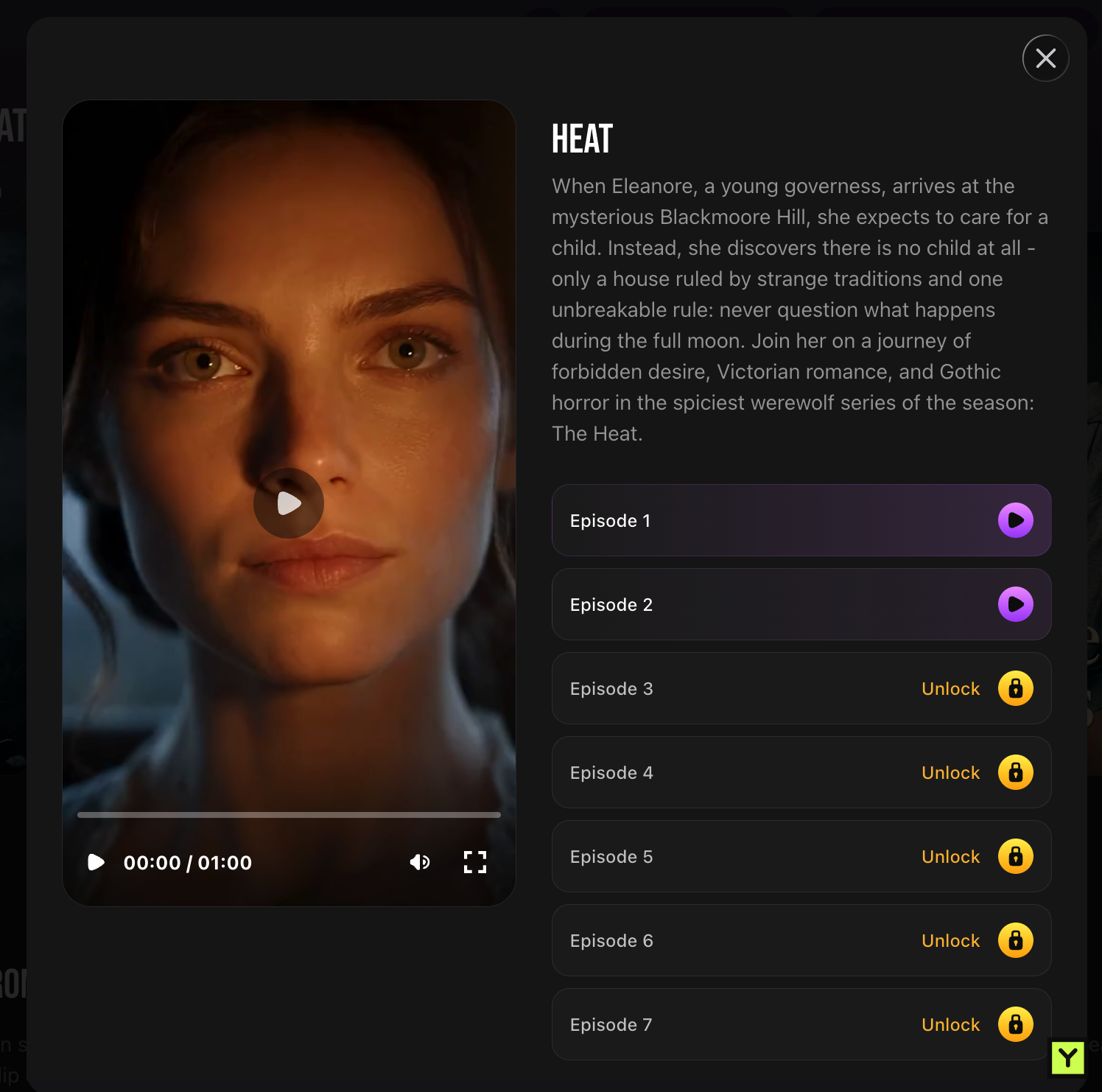
I have not watched every locked episode, so my interest is in the format and premise rather than a verdict on the complete series. The useful distinction is between finding a series I want to explore and establishing that its writing and continuation price justify staying.
AI video chat and the community feed
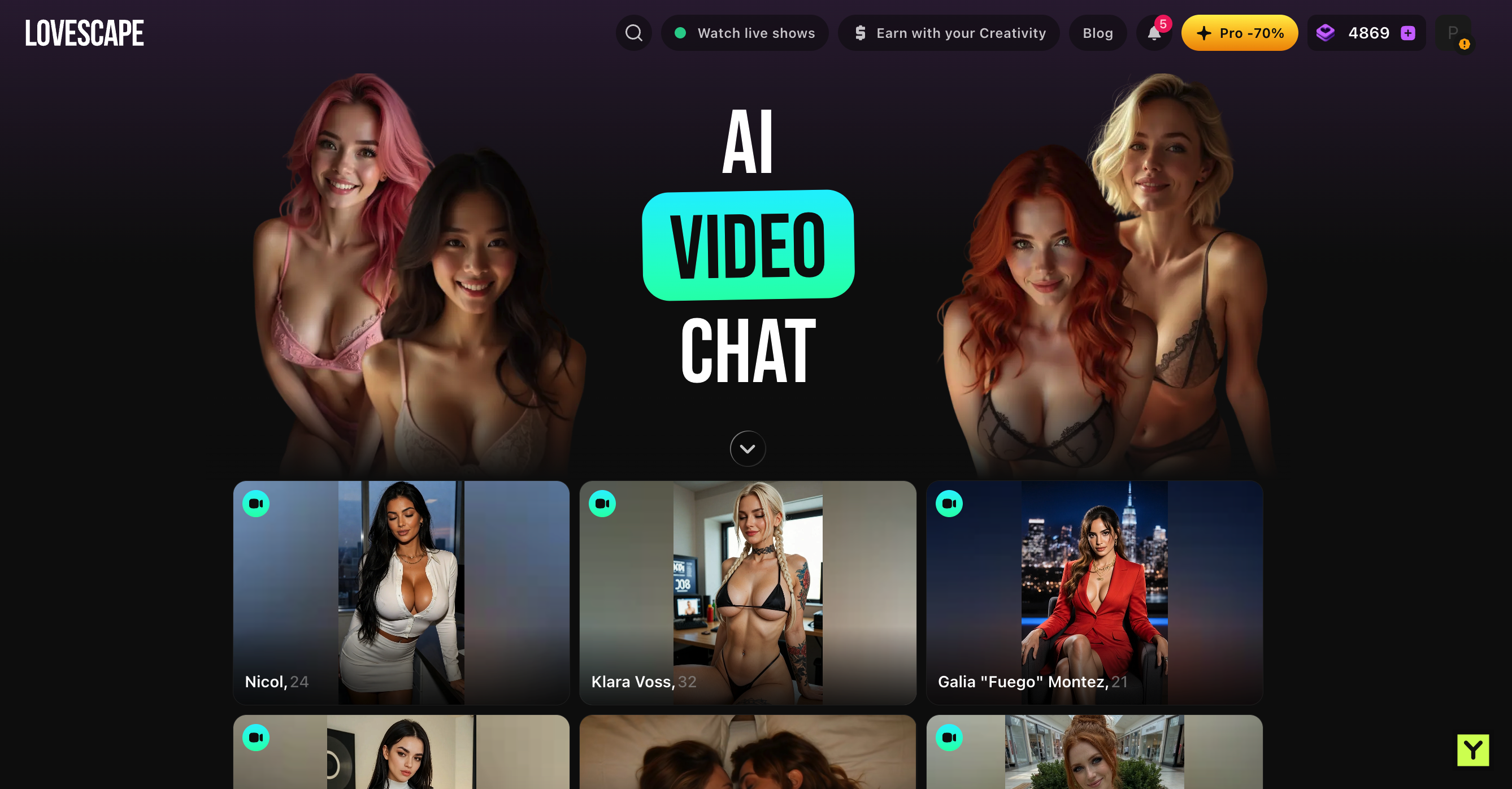
AI Video Chat has its own selection of video-badged character cards. The navigation separately lists Watch live shows. Those are different entry points: I would not read an AI Video Chat card as evidence of a live human call. I did not test every video interaction, so this part of my review covers discovery rather than call performance.
The community Feed felt familiar, with Top, Following and Recent views. The post shown is labelled AI-generated, and the creator’s work is easy to browse. I thought the layout was well made; it gives me something visual to explore outside a private conversation.
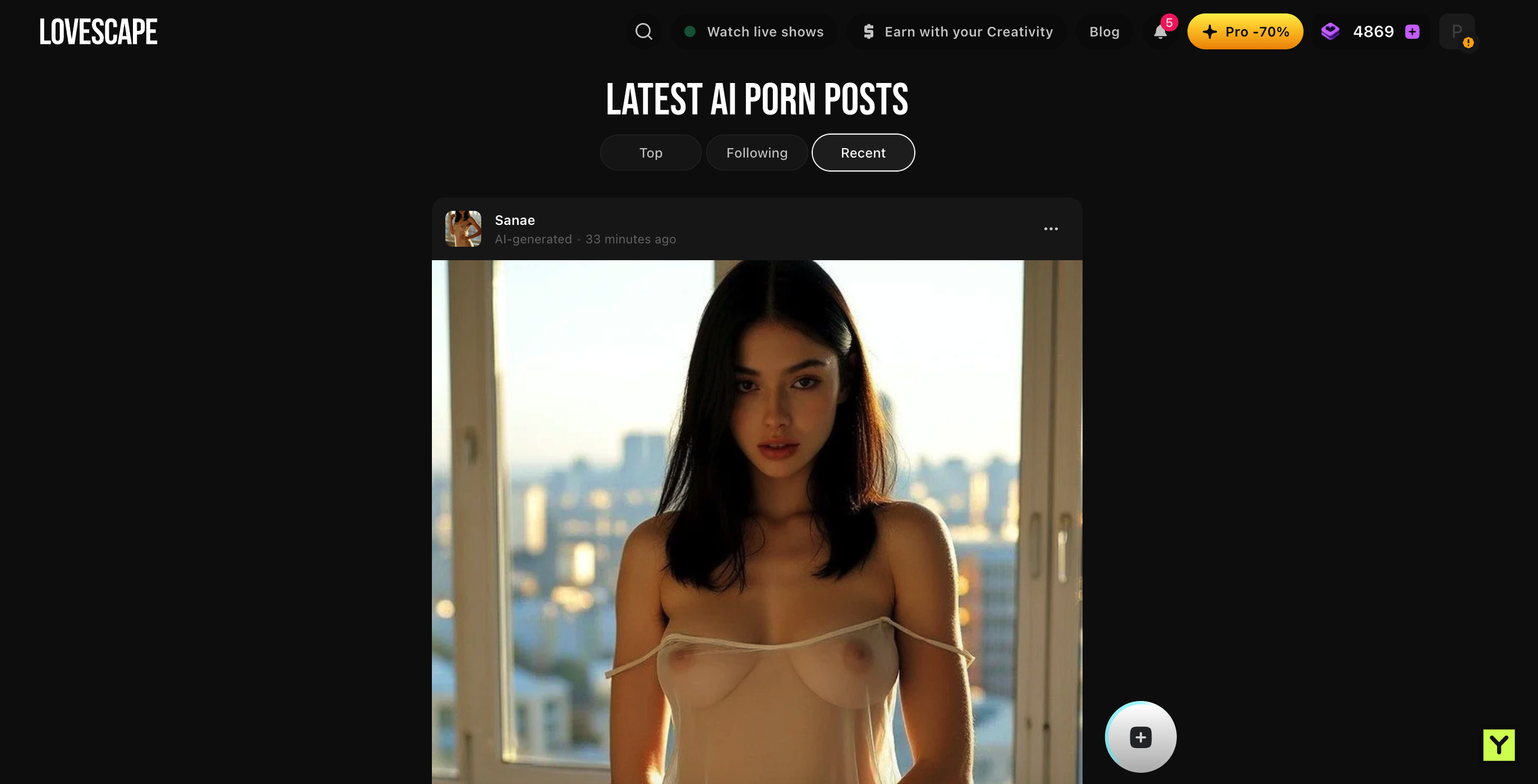
Visibility deserves attention when private chat and public creation share an account. Lovescape says private characters, chats and in-chat media remain private by default until I choose to publish or share. I would check the audience for the specific item before sharing it. That visibility claim is separate from data processing: the documentation also says chat history is retained for continuity.
Creative pro: compare the term payment and chips
The captured Creative Pro offer lists these three durations. These are the figures recorded for this review, not a freshly verified checkout or a claim that Creative Pro is the cheapest Lovescape plan.
| Duration | Displayed monthly price | Term amount |
|---|---|---|
| One month | $64.99 | $64.99 for one month |
| Three months | $49.99 | $149.97, calculated across three months |
| 12 months | $29.99 | $359.88 billed yearly |
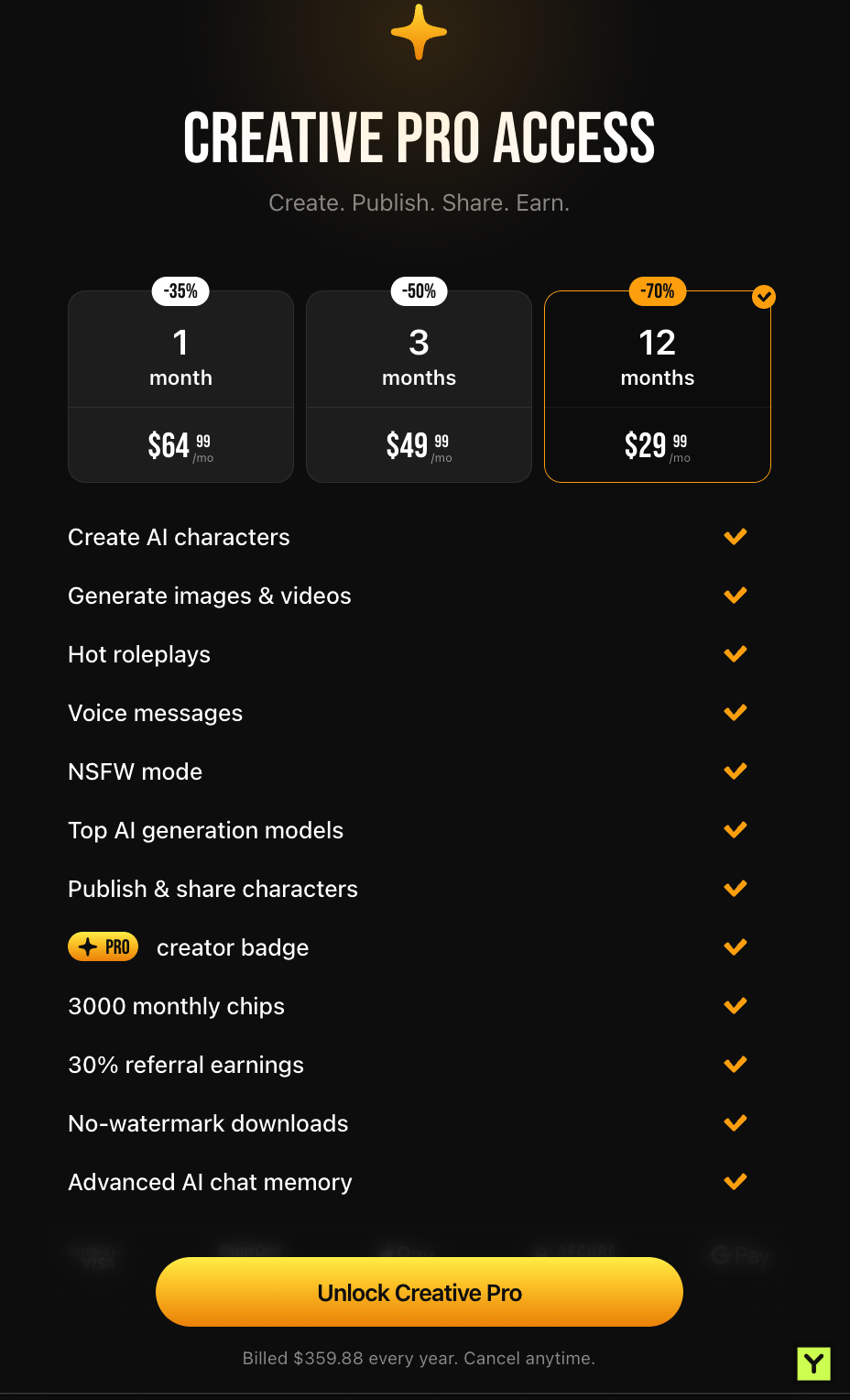
The offer advertises 3,000 monthly Chips, character creation, image and video tools, roleplay, voice messages and advanced memory. Publishing benefits and downloads without watermarks may matter more to a creator than to somebody who mainly wants chat. I would compare the plan around those uses, not just its number of advertised features.
At $64.99 for a month, I would want to use more than text. The annual price lowers the monthly equivalent, but commits $359.88 at once. My unlimited review access did not reproduce a normal subscriber’s budget constraints, so I cannot use my freedom to explore as evidence that 3,000 monthly Chips will cover everyone’s media habits.
Lovescape’s Chips guide says generation prices appear before use, Chips do not expire and purchased Chips are non-refundable. Its membership guide says subscriptions renew automatically unless cancelled in account settings. These published conditions are part of the spending decision; I did not test cancellation.
Product limits and my verdict
Lovescape’s materials describe fictional adult content and prohibit photo uploads and real-person/deepfake characters. Its limitations guide also acknowledges that longer chats can lose older details and visual consistency can vary. A quick, enjoyable exchange is a reason to return; it does not establish months of accurate memory.
- What worked best: responsive chat and a teasing reply that left room for the conversation to develop.
- What adds variety: the route from a character to generation, plus Shorts and the Feed.
- What I would budget for: the paid term and the media actions drawing on Chips.
My verdict is Yes. Lovescape suits my preference for responsive chat with creative options nearby. For other visual companion experiences, my Candy AI review and Secrets AI review offer comparisons around series, character tools and media spending. The relevant plan and paid allowance matter as much as having similar feature names.
After trying Lovescape, leave your own Yes or Next and select what you liked. My score determines its public ranking; reader responses remain separate feedback. I test. You test. We choose.
Screenshots, product information and linked help materials are from October 2026. The observations above distinguish my chat test, the controls I explored and the provider’s published claims. Prices, plans, allowances and policies can change.
Your call
Tried it yourself? share your take.
I've made my call. If you've used this app too, make yours: Yes or Next. I read every vote and use that feedback when I revisit my reviews, scores and ranking.
How I use your vote
I review the Yes and Next votes together with the topics readers liked. They do not move an app automatically. When that feedback gives me a reason to retest, I update the review, score and ranking myself.
Yes — I’ve used it
You've tried it — good. Now make the call: Yes or Next, then tell me what actually worked.
Your take
What did you like?
Pick only the parts you actually used and liked. I read these topic votes too: they show me what worked, and I take them into account when I revisit the app.