My first read: I returned to this review on October 30, 2026, to put Hasley’s creation and chat opening at the centre of my take. Nectar interests me for story-led roleplay: a situation, a role and a cast before the first message. My clearest result came from creating Hasley. The blonde hair and blue eyes followed my choices, and her bar-scene greeting gave me something to answer. I like that combination of visual creation and a ready-made opening; the busy interface takes more attention than a simple companion chat.
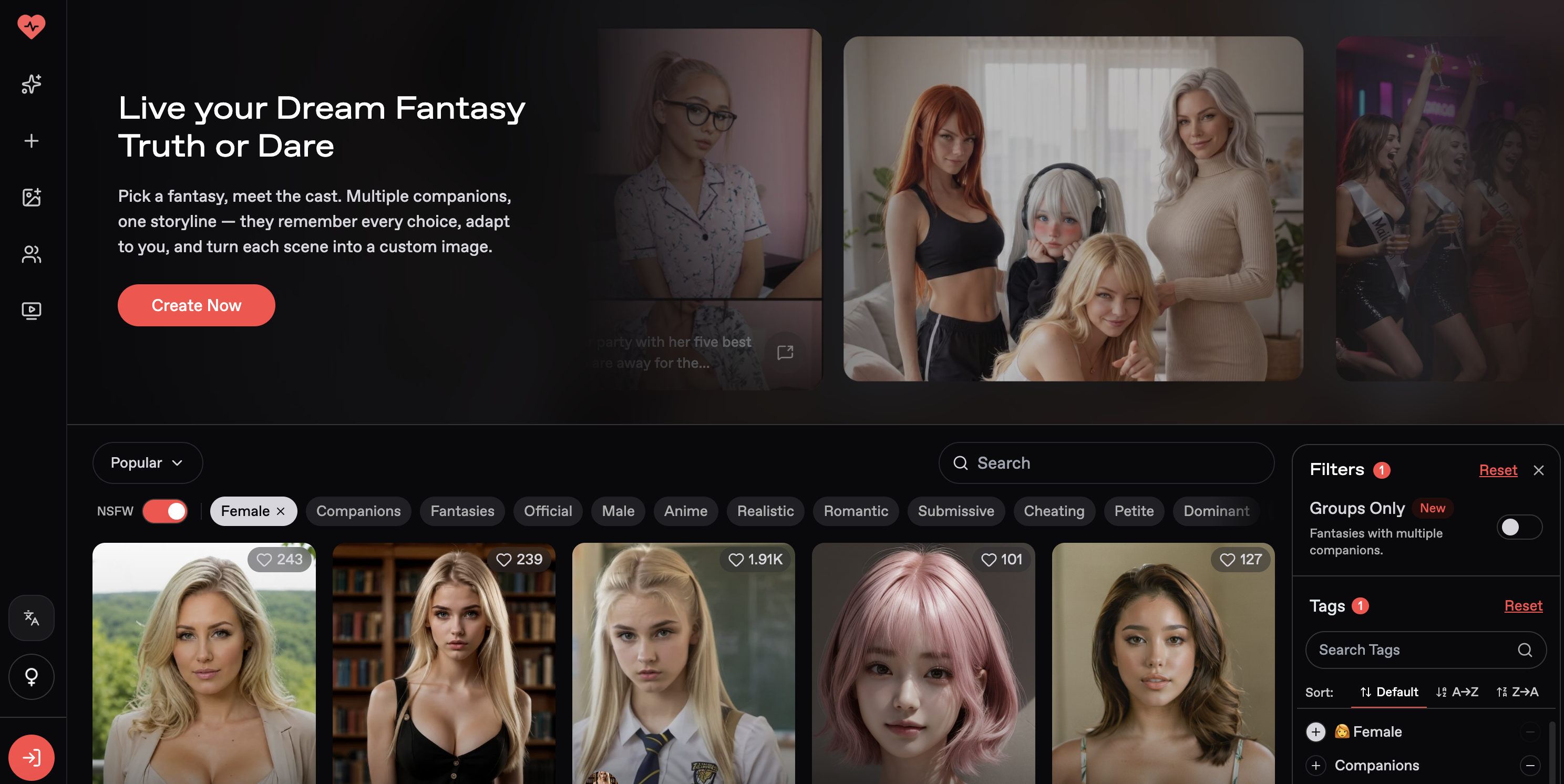
Fantasies and discovery: choose the situation first
A Nectar Fantasy is a prepared scenario with an opening situation, a role for me and one or more companions. The Truth or Dare setup on the discovery screen makes the idea clear: I can consider the premise and cast before starting, rather than choosing only by a portrait.
Discovery separates Companions, Fantasies, Anime and Realistic, with search, tags and a Groups Only switch. I find that last control useful because it answers a different question from visual style: do I want one character or a cast? The desktop hover animations also make browsing less static. I like the dark, cinematic presentation, although the number of choices can pull attention away from actually starting a scene.
According to Nectar’s documentation checked for this review, group chats can include up to ten companions. I can choose the next speaker or leave that choice on Auto. Nectar says one message from me can produce several character replies, while only my sent messages count toward the message allowance. That is a useful distinction when comparing a cast-based story with an ordinary two-person chat; it is not a group conversation I benchmarked here.
Community includes tools as well as a feed
Community caught my attention because it invites members to submit tools, not only publish characters. Prompt Architect is presented as help with image and chat prompts; Character Builder structures companion descriptions; Chat Toolkit offers drafts, memory search and chat export through a Chrome extension. A community-maintained Nectar Wiki adds feature and prompting guidance.
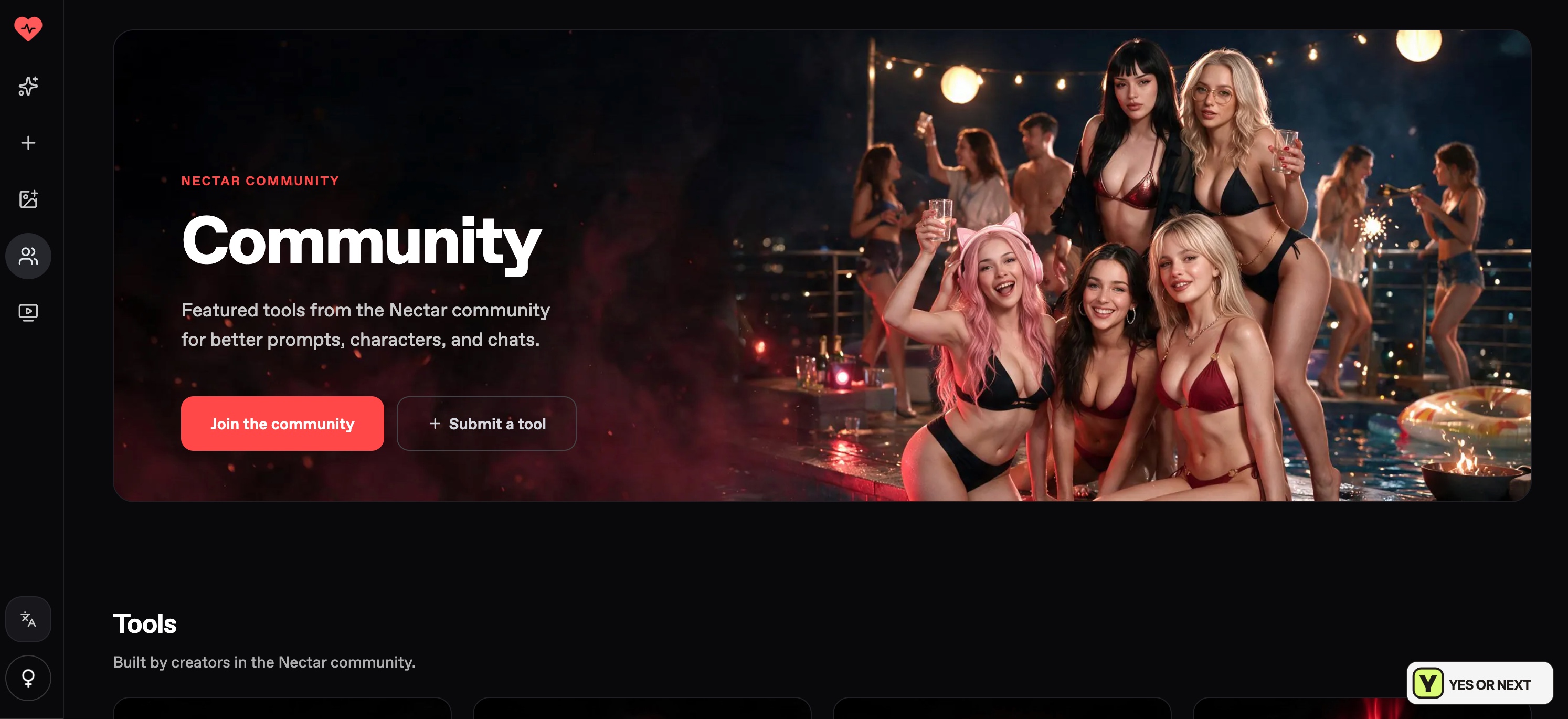
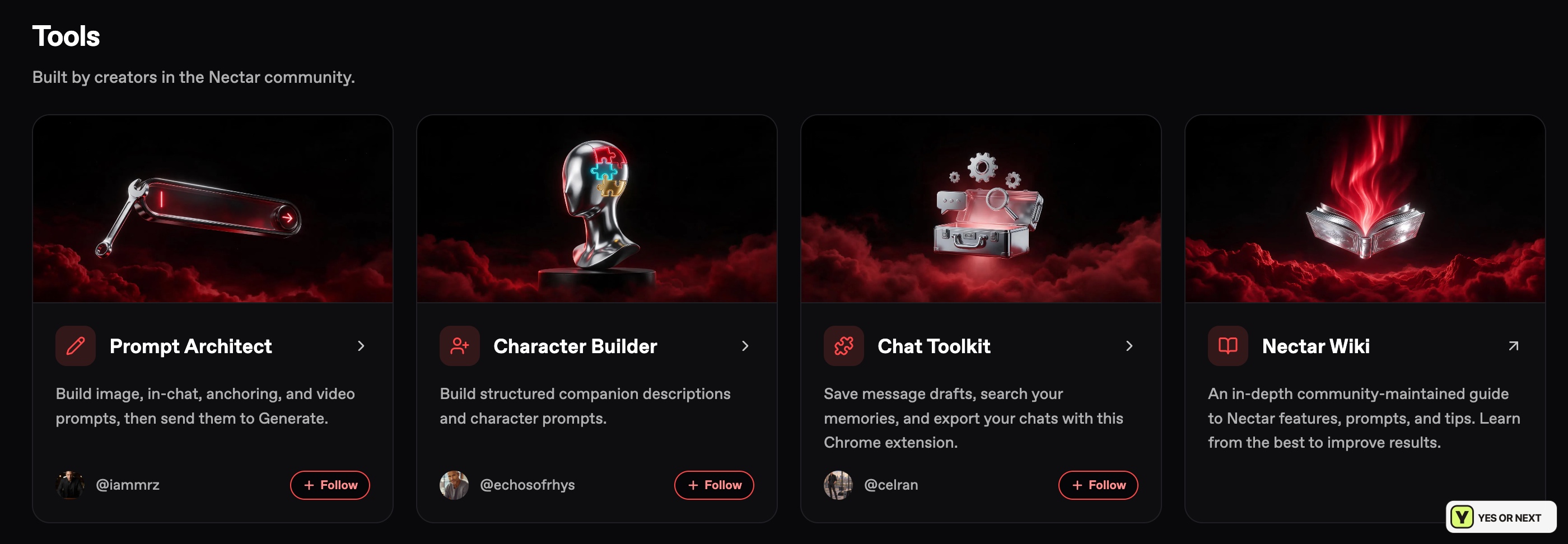
Character Builder is the one I would investigate first, because a specific personality is the next thing I want after choosing an appearance. These are the tools’ stated purposes, not improvements I measured by using them. The separate Feed is a visual scroll of AI clips and creations. I enjoyed that as a way to browse ideas, while the tools make Community more relevant when I want to build something.
Creating hasley: the broad look came through
I kept my creator brief simple: age 33, curly blonde hair and blue eyes. Nectar offers a standard preset route and a separate Photo Reference option. I used the standard flow, so the result below is something I can compare with my actual selections.
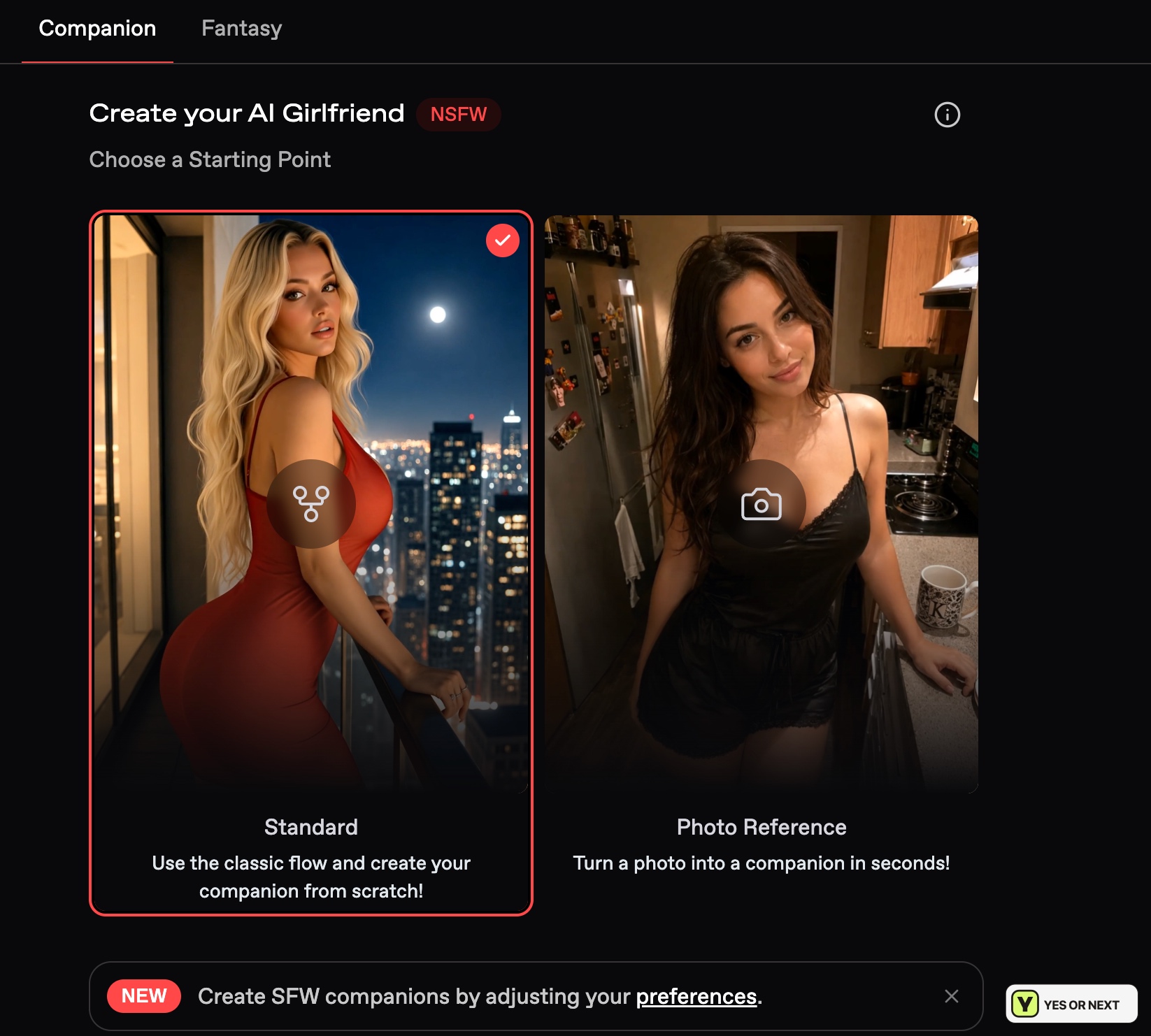
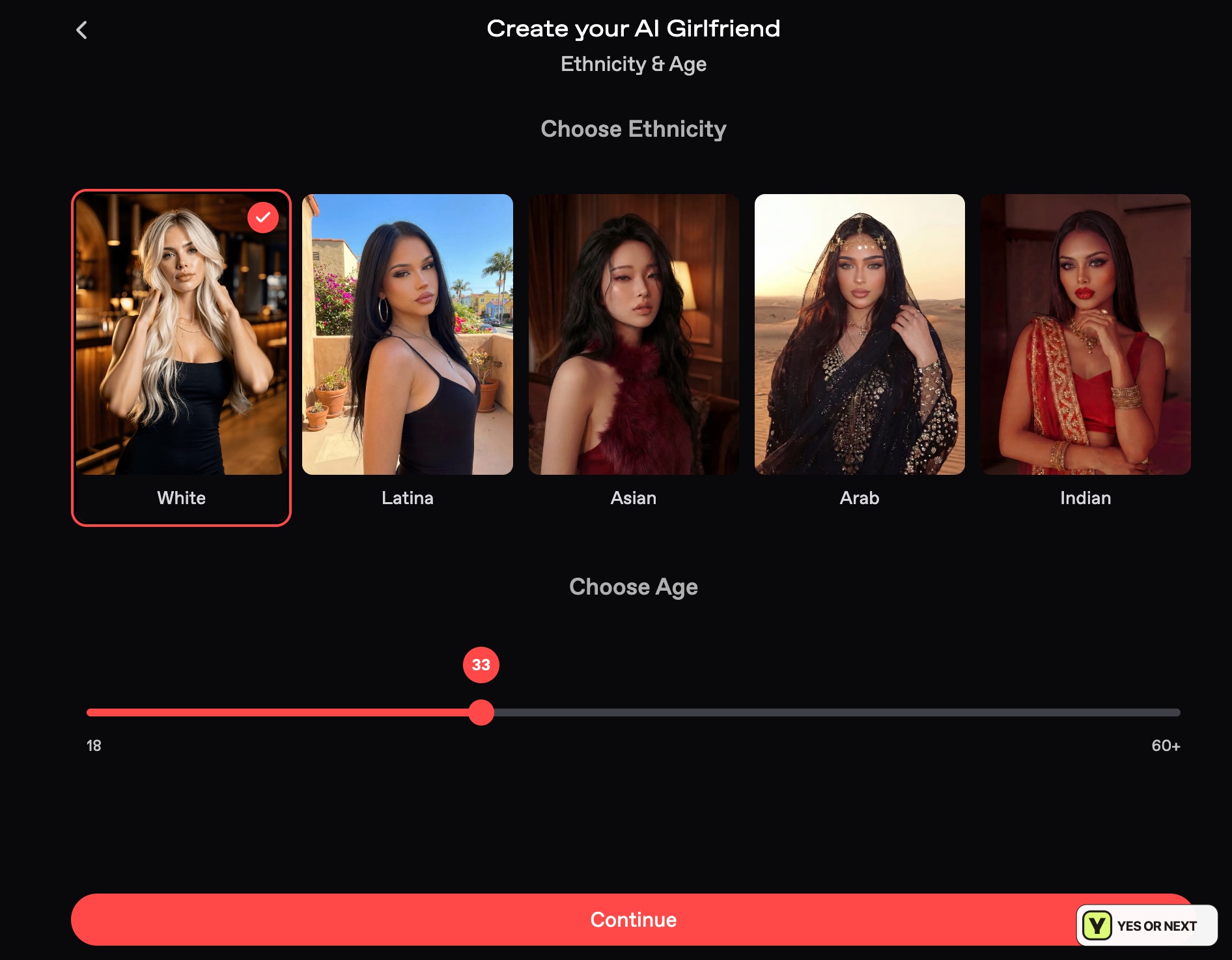
Curl, Blonde and Blue are separate choices in the Hair & Eyes panel. That makes the brief easy to express without writing an elaborate appearance prompt. The final screen keeps the selected traits beside the portrait and offers Reroll appearance next to Bring my AI to life, giving me a chance to judge the look before accepting it.
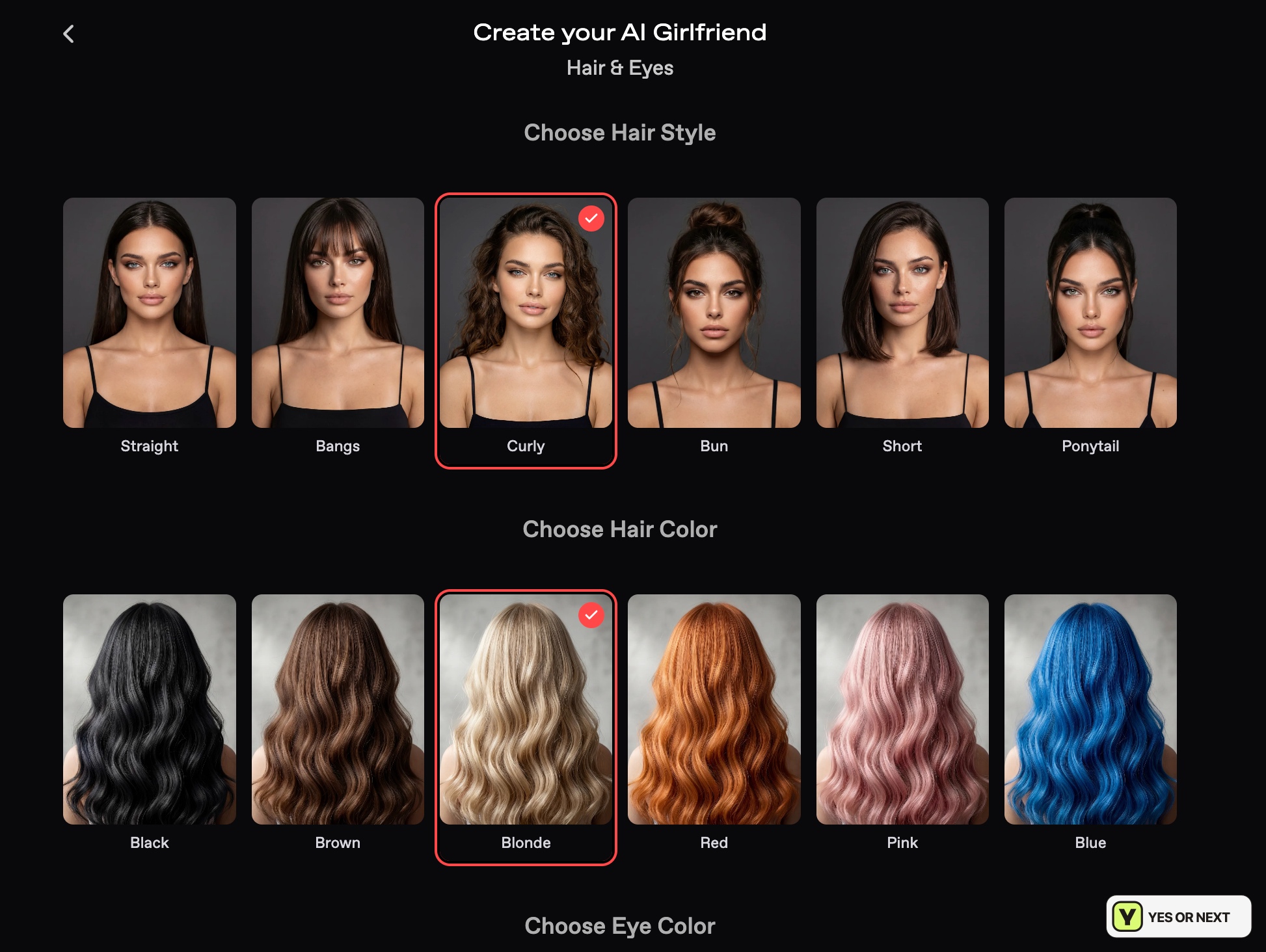
Hasley’s blonde hair and blue eyes were easy to recognise. The hair looked closer to loose curls and waves than tight ringlets. I liked the portrait, but that difference is worth mentioning: the builder followed my broad direction without giving me exact control over the curl pattern.
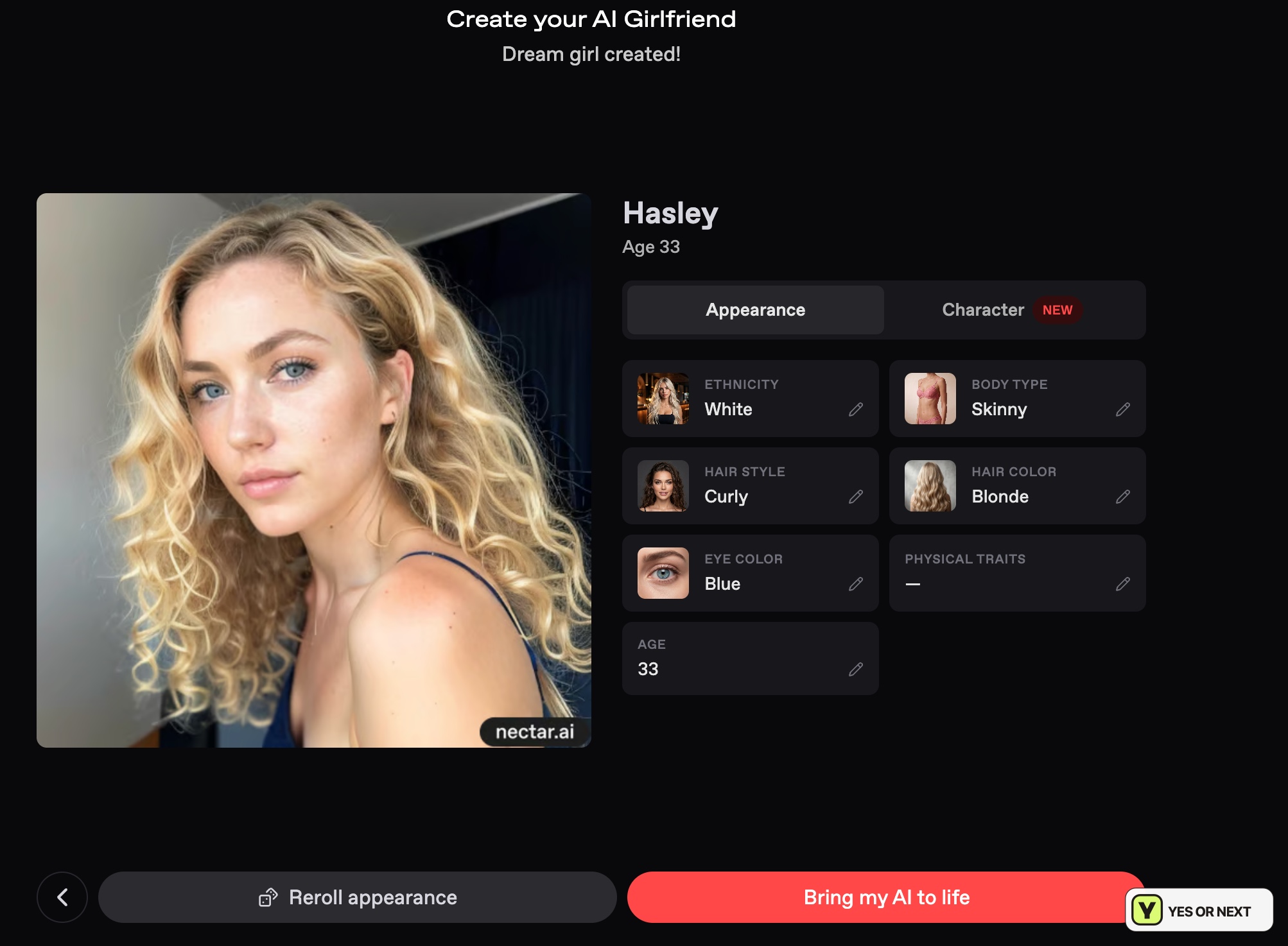
There is a practical reason to inspect that preview. The creation documentation checked for this review says ethnicity, hair, eyes and body type are fixed after creation, while age remains editable. I would make appearance corrections at this stage rather than assume I can change everything later.
Photo Reference is a different route, using an image as a starting point. Nectar’s creation guide requires an original fictional adult character and prohibits companions based on recognisable real people. My test did not use that route.
Hasley’s chat: a good opening, not a long-term test
Hasley leans over a bar counter, slides a coaster towards me and teases me about my empty glass. I like the opener because it gives me both a question and a setting to react to. The tone fits her Flirty label; I can answer inside the scene without inventing the entire situation myself.
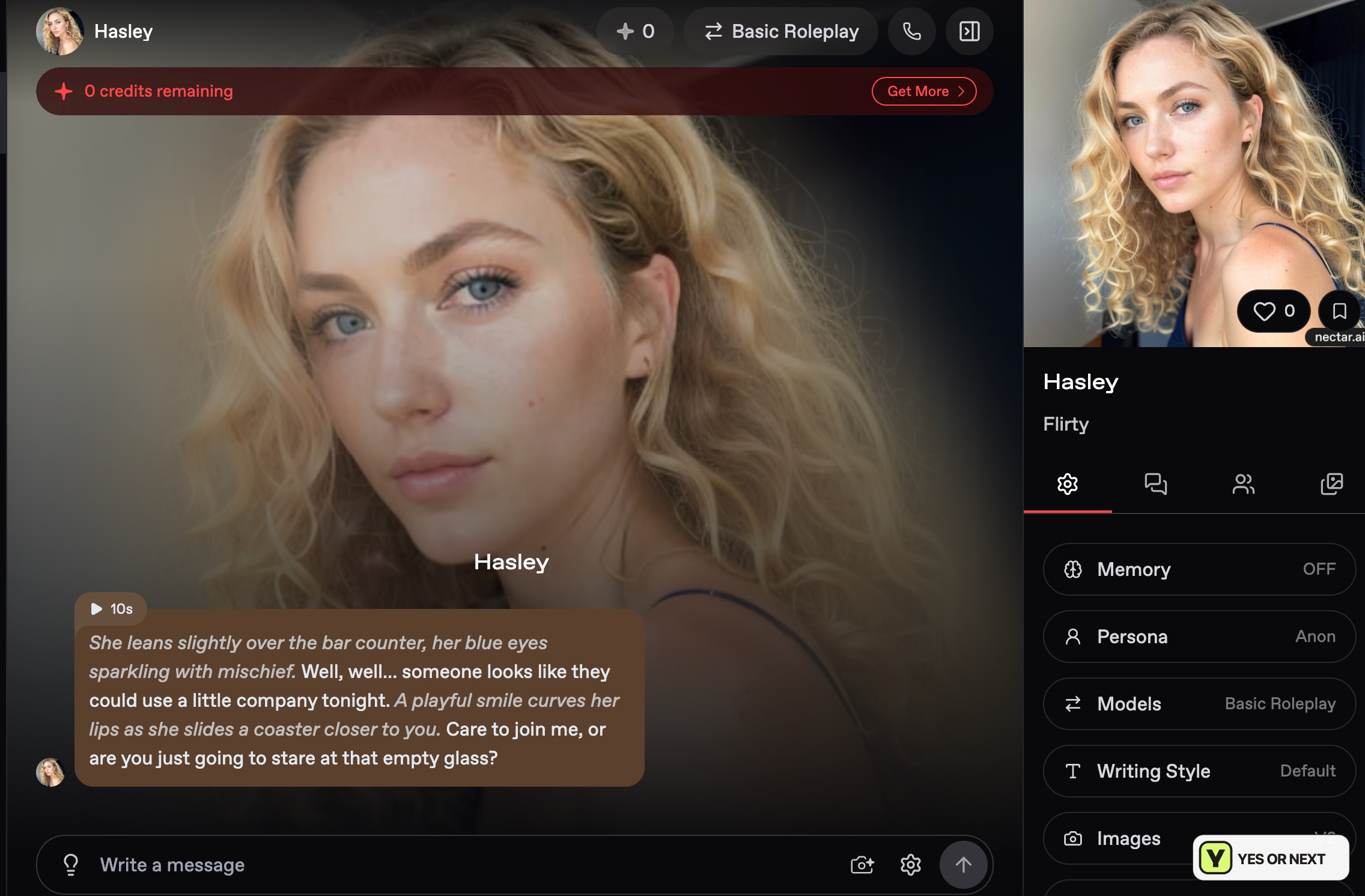
The same screen shows Basic Roleplay, Default writing style, an Anon persona, Memory OFF and a zero-credit balance. Those settings define the scope of this example: I can judge the opening and the controls, but it does not demonstrate paid-model performance or long-term recall.
Writing Style offers short, default and long replies, while custom instructions can guide the exchange. Those controls matter to me because scene-writing and casual conversation need different pacing. They give me a way to request a shorter reply or keep the AI from narrating my actions. I did not compare the same conversation across every model and setting.
Memory, personas and models have different jobs
Memory stores details for a conversation; a persona defines the role I play. Nectar’s documentation describes adding custom memories, reviewing automatic entries and marking up to ten as important. It also distinguishes archiving from resetting: an archive preserves memories, while a reset permanently deletes that conversation’s memories. A fresh conversation does not carry the previous chat’s memories across.
That distinction matters if I want to revisit Hasley’s story. Starting a new thread and reopening an existing one are different actions. A memory tool is an advantage for organising an ongoing scene, but my Memory OFF capture cannot tell me how accurately retrieval works.
Personas let me give my own role a name, description, gender and image. The documented allowances at the time of this review were one on Premium, three on Pro and ten on Ultimate. Context allowances were 8K, 16K and 64K respectively. Those are plan limits, not measured recall scores. Nectar also separates reply-writing models from image and video models, so a larger context allowance should not be mistaken for a media-generation budget.
Images, video and voice use separate controls and credits
Nectar offers media creation from chat and a fuller generator with scene, outfit, pose and style controls. Enhance can expand a short prompt, but is a paid action. The documented group-image workflow requires V3 when more than one companion is involved.
The video documentation checked for this review describes generation from text or an existing image, with V3 supporting sound, five- to thirty-second clips and several resolutions. These options are useful for choosing a format; I did not benchmark their output quality. The selected model, length and resolution affect the credit decision, so one video price cannot stand for every configuration.
Voice messages read a reply aloud, while live calls are spoken exchanges charged by the minute. Nectar also lets me include narration or hear only dialogue. I like that choice for roleplay: hearing a character speak and listening to a whole scene are different experiences. The availability of those controls is part of the appeal; voice quality remains outside my test.
Ultimate pricing: the upfront amount matters
The Ultimate screen captured on October 6, 2026 showed the offers below. These are dated prices, not a newly verified checkout. The annual monthly equivalent was displayed as $4.99, but the amount payable for the year was $59.99.
| Option | Displayed amount | Commitment |
|---|---|---|
| Monthly | $12.99 | One monthly payment period |
| Yearly | $59.99 upfront; shown as $4.99/month | One year paid at once |
| Monthly credit allowance | 5,000 credits | A finite media budget |
| Annual offer bonus | 2,500 first-month credits | A first-month promotion, not a recurring extra |
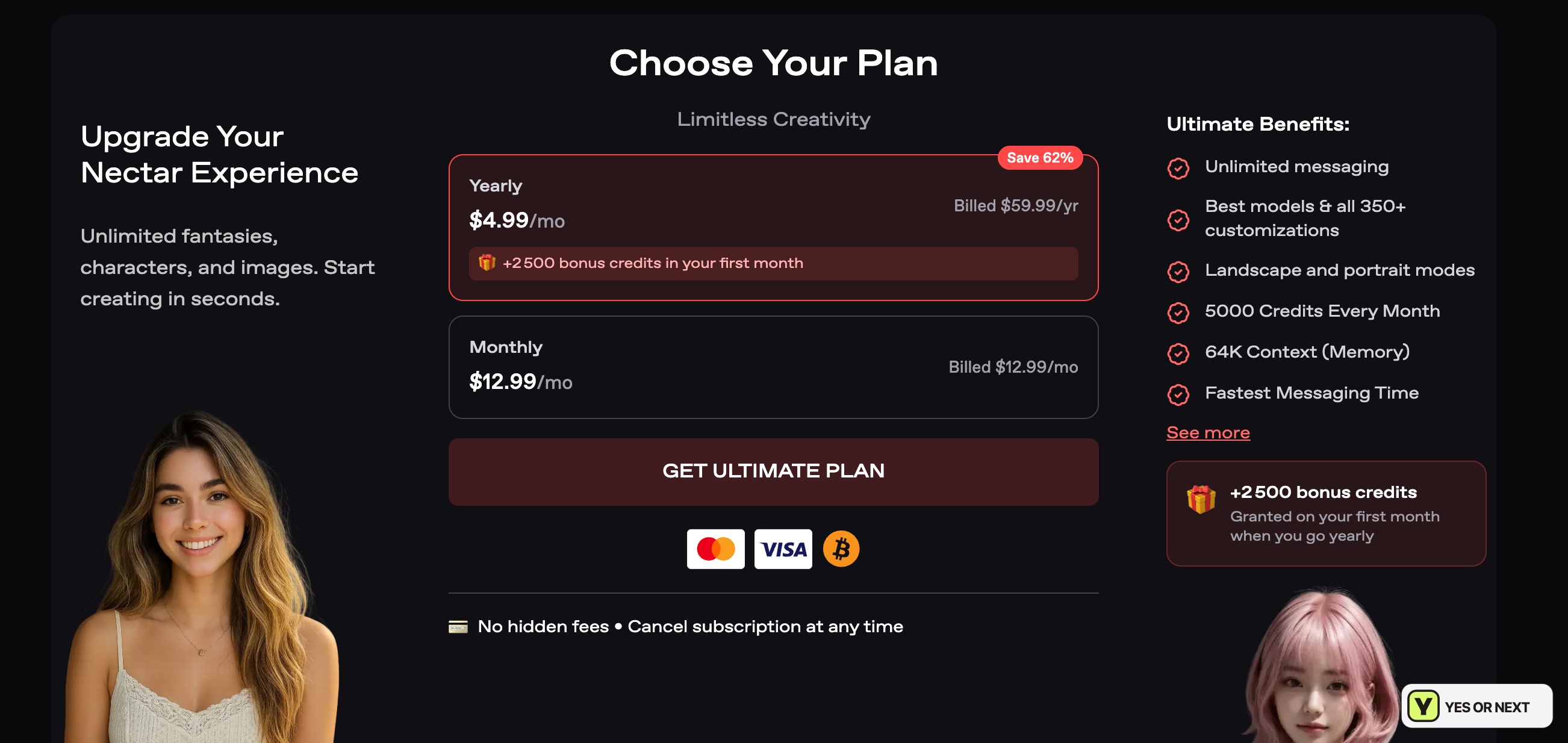
The captured offer also lists unlimited messaging, 64K context, customisation options and faster messaging. The word unlimited applies to messaging in that offer; it does not make every generated image, clip or call free. Models, Enhance, voice generation and other media actions can draw on credits. I would check the displayed action price before treating the 5,000-credit allowance as generous enough for my own use.
The annual offer lowers the equivalent monthly price but commits the full amount before I know whether I will keep returning. I would judge that decision by the part I expect to use: mostly written roleplay, or a regular mix of images, clips and calls. Check Nectar’s live pricing for the current total, renewal terms and allowances.
My verdict: YES for story-led roleplay
- Best fit: choosing a prepared scenario, shaping a character and controlling the pace of a story.
- My clearest result: Hasley’s broad appearance matched my brief, and her bar greeting gave me an opening I wanted to answer.
- Main trade-offs: a busy interface, setup choices and a separate credit budget for media.
I would put my GirlfriendGPT review and SpicyChat review beside Nectar when comparing roleplay. My decision would turn on whether I wanted a prepared scenario and cast or preferred finding an individual character. Nectar’s mix earns my Yes, especially if adjusting the story is part of the fun.
After trying it, leave your own Yes or Next and select what you liked. Reader responses are separate from my score and the public ranking. I test. You test. We choose.
Pricing shown here was captured on October 6, 2026; the linked documentation was checked on October 7. My experience notes cover Hasley’s appearance and opening chat. Paid-model performance, group interactions, generated media and long-term memory were not evaluated in this review. Prices, limits and features can change.
Your call
Tried it yourself? share your take.
I've made my call. If you've used this app too, make yours: Yes or Next. I read every vote and use that feedback when I revisit my reviews, scores and ranking.
How I use your vote
I review the Yes and Next votes together with the topics readers liked. They do not move an app automatically. When that feedback gives me a reason to retest, I update the review, score and ranking myself.
Yes — I’ve used it
You've tried it — good. Now make the call: Yes or Next, then tell me what actually worked.
Your take
What did you like?
Pick only the parts you actually used and liked. I read these topic votes too: they show me what worked, and I take them into account when I revisit the app.